
Vandaag of morgen in huis

Kwaliteit gegarandeerd

Welkomstaanbiedingen ontgrendelen: GRATIS bezorging | Tot 80% korting | Gratis 30 dagen JoyPlus-proefperiode
Download de app
A keyboard and mouse set may seem like a simple purchase, but small differences determine how comfortable the combination is to use. The wrong layout can cause typing errors, a wireless connection can be inconvenient if you are short of USB ports, and a mouse that does not suit your hand can quickly become tiring.
Pay particular attention to these common pitfalls:
For everyday use in the Netherlands, QWERTY is usually the familiar layout. However, the Logitech MK650 in this selection has a QWERTZ layout with German language markings. This may be suitable if you regularly work with a German keyboard layout, but it is less obvious for standard Dutch typing.
Belgian users may be better off looking for an AZERTY keyboard and mouse. According to the product information, the Dell KM7120W and Dell KM555 feature a Belgian AZERTY layout. Also check whether you need a numeric keypad. This is practical for spreadsheets, administration and working with figures, but it makes the keyboard longer.
A compact model saves space, while a full-size or 95% model offers more keys and functions. So do not look only at the word “compact”; also check the stated dimensions and number of keys.
A Bluetooth keyboard and mouse leaves a USB port available. You do, however, need a computer with Bluetooth support and must pair both devices. A USB keyboard and mouse or wireless set with an RF receiver works via a USB dongle. This is often practical with desktop computers without Bluetooth.
Sets offering both options provide greater flexibility. According to the product specifications, the Dell KM7120W supports 2.4 GHz RF and Bluetooth 5.0. The Dell KM555 works with an RF receiver and Bluetooth 5.1. The Logitech M650 mouse supports Bluetooth and Logitech Logi Bolt; check which receiver is actually included in the packaging for the set you choose.
If you use a laptop with few connections, pay attention to the number of USB ports required. Some sets use a single receiver for the keyboard and mouse, but this should be clear from the product information.
A membrane keyboard feels different from a model with scissor or plunger switches. The Logitech MK650 uses membrane keys. The Dell KM7120W has scissor switches, while the Dell KM555 has plunger switches; the KM555 product description states that this combination is intended to provide quieter typing. This is a product description, not a guarantee that the sound will be inaudible in every working environment.
If you work in a shared space, you may wish to consider a quiet keyboard and mouse set. Also check:
A higher DPI rating does not automatically mean greater accuracy in every situation. It mainly indicates how sensitive the cursor setting can be. For office work, comfort, stable tracking and a suitable shape are often more important than a high number.
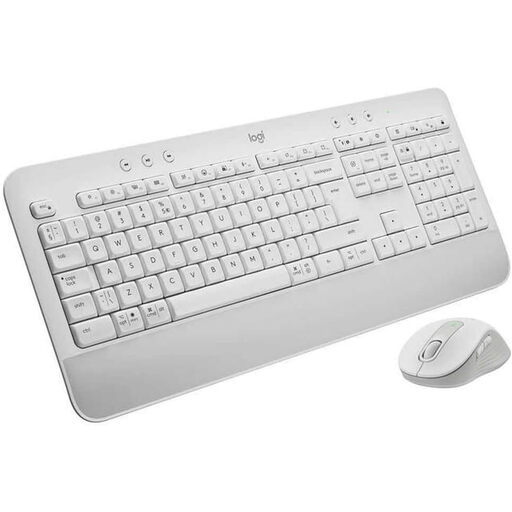
Why it suits this profile: This wireless set combines a full-size membrane keyboard with an optical mouse and is designed for home and office use. Do note the QWERTZ layout and German language markings.
The product information states the connections, layout, membrane type and whether a numeric keypad is included. This allows you to check in advance whether the set suits your working environment.
Bluetooth and radio connection, full-size design, numeric keypad, wrist rest and a five-button mouse.
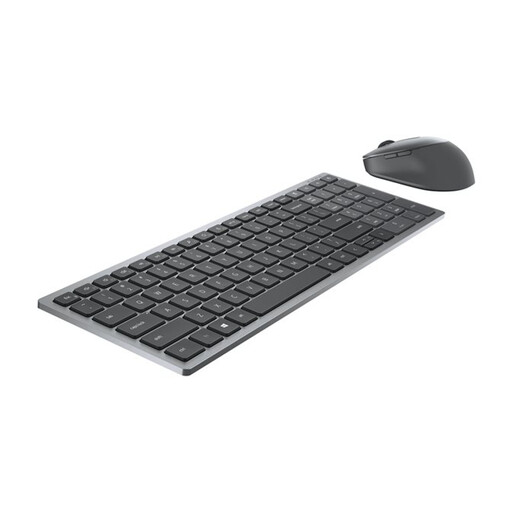
Why it suits this profile: This combination is designed for office work and Belgian users who need an AZERTY keyboard and mouse. The dual connection is convenient when switching between devices.
The Belgian layout is clearly stated. RF and Bluetooth 5.0 are also specified, so the connection method should not come as a surprise.
Scissor switches, numeric keypad, programmable shortcut keys and a mouse with 1,600 DPI and seven buttons.
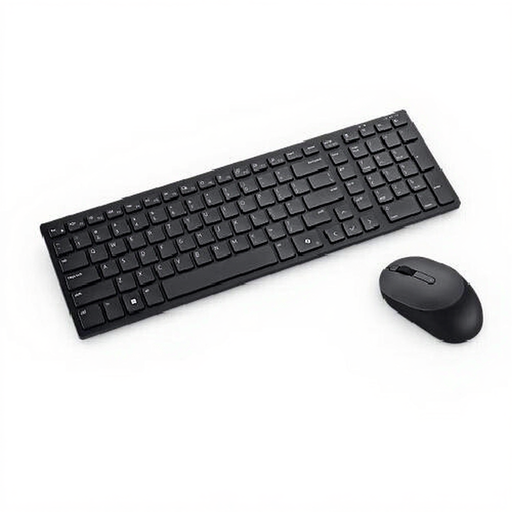
Why it suits this profile: This combination is suitable for offices where noise levels, multiple connection options and long-term daily use are important considerations.
The product description mentions plunger switches, an anti-spill system and Bluetooth 5.1 alongside RF. The mouse is also suitable for both left- and right-handed use.
AZERTY layout, numeric keypad, three mouse buttons and an optical resolution of 4,020 DPI according to the product specifications.
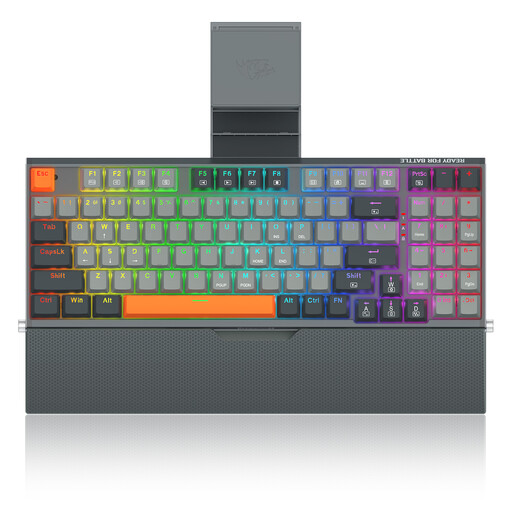
Why it suits this profile: This is not a complete keyboard and mouse set, but a wired mechanical keyboard for users who prioritise RGB lighting and customisable keys over an included mouse.
The wired connection avoids battery and pairing issues. As it is clearly stated that this is a keyboard only, you can choose a suitable mouse separately.
94 keys, hot-swappable PCB, PBT keycaps, pre-lubricated Redragon switches, RGB lighting and detachable wrist rest.
We have compiled a complete, up-to-date list of products that fully meet these strict selection criteria and the applicable European safety regulations.
That depends on your workspace. Wireless gives you greater freedom of movement and a tidier desk. Wired avoids battery changes and pairing. For a fixed desktop computer, a wired set is often straightforward; for a laptop or flexible workspace, Bluetooth may be more practical.
Lifespan depends on usage, switches, casing, batteries and maintenance. Keep crumbs and moisture away from the devices, and do not force the keys or mouse buttons. A statutory minimum two-year warranty applies to the Logitech and Dell products mentioned, according to the product information provided; additional rights may apply under national law.
A numeric keypad is useful for bookkeeping, spreadsheets and administrative work. For word processing, studying or gaming, a more compact keyboard may be sufficient. Measure your desk before choosing a full-size model.
