
Writers who edit between text panes
You want to refer to drafts, recipes or notes side by side, and often use navigation and keyboard shortcuts.


You don’t automatically need a physically split keyboard to write and edit in two editor panes. Start with the keys you use most and a layout that suits your computer. If you write for long stretches, consider hand position and your desk setup too. A compact, programmable model can be useful if you want to customise the keys, but it may take some getting used to.
You want to refer to drafts, recipes or notes side by side, and often use navigation and keyboard shortcuts.
You prioritise the position of your hands and forearms, and want to assess keyboard shape and desk setup together.
You’re looking for a familiar layout and comparing flat keys with customisable mechanical keys, while considering connectivity and operating system compatibility.
Start with the keys and shortcuts you use most to move between panes and edit text. Then compare the layout, connection and hand position with your computer and writing habits.
| What to consider | What to look for | Who is this most important for? |
|---|---|---|
| Navigation and editing | Check how easy it is to reach the arrow keys, Delete and other editing keys, or whether they can be remapped. | If I often switch between text panes and notes while writing, I want my editing keys to be within easy reach. Around 33% of consumers prioritise navigation and editing. |
| Hand and arm position | Consider the keyboard shape, desk space and distance to your mouse. | For long writing sessions, I want to position my keyboard and workspace in a way that feels comfortable for my hands. Around 27% of consumers give posture during extended writing their top priority. |
| Key feel and layout | Compare a familiar flat layout with a mechanical option; don’t judge noise levels by the switch type alone. | If I want to carry on working without much adjustment, a familiar key layout may suit my preferences better. Around 20% of consumers prioritise a familiar typing experience. |
| Computer compatibility | Check the physical keyboard layout, connection and version for your operating system. | If I need specific key legends or functions, I want them to suit my computer and the way I work. Around 20% of consumers consider layout and compatibility their most important factors. |
Arranging windows side by side is a feature of your editor or operating system. A physically split keyboard changes the position of the keys, not the layout of your windows.
Try your window and editor shortcuts first. Then consider separately whether you want to change your hand position.
The CHERRY KC 6000 SLIM and KC 6000 SLIM FOR MAC are separate versions. For the Keychron K3 Max, hot-swapping is available only on the designated RGB hot-swap version.
Check the full model name, physical layout, connection and specifications of the version you’re considering.
Claims about a keyboard’s shape or support don’t prove that it will prevent discomfort for every writer. The Dutch Arboportaal describes repetitive movements and static strain associated with screen work.
Consider your hand position alongside the rest of your workspace and make sure you vary your activities. Don’t treat a product claim as a personal medical outcome.
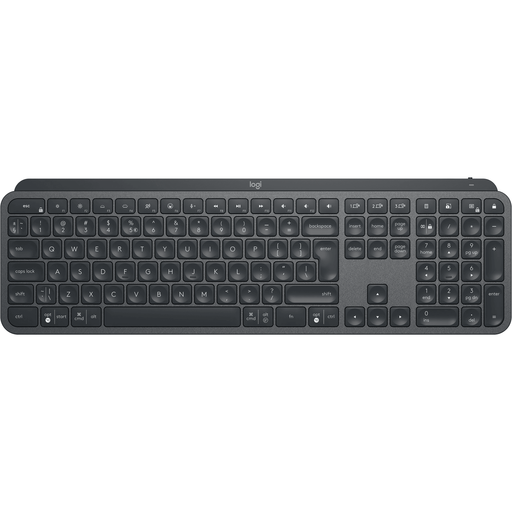
The MX Keys S is a flat keyboard with programmable functions; the ERGO K860 has a curved, split keyboard frame.
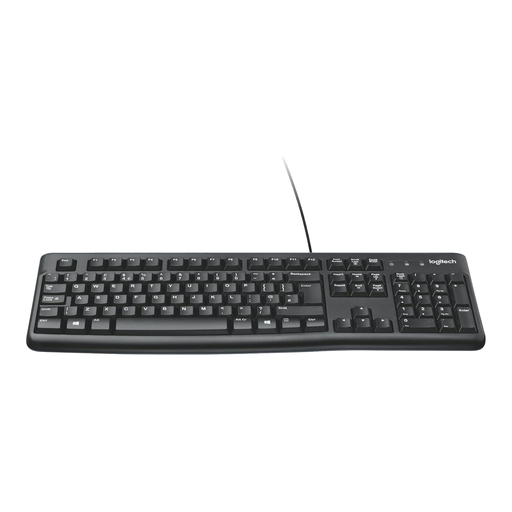
The KC 6000 SLIM is a wired, flat, full-size keyboard; a separate FOR MAC version is also available.
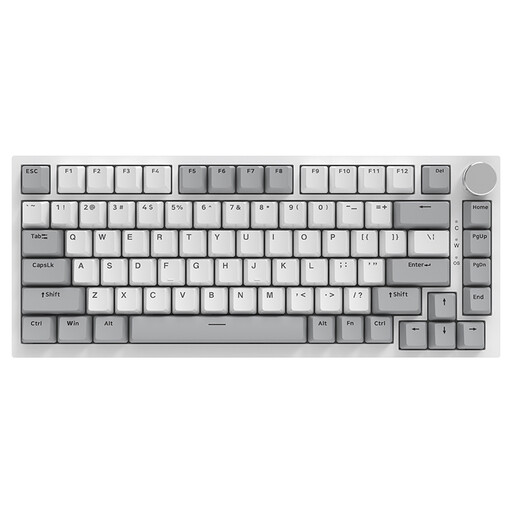
The K3 Max is a compact mechanical keyboard for anyone who wants to customise their keys.
Its two physically separate keyboard halves are designed for writers who want to set the distance between their hands themselves.
This selection includes flat keyboards and compact mechanical models for typing and editing text.
 No image available
Worth considering if you want to combine programmable keys with a full-size layout.
The product information lists a full-size layout and wireless connectivity. Logi Options+ offers key customisation; according to the description, Easy-Switch supports up to three devices. Check that Qwerty US suits your preferences.
 No image available
A wired, full-size layout to consider if you’re looking for a familiar keyboard for writing.
The product description lists a number pad, quiet low-profile keys and adjustable feet. Check that the connection and physical layout suit your computer and preferences.
 No image available
A compact mechanical option to consider if you want to assess the reach of the editing keys and customise the settings yourself.
The product information lists a 75% layout, QWERTY US and three connection options: Bluetooth, 2.4 GHz and USB-C. The description mentions essential arrow and function keys; check that the layout suits the way you normally work.
 No image available
A compact option to consider if you’re looking for a 75% layout and a choice of connection options.
The product information lists wired, Bluetooth and 2.4 GHz connectivity. The title mentions hot-swappable switches; check that this version and the QWERTY US layout suit your needs.
 No image available
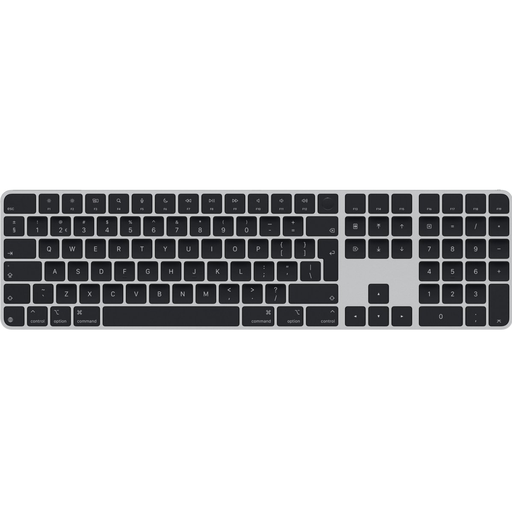
A flat option to consider if a Dutch QWERTY layout and document navigation keys are important to you.
The product information lists arrow and document navigation keys, wireless use and a rechargeable battery. Check the connection and compatibility with your computer; automatic pairing with a Mac is mentioned in the description.
No, two editor windows don’t in themselves require a physically split keyboard. Arranging windows side by side is a feature of your operating system or editor; for example, Microsoft Support explains how to snap windows in Windows using the Windows key and an arrow key. Check the shortcuts for your own editor separately.
Try the layout with your usual writing and editing tasks before deciding. Test switching between panes and correcting text; if you choose a configurable model, set up the keys you actually use most often. Keychron lists key remapping as a feature of the K3 Max.
Not on its own: your workspace and varying your activities matter too. The Dutch Arboportaal describes repetitive movements and static strain associated with screen work. Rules on varying screen work apply in a work context; they don’t automatically apply to someone writing a memoir in their own time.
For distance purchases from a business, a 14-day cooling-off period applies in many cases, according to the Dutch government. There are exceptions; before ordering, check who the seller is and which terms and conditions apply.
As a private consumer, you’re entitled to a repair or replacement if the product was already faulty when delivered, according to the Dutch government. Any additional retailer or manufacturer’s guarantee is on top of your statutory rights, so keep your proof of purchase.