What should you look for when marking work digitally?
Start with the tasks you do most often. Then compare the layout, the space available for your mouse, and the connections or software permitted on your work computer.
| What to consider |
What should you check? |
Who should pay particular attention? |
| Key layout and written feedback |
Check the positions of the letters, punctuation marks, navigation keys and any shortcuts. |
If you type a lot of detailed feedback, you’ll want a layout that suits the way you enter text. Around 33% of consumers give written feedback top priority. |
| Mouse reach and desk space |
Consider whether you need a separate number pad and how your mouse will fit beside the keyboard. |
If you often switch between typing and pointing, you’ll want to position your mouse and keyboard comfortably. Around 25% of consumers prioritise mouse navigation and desk space. |
| Wrist rest and posture |
Assess the shape and wrist rest in your own setup, and take breaks from screen work. |
If you’re mainly concerned with a comfortable hand position and workspace setup during longer sessions, the keyboard’s shape may be a factor. Around 25% of consumers prioritise posture and support. |
| Connection and software |
Check which connections are available and whether any additional software is permitted on your work computer. |
If you mainly need a keyboard that fits the connections and software requirements of your workplace, check these conditions in advance. Around 17% of consumers prioritise connectivity and ease of use. |
Keyboards at Joybuy
This selection includes wired and compact mechanical keyboards, as well as models with a wrist rest or customisable features. Check the layout and connection carefully to make sure they suit your marking work.
 No image available
RK ROYAL KLUDGE R98 Pro Wired Mechanical Keyboard
A wired option to compare if you have a fixed workspace and want to factor a wrist rest into your choice.
The title lists 94 keys and a mechanical keyboard. The product description mentions PBT keycaps, RGB lighting and a detachable wrist rest.
View at Joybuy
 No image available
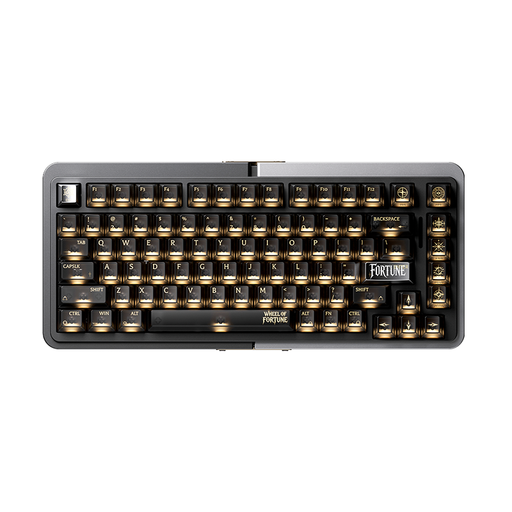
Royalaxe E75 Custom 75% Hall Effect Mechanical Keyboard
A wired model to compare if you’re looking for a compact layout.
The product title lists a 75% layout, Hall Effect switches and a wired mode.
View at Joybuy
 No image available
REDRAGON Wired 94-Key Mechanical Keyboard
This wired model is worth considering if you want to include a wrist rest in your desk setup comparison.
The product title lists 94 keys, a wrist rest and a phone stand. The description mentions PBT keycaps.
View at Joybuy
 No image available
Redragon M68 Magnetic Switch Mechanical Keyboard, US Layout
The compact layout may be useful if you want your keyboard to take up less desk space.
The product title lists 68 keys and a US layout. The description mentions Hall Effect switches, Rapid Trigger and a detachable Type-C cable.
View at Joybuy
 No image available
AJAZZ AK820 MAX 75% Wireless Mechanical Keyboard, US QWERTY
A compact option to compare if you’re also looking for customisable actions; check that the features are compatible with your work computer and marking software.
The product title lists a US QWERTY layout and a wireless keyboard variant. The description mentions three connection modes, macro settings and built-in memory.
View at Joybuy
Frequently asked questions
Should I use a separate keyboard when marking work on a laptop?
For employees who work at a screen for more than 2 hours a day, Arboportaal states that the screen and keyboard must not be joined together, and that laptop users must be able to use a separate screen or keyboard. This is not a general buying requirement for every home user; discuss your workspace setup with your employer.
Will programmable keys work straight away in my marking programme?
Not automatically: Logitech links Smart Actions on the MX Keys S to Logi Options+. Check whether you’re allowed to install the software on your work computer and whether the action you want works in your programme.
What can I do if my hands or shoulders feel uncomfortable while I’m marking work?
Set up your workspace to suit you and take breaks from screen work. Arboportaal recommends contacting your occupational health doctor if you start to experience discomfort, and arranging a workplace assessment if necessary; a keyboard is not a treatment.
What are my rights if a keyboard I bought online isn’t suitable or breaks quickly?
For online consumer purchases, ACM ConsuWijzer states that you generally have a statutory 14-day cooling-off period; check the applicable terms and exceptions. You’re also covered by the legal guarantee: if the product doesn’t meet what you could reasonably expect when used normally, the seller must offer an appropriate solution at no cost.
Does a specialist keyboard automatically make it safe to handle pupils’ data at home?
No. The Dutch Data Protection Authority warns that security at home may be less robust, which could lead to sensitive data being leaked. When marking work digitally, follow your educational institution’s security requirements; a keyboard is no substitute for them.


