What should you look for?
Start with the tasks you do most often, then decide which layout, connection and key feel suit them.
| Consideration |
What to look for when buying |
Who is this important for? |
| Room for typing and using the mouse |
Compare the width and check whether you need the number pad and navigation keys. Readjust your workstation when switching between sitting and standing. |
If I often switch between typing and using the mouse while marking, I want to be able to keep the mouse close at hand. Around 33% of consumers prioritise having room for a suitable typing and mouse position. |
| Keyboard shortcuts and input |
Check which keys and number pad your marking software requires. Also check whether you are allowed to install configuration software. |
For recurring input or navigation tasks, I want to know whether the keys and software support the way I work. Around 25% of consumers prioritise repetitive input. |
| Key feel and sound |
Check the exact switch type and layout. Where possible, try out the key feel before you decide. |
In a shared space, I want to choose a key feel that suits the environment and my preferences. Around 25% of consumers prioritise how the keys feel. |
| Connections and devices |
Check which USB ports are available, which Bluetooth devices are permitted and whether your computer has any software restrictions. |
If I work with more than one device, I want to know which connections I can use and whether I can switch between them. Around 17% of consumers prioritise device connectivity. |
Keyboards at Joybuy
This selection includes keyboards for desk typing, with compact layouts and options featuring a number pad. For customisable functions, also check that your marking software and computer support them.
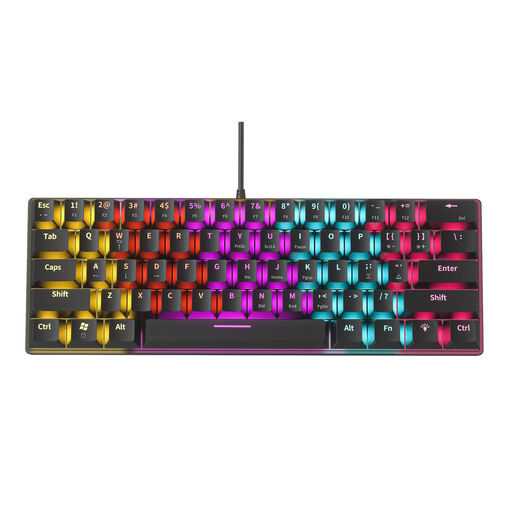 Image unavailable
NAXSIR Mini Mechanical Keyboard, 61 keys
The compact layout is designed to leave more room on your desk.
61 keys, a USB connection and blue mechanical switches. These switches are described as audibly clicky, which may make them less suitable for a shared space.
View at Joybuy
 Image unavailable
Wired QWERTY keyboard with number pad
An option to compare if you often enter numbers and are looking for a full-size keyboard.
Full-size layout with a number pad, navigation keys and function keys. The product name specifies a wired plug-and-play connection.
View at Joybuy
 Image unavailable
REDRAGON mechanical keyboard with 94 keys
A wired mechanical option if you are looking for a keyboard with a palm rest.
The product information lists 94 keys, a detachable palm rest and a metal case. The product name also mentions a phone stand.
View at Joybuy
 Image unavailable
Redragon M68, 68 keys, US layout
The 68-key layout is compact and may suit you if you want to save desk space.
Mechanical magnetic switches and a detachable USB-C cable. The product information lists compatibility with Windows and macOS.
View at Joybuy
 Image unavailable
AJAZZ AK820 V2, wired, 75% layout
A compact layout to consider if you want to save space and customise keys for recurring tasks.
HE magnetic switches. The product information states that the layout retains the function keys, arrow keys and navigation cluster, with key remapping and macro recording via a web driver.
View at Joybuy
Frequently asked questions
Which keyboard is suitable if you often enter numbers while marking?
A keyboard with a number pad may suit you if you often enter numbers. Also check that the layout and required navigation keys work with your marking software.
Should you use a separate keyboard when marking on a laptop?
For employees who work at a screen for more than 2 hours a day, Arboportaal states that the screen and keyboard must not be attached to each other. With a laptop, it must therefore be possible to use a separate screen or keyboard. This is a conditional workplace requirement, not a rule that every individual buyer must choose a particular keyboard model.
Are you meant to work standing up for an entire marking session?
No. Arboportaal recommends varying screen-based work, adjusting your workstation to your body measurements, and alternating between sitting and standing. A sit-stand desk or ergonomically shaped keyboard is no substitute for alternating between the two.
Will programmable keys automatically work with your marking software?
No, this is not guaranteed by the keyboard specifications. Logitech lists customisable functions for the MX Keys S through Logi Options+; check whether your computer allows you to use this software and whether your marking software supports the actions you want to perform.
How do you connect a wired keyboard if your laptop has different USB ports?
Check the connections on your laptop and keyboard before buying. BakkerElkhuizen specifies that the UltraBoard 950 V2 has a USB-C connection and comes with a USB-A adapter; this tells you nothing about the connections on other models.


