
Mapper with limited mouse space
You often switch between your keyboard and mouse while creating or editing a map, and want to bring the mouse closer. Ergowerken explains that a compact keyboard can free up space for this.


Start by considering the space available for your mouse and the keys you need for your mapping task. A compact keyboard can bring the mouse closer, while a full-size model keeps a numeric keypad within easy reach. Then check the layout and connection type of the version you’re considering. At a shared desk, it’s also best not to assume a particular model is quieter without evidence.
You often switch between your keyboard and mouse while creating or editing a map, and want to bring the mouse closer. Ergowerken explains that a compact keyboard can free up space for this.
You type alongside other people and want to consider both typing noise and the keyboard layout. BakkerElkhuizen and Logitech describe features of specific models; these are not comparable noise measurements covering all keyboards.
You regularly enter numbers and are weighing up having a numeric keypad within easy reach against the extra mouse space a compact keyboard can free up. Logitech describes the Signature K650 as a full-size model.
Start with the space available for your mouse and how often you enter numbers. A compact keyboard can bring the mouse closer, as Ergowerken explains. Logitech describes models such as the Signature K650 as having a full-size layout.
| What to consider | What should you check? | Who is this most relevant to? |
|---|---|---|
| Space for your mouse and map editing | Check whether you can work without a dedicated numeric keypad and still reach the navigation and shortcut keys you need. | If I often switch between my mouse and keyboard, I want to keep my mouse close by. Around 31% of consumers give the most priority to space for their mouse and map editing. |
| Quiet typing around others | Check which key mechanism is listed and, if possible, try the keyboard for yourself. Don’t assume how loud it is based on its size. | If I work alongside others, I want to consider the sound of my keys. Around 25% of consumers prioritise quiet typing. |
| Layout and connection | Check the exact language variant, connection type and any software requirements for the shared computer. | If I connect a keyboard to a shared work computer, I want the layout and connection to be suitable. Around 19% of consumers prioritise this practical compatibility. |
| Entering numbers | Consider how often you use numbers. For a compact model, check whether using the numeric keys requires a different method. | If I often enter numbers, I want to know whether I can type them directly using a numeric keypad. Around 13% of consumers prioritise direct number entry. |
| Posture and breaks | Check that you can position the mouse and keyboard comfortably, and that any software for extra features will work on the computer. | If I work on a mapping task for a long time, I want to set up my workstation appropriately and take breaks. Around 12% of consumers give posture and breaks the most attention. |
According to the manufacturer, the BakkerElkhuizen S-board 840 has no dedicated numeric keypad, although BakkerElkhuizen does list an integrated numeric section that you access using NumLock. This works differently from a numeric keypad that’s always within easy reach.
Before buying, check which number, navigation and shortcut keys you need for your mapping task.
If you often enter numbers, you may need a separate numeric input device.
According to R-Go Tools, the indicator on the R-Go Compact Break is controlled by R-Go Break Software. The indicator doesn’t replace alternating work with breaks.
Check whether you can and are allowed to use the required software on the shared computer. Remember to take breaks even if there’s no indicator.
The wrong keyboard layout or connection type could mean the keyboard isn’t suitable for your workstation and needs to be replaced.
Before ordering, check the full model name, keyboard layout, box contents and connection type on the product details page.
The S-board 840 is a compact, wired option for anyone who wants to keep their mouse close by.
The MX Keys Mini is compact; the Signature K650 is a separate, full-size model.
According to CHERRY, the KC 6000 SLIM is a slim, full-size keyboard for a Windows computer with USB-A.
The Compact Break combines a compact design with a break indicator.
This selection includes compact keyboards and models with a numeric keypad for mapping at a shared desk. For the version you’re considering, check that the layout and connection are suitable for your work computer.
 Image unavailable
An option to consider if you want a numeric keypad for entering numbers. Check that the keyboard and mouse will both fit on your desk.
The product name lists a wired design, numeric keypad, volume control and beige switch.
 Image unavailable
First check that your computer is covered by the compatibility details for this version.
According to the product information, this version is designed for Mac models with Apple Silicon. The name lists Touch ID and a numeric keypad.
 Image unavailable
A keyboard and mouse set to consider if you’re looking for both together. Check that the US English layout suits your needs.
The product name lists RF Wireless + Bluetooth and the colour Blue.
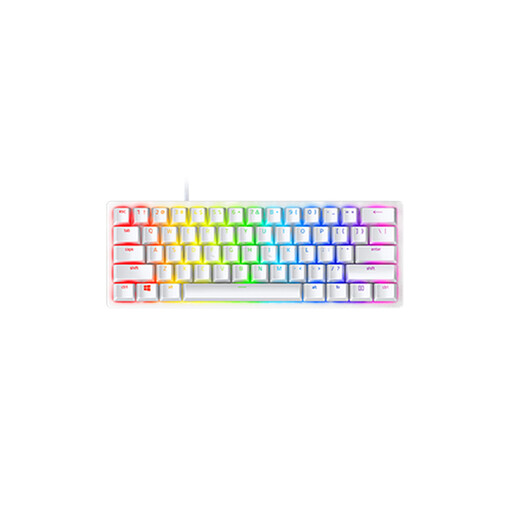 Image unavailable
A compact model to consider if desk space is limited. Check that the US layout works for you.
The product name lists Linear Optical Switch and the Mercury variant.
 Image unavailable
A compact model to consider if you want to keep space free for your mouse. The listed clicky, tactile feedback may not be the best fit if quiet typing is important.
The product name lists a wired design with 61 keys and a QWERTY US layout.
Not necessarily. According to the QGIS documentation, you can set your own keyboard shortcuts. First, check which commands you use and whether the keys you need are easy to reach on your chosen layout.
Position the mouse and keyboard so you can use them comfortably, and readjust the workstation when someone else uses the desk. Arboportaal advises adjusting display-screen furniture to suit the user’s body measurements and varying display-screen work.
If an employee works with display-screen equipment for more than 2 hours a day, the screen and keyboard must not be attached to each other, according to Arboportaal. When using a laptop, the employee must then be able to use a separate screen or keyboard. This requirement applies to the work situation described, not automatically to everyone buying a keyboard.
For a consumer purchase in the Netherlands, you’re entitled to a product that meets expectations, according to the Dutch government. If there’s a problem, contact the seller. For distance purchases, you’re also entitled to a 14-day cooling-off period in many cases. Check the terms that apply to your purchase, and remember that the cooling-off period is separate from your rights if a product doesn’t meet expectations.