
Writers who find keys hard to see
If you look at the keyboard while writing, large lettering and clear contrast can make a difference. Product information from Sensotec and Optelec describes keyboards with these features.


You can enlarge text on your screen using your operating system or writing software: a keyboard with large lettering won’t enlarge your document. Choose high-contrast, easy-to-read keys if you find them hard to distinguish. For long writing sessions, also consider the layout, key feel and your workspace. Special ZoomText or Fusion shortcuts are mainly relevant if you use that software.
If you look at the keyboard while writing, large lettering and clear contrast can make a difference. Product information from Sensotec and Optelec describes keyboards with these features.
For long writing and editing sessions, the layout, key feel and set-up of your workspace also matter. Arboportaal describes repetitive hand movements and static strain when working at a screen.
If you mainly find on-screen text hard to read, look at magnification settings and any software-specific shortcuts. Visio and Microsoft describe accessibility settings, while Optelec lists shortcuts for ZoomText and Fusion.
First decide whether you mainly want to read the text on screen, the lettering on the keys or both. Then consider the layout, key feel and connection.
| What to consider | What to look for when buying | Who is this important for? |
|---|---|---|
| Easy-to-read key legends | Check the letter size, contrast colours, symbols and the physical QWERTY layout of the model. | If I look for keys by sight while writing, I want to be able to assess their lettering and colours. Around 36% of consumers prioritise easy-to-read key legends. |
| Comfort when typing for long periods | Consider the key feel, navigation keys, whether you need a numeric keypad and how much space you have on your desk. | If I write and edit long texts, I want to choose a layout and key feel that suit my workspace. Around 29% of consumers prioritise typing comfort when writing for long periods. |
| Enlarged on-screen text | Try the magnification settings in your operating system and writing software. Check separately which software requires special shortcuts. | If I find the text on my screen hard to read, I want to be able to enlarge it without assuming the keyboard does this by itself. Around 21% of consumers prioritise screen magnification. |
| Connection and layout | Check that the connection is compatible with your computer, and look at the position of punctuation and navigation keys on the layout you’ve chosen. | If I want to type Dutch texts efficiently, I want to know in advance whether the port and key layout suit my computer and habits. Around 14% of consumers prioritise connection and layout. |
A keyboard won’t change the text size in your document by itself.
First try the magnification options on your computer and in your writing software. Then choose key legends that are easy for you to see.
PERIBOARD-317 models may come in different language layouts. Microsoft notes that shortcuts can vary with a different layout.
Before buying, check the model you’ve selected and the position of punctuation and shortcut keys.
Optelec links the special keys on its ZoomText keyboard to ZoomText and Fusion functions.
Choose the keyboard for these functions only if you use the relevant software and have checked compatibility.
Arboportaal describes repetitive hand movements and static strain when working at a screen. Simply changing your keyboard won’t automatically prevent these.
Consider the key feel and layout alongside your working posture, and vary your tasks and position.
Sensotec describes ClearKeys as a keyboard with large lettering, designed for people who want the keys to be easy to see.
Perixx describes the PERIBOARD-317 as a keyboard with large lettering and backlighting.
Optelec describes a ZoomText large-print keyboard with easy-to-see legends and controls for ZoomText or Fusion functions.
Logitech offers standard typing keyboards for comparing features such as layout, key feel and backlighting.
The CHERRY KC 6000 SLIM is worth comparing if you’re looking for a slim, full-size keyboard with scissor-switch keys.
This selection focuses on standard keyboards for writing. Enlarge on-screen text separately using your computer or writing software, and check that the key legends on each model suit your needs.
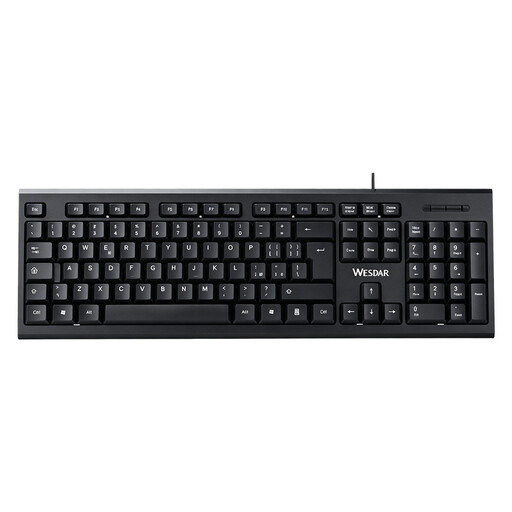 No image available
Worth considering if you’re looking for a full-size keyboard with a numeric keypad for writing and editing.
Full-size; QWERTY layout; wired; plug-and-play according to the product name.
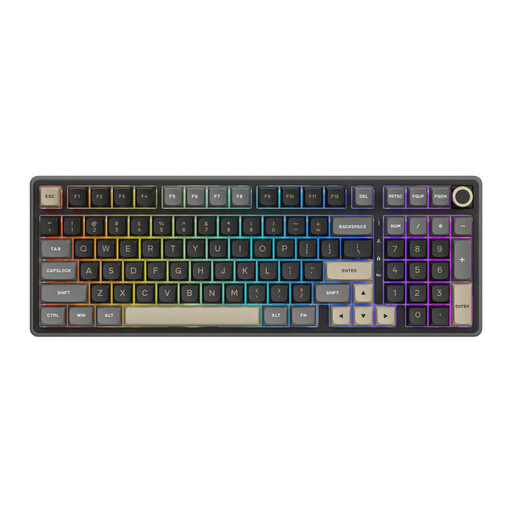 No image available
This could suit you if you want to compare mechanical keyboards with numeric keypads for writing.
Wired; RGB lighting; Beige switches; PBT keycaps; hot-swappable according to the product name.
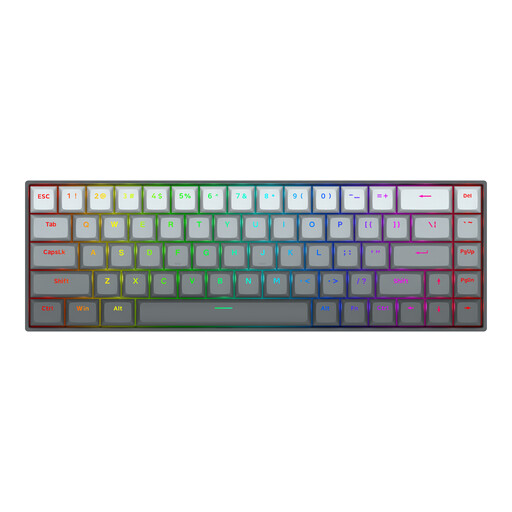 No image available
The compact design may be worth considering if desk space is limited. Check that the US layout suits the punctuation marks you use.
68 keys; mechanical; magnetic switches; US layout according to the product name.
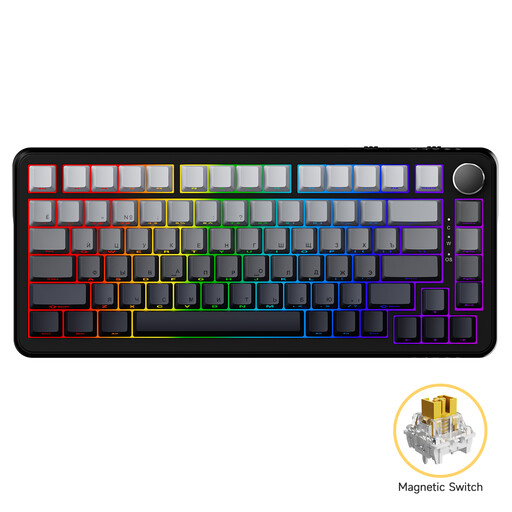 No image available
Worth comparing if you’re considering a mechanical keyboard with an 82-key layout.
Wired; 82 keys; 75% layout according to the product name.
 No image available
This could suit you if you want to compare different connection options and the QWERTY US layout works for you.
75% layout; wired, Bluetooth and 2.4G according to the product name; RGB lighting; hot-swappable; PBT keycaps.
No. The large lettering is on the keys and won’t enlarge the text in your document. In Windows 11, you can adjust text size and Magnifier separately; also check the zoom settings in your writing software.
Microsoft lists the Windows logo key plus the plus sign to turn Magnifier on, and the Windows logo key plus Esc to turn it off. Microsoft notes that the shortcuts shown assume a US keyboard layout, so check how they work with your layout.
Not to read the lettering. According to Optelec, the special shortcuts on the ZoomText keyboard are designed for ZoomText and Fusion functions. Check the software and computer requirements before choosing it specifically for those keys.
For an applicable online consumer purchase, the Dutch government says you generally have a 14-day cooling-off period. You’re also entitled to a product that is fit for purpose; in the Netherlands, there is no single fixed statutory guarantee period for all products.