
Writers working on long drafts
For anyone writing articles one after another who values a comfortable key feel and a familiar layout when typing lots of continuous text.


Start with a layout and key feel that you find comfortable for long drafts. Consider programmable keys if you can use the accompanying software to support recurring revisions. A compact keyboard may omit the numeric keypad, while a full-size model keeps it; a curved shape or wrist rest is no guarantee against discomfort. Before buying, check the layout, connection and software compatibility of the exact version.
For anyone writing articles one after another who values a comfortable key feel and a familiar layout when typing lots of continuous text.
For anyone who regularly switches between a draft, source material and revision notes, and wants to see whether customisable keys or device switching fit their workflow.
For anyone working at a small desk or in a shared space, weighing up the keyboard’s size or noise against the convenience of a numeric keypad.
First compare the layout and key feel for long stretches of writing. Then consider whether you want to set up shortcuts for recurring revision tasks, and decide how much room you have for the keyboard. The right connection and any required software will depend on your computer and workspace.
| What to consider | What to look for | Who should pay particular attention? |
|---|---|---|
| Key feel and layout | Check the physical layout and main key area of the exact version; try the key feel for yourself if possible. | For long drafts, I want a layout and key feel that are familiar. Around 33% of consumers put these features first when choosing. |
| Revision shortcuts | Check that the key customisation you want works with the software you can use on your computer. | If I repeat the same revision tasks often, I want to know whether I can assign them to keys. Around 27% of consumers prioritise useful shortcuts for revisions. |
| Size and desk space | Decide whether you need a numeric keypad and whether the keyboard will fit in the space available. | At a small desk, I want to save space without losing keys I use often. Around 20% of consumers choose mainly on the basis of size and placement. |
| Key noise and connection | Check the connection and whether you need an available USB port, receiver or compatible wireless connection. | In a shared workspace or when switching between devices, I consider noise and connection. Around 20% of consumers prioritise these workplace factors. |
A model name or layout label does not always confirm the physical keyboard layout of the version you’ve selected.
Check the layout on the product page for the exact version and compare the characters and keys you use often.
An unfamiliar layout may take time to get used to, or mean you need to exchange the version you bought.
A product’s shape or wrist rest does not prove that the keyboard will prevent discomfort for everyone. Workplace guidance also covers how screen-based work is set up and varied.
Assess the shape in your own workspace and vary your writing tasks. If you experience discomfort, seek appropriate professional advice.
Key customisation may depend on the software and the computer you’re using. Features tied to software are not automatically available in every working environment.
Check that you can use the necessary software and test the tasks you want to perform in your own writing programme.
Setup takes time. Ergowerken lists the break software for R-Go Compact Break as a separate product.
The range includes low-profile models with customisable features, as well as a model with a curved shape and wrist rest.
The STREAM KEYBOARD models are aimed at anyone comparing a low-profile keyboard with or without a numeric keypad.
The K3 Pro is a compact mechanical option for anyone who wants to customise their keys.
The Ody II Silent Wireless Keyboard is a wireless option for a shared writing space.
Compact Break is a small, low-profile wired option for anyone considering a break reminder as well.
This selection includes keyboards for long texts and revision work, with models offering customisable keys alongside simpler and more compact options. Check the layout, connection and any required software for each version.
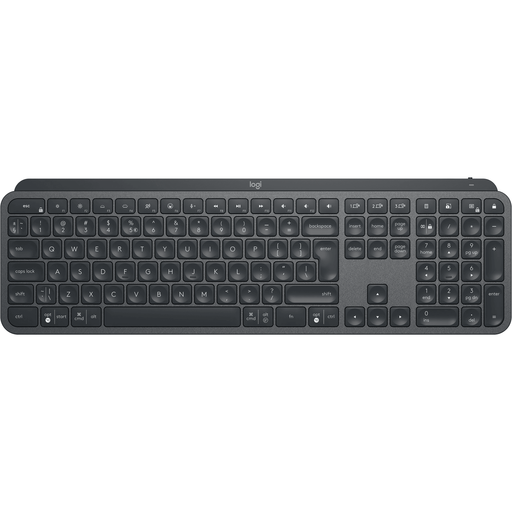 Image unavailable
For anyone who wants to set up revision shortcuts and switch between devices. A full-size wireless keyboard with a numeric keypad; the features listed include key customisation via Logi Options+ and switching between up to three devices.
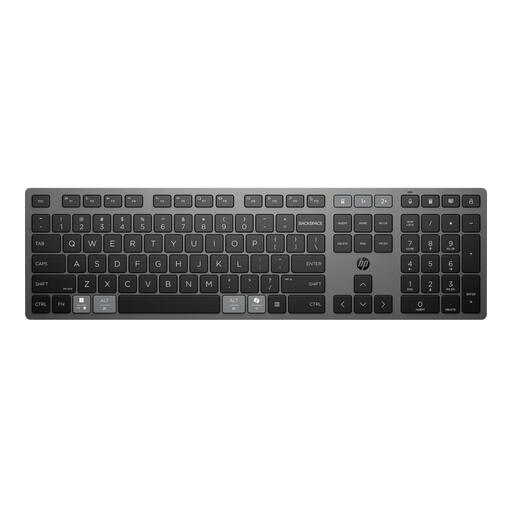 Image unavailable
For anyone who wants to use customisable keys and switch between devices. The product information describes a full-size wireless keyboard with a low profile, programmable keys and a Multi-device key.
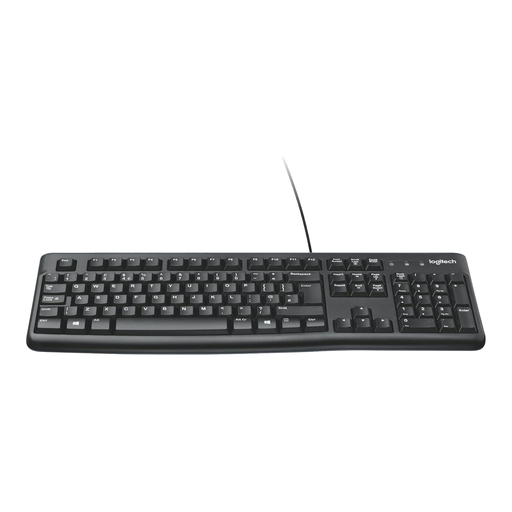 Image unavailable
For anyone looking for a straightforward wired layout with a numeric keypad. This full-size keyboard has a low profile and a USB connection.
 Image unavailable
For anyone who works wirelessly and switches between devices. This version is full-size with a numeric keypad; the product information lists scissor-switch keys, a rechargeable battery and connections for up to four devices. Check that the US QWERTY layout suits you.
 Image unavailable
For anyone looking for a compact keyboard with programmable keys and macro recording. The listed connections are Bluetooth and USB-C; full functionality requires Razer Synapse. This version has a US layout.
For employees who work with screens for more than two hours a day, Arboportaal says the screen and keyboard must not be attached to one another. Laptop users must therefore be able to use a separate screen or keyboard. This is a conditional workplace rule, not a purchasing requirement for every private user; employees must also regularly vary screen-based work with other tasks or a break.
Not necessarily: Logitech links Smart Actions to Logi Options+, while Keychron lists Launcher for setting up keys and macros. Check that you can use the necessary software on your computer, and test the tasks you want to perform in your own writing programme.
For each version, check whether you need a battery, charging option, USB receiver or separately sold software. Ergowerken lists the break software for R-Go Compact Break as a separate product, so don’t assume it’s included without checking.
According to the Dutch government, online purchases are often covered by a 14-day cooling-off period; check the seller’s information and any exceptions. In the Netherlands, products must also meet the statutory guarantee of satisfactory quality, which has no fixed statutory duration. If a product is faulty, the seller must provide a solution.