
Writer who types for long periods
You write and revise a lot of text, and want your keys, hand position and workspace setup to work well together. Arboportaal also provides information about screen-based work and working from home.


When writing a project proposal at home, start by choosing a layout that makes it comfortable to navigate text and enter figures, if needed. A full-size keyboard gives you a number pad, a compact model takes up less space next to your mouse, and a split model changes your hand position. Also check that the connection and the rest of your workspace suit the way you work.
You write and revise a lot of text, and want your keys, hand position and workspace setup to work well together. Arboportaal also provides information about screen-based work and working from home.
You want to type during calls or around other people without the keyboard noise becoming a nuisance. Logitech and CHERRY describe features of their keyboards that may help you make this choice.
You use the mouse a lot while editing and are weighing up extra space against the convenience of an integrated number pad. Keychron and R-Go Tools offer examples of compact layouts.
For project work at home, your choice mainly depends on your hand position, key noise, available desk space and how your computer connects.
A good fit if: you regularly enter figures or want familiar navigation keys, as found on the Logitech K120.
Keep in mind: a full-size keyboard takes up more space next to your mouse. With wireless models, check that they connect to your devices.
A good fit if: you mainly write and want to position your mouse closer to the keyboard; Keychron says the Keychron K3 Max has a 75% layout.
Keep in mind: check whether you need a separate number pad and where the keys you use most often are located.
A good fit if: hand position is an important consideration during long writing sessions; the Logitech ERGO K860 has a split keyboard frame.
Keep in mind: the shape changes the familiar key positions. Check that the width and wrist rest suit your workspace.
| What to consider | What to look for when buying | Who is this important for? |
|---|---|---|
| Hand position and typing comfort | Compare the width, wrist rest and hand position of the version you are considering. Also think about your workspace setup. | When I write for long periods, I want my keyboard, arms and mouse to fit comfortably in my workspace. Around 33% of consumers put hand position and typing comfort first. |
| Key noise | Check the key mechanism and exact version. If possible, try the feel of the keys for yourself. | When I have calls at home or share a room with others, I want to type without making unnecessary noise. Around 27% of consumers prioritise quiet above all else. |
| Desk space and layout | Check where the navigation keys are and whether you use a number pad often enough to need one. | When I use the mouse a lot while editing, I want to leave enough space next to the keyboard. Around 20% of consumers say desk space is their main consideration. |
| Connection and settings | Check which USB ports or wireless support are available, and whether the features you want require extra software. | I want to use my keyboard without complicated pairing or settings on my work computer. Around 20% of consumers prioritise a simple connection. |
A split or compact design changes your setup, but it does not guarantee that you will avoid discomfort. The position of your screen, mouse and keyboard also matters.
Choose based on the hand position you are looking for, and consider how your keyboard, mouse and screen work together in your workspace.
A compact keyboard can free up space next to your mouse, while a full-size model has a number pad. The Logitech K120 has an integrated number pad; the Keychron K3 Max has a 75% layout.
Before you buy, think about how often you enter budget figures and which navigation keys you want to use separately.
According to Keychron, hot-swapping is only available on the designated version of the Keychron K3 Max. The physical keyboard layout of the CHERRY KC 1000 may vary by country.
Check the full specification, physical layout and listed connection before you order.
The models mentioned offer different options: the wired K120, the low-profile wireless MX Keys S and the split ERGO K860.
The Compact Break is worth considering if a slim, compact keyboard and a break indicator would suit your workspace.
According to Keychron, the K3 Max is a compact mechanical keyboard with a 75% layout and several connection options.
The KC 1000 is a low-profile, wired office keyboard with a number pad, designed for anyone looking for a conventional layout.
These models include full-size and compact keyboards for writing at home, with a range of layouts and connection options.
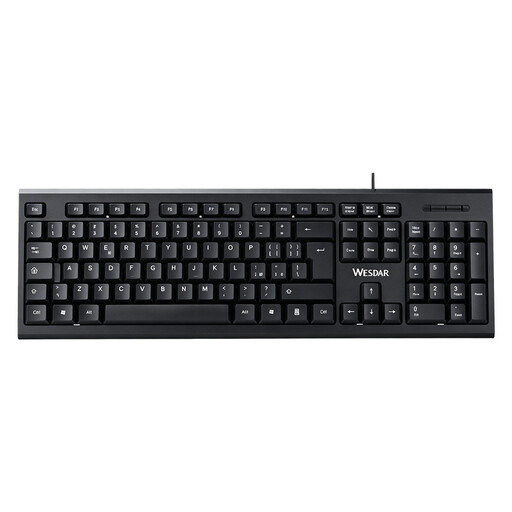 No image available
Ideal if you enter figures as well as writing, and want a wired connection.
Full-size layout with number pad; wired and plug-and-play.
 No image available
Ideal if you want a full-size keyboard and the option to connect to multiple devices while writing.
Full-size layout with number pad and scissor keys; US QWERTY layout.
 No image available
Ideal if you want to save desk space and choose from several connection options.
75% layout with 82 keys; US QWERTY. Wired, Bluetooth and 2.4 GHz.
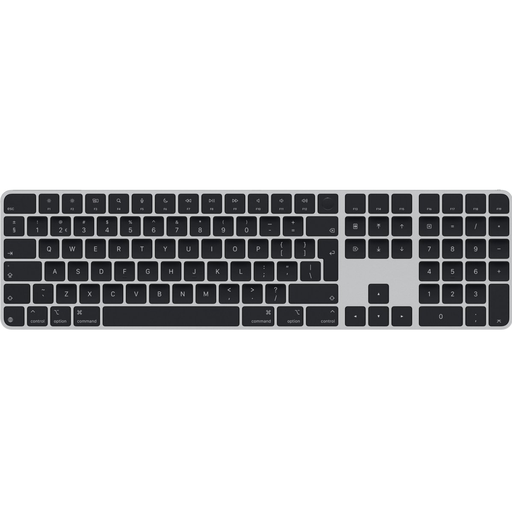 No image available
Ideal if you need a Dutch QWERTY layout and a number pad for writing in Dutch.
USB and Bluetooth; the product description lists a number pad and navigation keys. Black version.
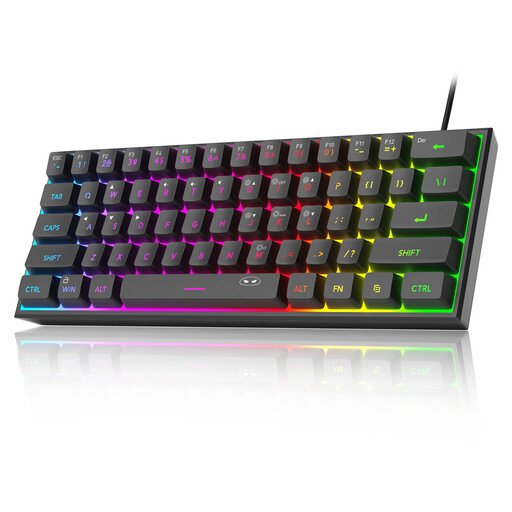 No image available
Ideal if you want a compact layout and a wired connection for writing.
60% layout with 61 keys; US QWERTY. This model does not have a number pad.
Set up your screen and keyboard so they suit your workspace. Arboportaal states that for employees who spend more than two hours a day doing screen-based work, the screen and keyboard must not be attached to each other. With a laptop, you must be able to use a separate screen or keyboard. If necessary, discuss your home workspace setup with your employer.
That depends on the model and the features you want to use. Logitech says the K120 works straight away via USB, with no installation required. For customisable MX Keys S features, Logitech recommends Logi Options+; according to R-Go Tools, the break indicator on the R-Go Compact Break is controlled by R-Go Break Software.
According to ACM ConsuWijzer, online consumer purchases are generally covered by a statutory cooling-off period of up to 14 days after delivery, although there are exceptions. Check the physical layout and returns policy before you buy.
No. According to ACM ConsuWijzer, your statutory guarantee exists alongside a seller’s or manufacturer’s warranty. If a product does not perform as you could reasonably expect under normal use, the seller is responsible for providing an appropriate solution. There is no single fixed statutory guarantee period for keyboards in the Netherlands.