What should you look for?
First check the features and file links available in your interview software. Then choose a keyboard layout and any programmable features that suit your day-to-day work.
| What to consider |
What should you check? |
Who is this important for? |
| Playback and indexing tasks |
Test playback, stopping, rewinding and your preferred indexing action in your own software. Also check that the function keys work without an unwanted Fn combination. |
If I switch often between a recording and its transcript, I want to control the tasks I repeat directly. Around 29% of consumers give shortcuts and repetitive tasks top priority. |
| Timecodes and source files |
Test whether a timecode takes you to the intended clip, and include the associated external media files when handing over a project. |
When I need to find a clip again later, the link between the transcript and recording, and keeping the media files, are essential. Around 29% of consumers prioritise source-file links. |
| Hand positioning during long typing sessions |
Check that you have room for separate keyboard halves, if applicable, and consider the connection and layout. Take the rest of your workstation into account too. |
During long sessions, I want to assess whether the position of my hands suits my workstation, without expecting the keyboard alone to solve physical discomfort. Around 24% of consumers prioritise hand positioning. |
| Size, quietness and layout |
Check whether the model has a number pad, what physical key layout it offers and whether it suits your data-entry work and connection needs. |
If I type at a small or shared workstation, I want a size and layout that fit the space and feel comfortable to use. Around 18% of consumers give workstation size and quietness top priority. |
Keyboards at Joybuy
These Joybuy products focus on programmable keys and repeated keyboard actions. Check that the configuration works with your interview software for each model.
 No image available
AULA F75 PRO 75% Mechanical Wireless Keyboard, QWERTY US Layout, Tri-Mode (Wired/Bluetooth/2.4G), Gradient Purple/Star Vector Switch
May suit you if you want to set up repeated tasks and are looking for a compact layout. Check that the configuration supports the features in your transcription software.
The product name specifies a 75% layout, a wireless mechanical keyboard, QWERTY US Layout and tri-mode connectivity (Wired/Bluetooth/2.4G).
Joybuy
 No image available
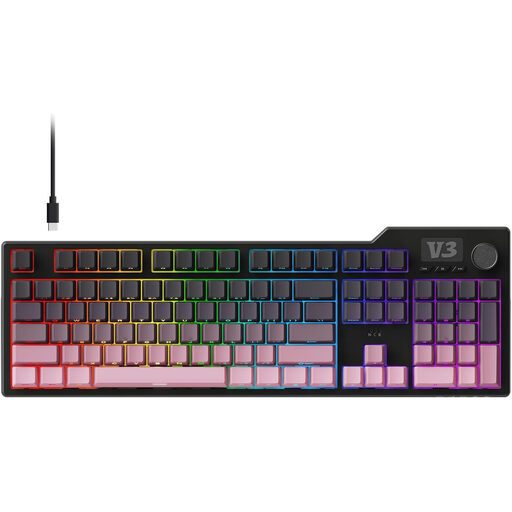
AJAZZ AK35I V3 Full-Size Gasket Gaming Mechanical Keyboard
May suit you if you are looking for a full-size mechanical keyboard. Check that your chosen key customisation works with your own software.
The product name specifies a full-size gasket gaming mechanical keyboard. The keyboard does not link timecodes or source files by itself.
Joybuy
 No image available
HP 450 Programmable Wireless Keyboard
May suit you if you want programmable shortcuts for repeated tasks. Check the software requirements and test the shortcuts in your interview software.
The product name specifies a programmable wireless keyboard. The shortcuts do not record timecodes or links to source files by themselves.
Joybuy
 No image available
Corsair K70 CORE TKL Mechanical Gaming Keyboard, BE AZERTY, MLX Red, Black
May suit you if you want to configure repeated tasks and do not need a number pad. Check the BE AZERTY layout and whether CORSAIR iCUE suits your computer setup.
The product name specifies a TKL layout, mechanical keys, BE AZERTY and MLX Red switches. Macros do not link timecodes or source files by themselves.
Joybuy
 No image available
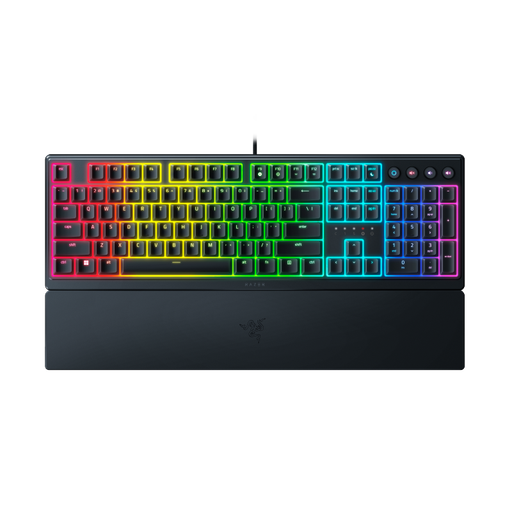
Razer Ornata V3 Low Profile Gaming Keyboard, US Layout
May suit you if you want programmable keys and dedicated media controls. Check whether Razer Synapse is compatible with your computer and the features you need.
The product name specifies a low-profile design and a US Layout. Macros are not a substitute for software that manages timecodes or linked source files.
Joybuy
Frequently asked questions
Can a keyboard link a recording to an index entry by itself?
No. You need software that links a transcript to audio or video. ATLAS.ti describes multimedia transcripts with a corresponding audio or video segment; keyboard shortcuts only control the functions offered by your software.
What should you check before setting up a programmable keyboard?
First check the shortcuts in your own transcription software, then test that the key you configure does not interfere with an existing function. For example, NCH Software documents function keys for Express Scribe; Logitech says Smart Actions requires Logi Options+ and lists support for Windows 10 or later and macOS 14 or later.
What should you include when handing over a project with linked recordings?
With MAXQDA, external media files need to be transferred alongside the project file. Include those files and check after the transfer that you can still open the recordings from within the project.
Which layout should I choose for lots of typing?
Choose a physical layout that suits your preference and check the exact version before ordering. According to Keychron, the Keychron V6 8K reviewed here has an ANSI layout; Kinesis describes country-specific key legends on ISO versions of the Freestyle2 International.
Is a separate keyboard a legal requirement when using a laptop?
For employees who work with screens for more than 2 hours a day, Arboportaal explains that the screen and keyboard must not be attached to each other. When using a laptop, it must therefore be possible to use a separate screen or keyboard. This is a conditional workplace requirement, not a general purchasing requirement for every user.


