
Entering recurring data
You regularly transcribe similar information from newspapers and want to use repeatable key commands without skipping checks for duplicate entries.


Choose a full-size keyboard with a numeric keypad if you regularly enter dates and page numbers. Programmable keys can repeat permitted input actions, but they won’t detect duplicate entries, so you’ll still need to check your work. For long typing sessions, you could also consider a split layout, bearing in mind that it may take time to get used to.
You regularly transcribe similar information from newspapers and want to use repeatable key commands without skipping checks for duplicate entries.
You’re comparing a familiar straight keyboard layout with a split alternative and want to work out what suits your workspace and typing sessions.
You regularly enter years, dates or page numbers and want to check whether the layout and any numeric keys suit the work you do.
Start with what you enter most often: repeated text, lots of numbers or long typing sessions. Then check that the layout, connection and any configuration software are compatible with your computer and indexing application.
| What to consider | What should you check? | Who is this important for? |
|---|---|---|
| Repeated input and checking | Test text insertion or macros on a sample record to make sure they enter data in the right fields and are permitted by your indexing application. | I enter similar information repeatedly and don’t want an action to carry an error through; around 33% of consumers make repeated input their top priority. |
| Posture during long typing sessions | Compare hand positions and see whether a split layout takes time to get used to. Also consider how your screen, mouse and keyboard are arranged. | For longer input sessions, I want to choose a layout I find comfortable to use, without assuming that its shape alone will prevent discomfort; around 27% of consumers give long typing sessions top priority. |
| Dates and page numbers | Check whether the model you choose has a numeric keypad and whether its layout suits the fields you fill in. | If I regularly enter years, dates or page numbers, I want to base my choice on that; around 20% of consumers prioritise entering numbers. |
| Layout and connection | Check the exact variant, keyboard layout, connection, operating system and whether you’re allowed to use any configuration software. | I want to make sure the keys and connection work with my computer and that I’m allowed to change any settings; around 20% of consumers make compatibility their top priority. |
A macro or text insertion feature repeats an action, but it doesn’t check whether a newspaper entry already exists. This could mean extra work checking incorrect or duplicate entries.
Test automation on a sample record first, and keep a separate step for checking entries that may be duplicates.
Allow time to check and, if necessary, correct records that have been entered incorrectly or more than once.
A brand may offer different variants with different keyboard layouts or connections. For example, the CHERRY KC 6000C FOR MAC is a separate model with a Mac layout and USB-C, not simply another layout of the KC 6000 SLIM.
Before buying, check the exact variant, key legends, connection and compatibility with your computer.
A layout that differs from the one you’re used to may take time to get used to.
A split design or adjustable palm lift doesn’t guarantee that the setup will be comfortable for everyone. Your workspace and the way you work still matter.
Consider the keyboard as part of your overall workspace, and where possible, alternate data entry with other tasks or breaks.
CHERRY offers, among other options, a full-size keyboard for Windows and a separate Mac model with a different layout and connection.
The PERIBOARD-535 II is a wired split model to consider if you’re looking for a different layout and customisable keys.
Logitech describes the ERGO K860 as a split keyboard with an adjustable palm lift.
These Joybuy keyboard options are relevant for data entry. Compare the layout, connection and keys you use most often for each model; a keyboard won’t check for duplicate entries.
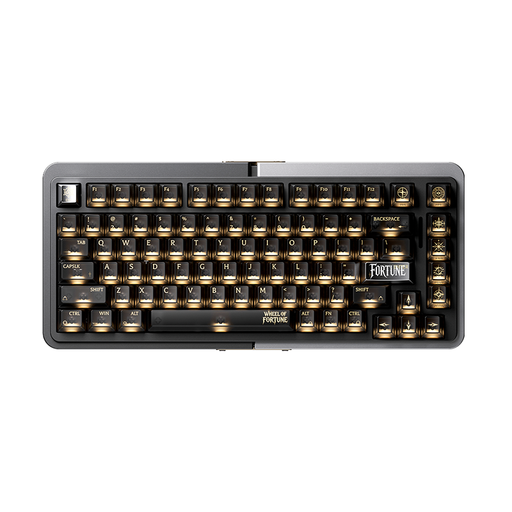 No image available
The wired 75% layout is an option if you’re considering a more compact keyboard.
The product title mentions TTC Magnetic HE Switches, hot-swappable switches and Rapid Trigger (RT). You’ll still need to check for duplicate entries separately.
 No image available
A wired option to compare if you’re considering a keyboard supplied with a wrist rest.
The product title mentions 94 keys, a metal case, a phone stand and a wrist rest. Check that the layout suits your everyday typing.
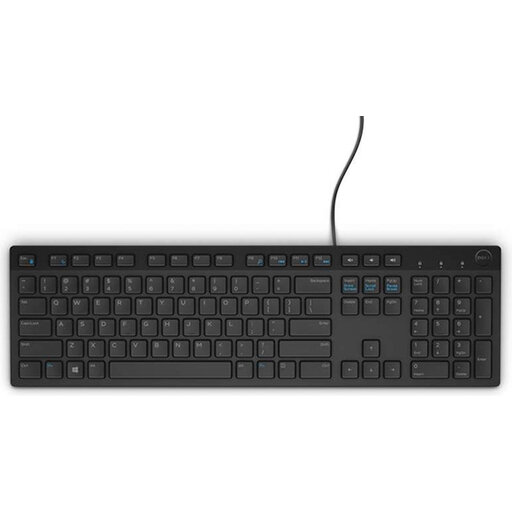 No image available
The Belgian AZERTY layout listed may suit you if it matches the keys you need.
The product title mentions a USB connection. Before buying, check that the Belgian AZERTY key legends suit the way you use your keyboard.
 No image available
The 75% layout is an option if you’re looking for a more compact keyboard and the US QWERTY layout suits your typing.
The product title mentions tri-mode connectivity. Check that the layout and connection are right for your computer.
 No image available
The wired 75% layout is an option if you’re considering a more compact keyboard.
The product title mentions US QWERTY and hot-swappable switches. Check that the US layout suits the keys you need.
No. Documented macro and text input features don’t check whether records are duplicates. Test repeated input on a sample record, and also use your indexing application’s checking features or compare entries separately.
On Windows, Microsoft describes clipboard history, accessed by pressing the Windows key and V. CHERRY also documents text insertion via CHERRY KEYS for the KC 6000 SLIM. Check that the right text goes into the right field.
Check whether the model you choose has a numeric keypad and whether its layout suits your computer. For example, CHERRY describes the KC 6000 SLIM as a full-size keyboard and offers a separate Mac model with a different layout.
No. A split layout alone doesn’t guarantee individual comfort. Try the layout in your own workspace, and also consider the position of your screen and mouse, as well as varying your tasks.
No. Information that is publicly available can’t automatically be used for every other purpose. The Dutch Data Protection Authority emphasises that when using personal data, you should also consider the specific use and purpose; the age of a newspaper alone doesn’t determine this.