Keyboards at Joybuy
These keyboards with numeric keypads are for anyone who enters figures in a spreadsheet. The selection includes both wired and wireless models.
 No image available
Wired QWERTY keyboard with numeric keypad
A wired model with a numeric keypad for entering figures regularly.
QWERTY layout; the product name specifies a plug-and-play connection.
View at Joybuy
 No image available
Apple Magic Keyboard with Touch ID and numeric keypad
The full-size layout with numeric keypad is well suited to entering figures regularly.
The product information lists Bluetooth and a rechargeable battery. It also says this model is designed for use with a Mac.
View at Joybuy
 No image available
Apple Magic Keyboard with Touch ID and numeric keypad, white keys
The integrated numeric keypad is designed for entering figures and working with spreadsheets.
The product information lists Bluetooth and a rechargeable battery. This version is specified for Mac models with Apple silicon and has a Dutch QWERTY layout.
View at Joybuy
 No image available
Siukie CR108 wired mechanical keyboard
The full-size layout with numeric keypad is suitable for anyone who regularly enters figures.
108 keys; wired model with replaceable switches, according to the product information.
View at Joybuy
 No image available
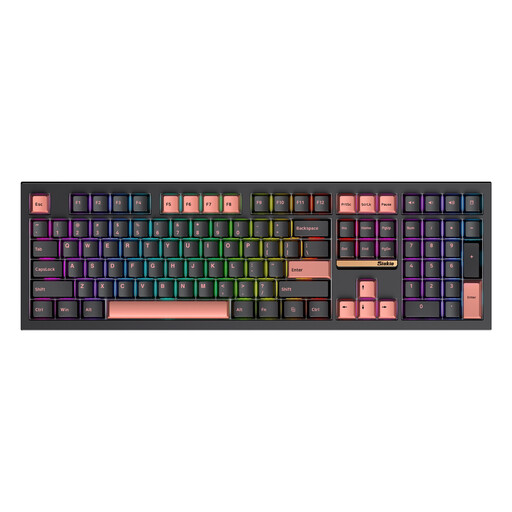
Siukie PL108W 108-key mechanical keyboard
The 108-key layout with numeric keypad is designed for entering figures.
The product information lists 2.4GHz, Bluetooth and wired USB-C connectivity, as well as RGB lighting. Keyboard backlighting has not been shown to solve screen reflections by a bright window.
View at Joybuy
Frequently asked questions
Can backlit keys help with screen glare by a window?
This has not been shown. For reflections or glare, the Dutch Arboportaal recommends repositioning your workspace in relation to the window or using suitable blinds. Logitech describes the MX Keys S backlighting as adapting to its surroundings, not as a solution for screen reflections.
How do I connect a separate numeric keypad?
The wireless Trust Xalas model reviewed uses a 2.4GHz USB receiver and two AAA batteries. Before buying, check that your computer has a suitable spare USB port; other numeric keypads may connect differently.
What should I bear in mind when choosing a wired or wireless model?
The wired Logitech K120 doesn’t need batteries to connect; the wireless Trust Xalas uses AAA batteries. For a wireless model, also check that its connection works with your computer and that you’re happy to manage its power supply.
Do I have a cooling-off period when buying a keyboard online?
In the Netherlands, online purchases from a business generally come with a 14-day cooling-off period. The Dutch government lists exceptions and distinguishes between a business and a private seller, so check who you’re buying from.
Does a keyboard always come with a legal guarantee of exactly two years?
No. According to the Dutch government, there is no fixed statutory guarantee period in the Netherlands. What you can reasonably expect from a product depends, among other things, on the product itself and the information provided at the point of sale.


