What should you look for when choosing?
Start with the keys you use in your editor, then measure how much room you have left beside your mouse. For programming keyboards, RTINGS.com recommends considering whether you need dedicated arrow keys, a function row or a number pad.
75% layout
Choose this if: you want direct access to arrow keys and a function row on a small desk. Keychron says the K3 Max can also be customised with key remapping and macros.
Bear in mind: the position of the navigation keys varies by model, and the K3 Max ISO variants reviewed are not necessarily laid out for Dutch.
TKL layout
Choose this if: you can do without a number pad but want to keep the main key layout. The CHERRY STREAM KEYBOARD TKL is a wired model with scissor-switch keys.
Bear in mind: a TKL keyboard is generally wider than a more compact layout, and the CHERRY model mentioned here has a cable.
Very compact layout
Choose this if: extra room for mouse movement or other equipment matters more than direct access to every editing key.
Bear in mind: missing dedicated keys may mean using key combinations or function layers more often. Check the key map for the exact model before you buy.
| What to consider |
What should you check? |
Who is this important for? |
| Keys within easy reach |
Compare the arrow keys, function keys and special characters you need with the key map for the exact variant. |
If I use editor functions often while working, I want the relevant keys within easy reach. Around 36% of consumers prioritise direct control of editor functions. |
| Room for your keyboard and mouse |
Measure the usable width of your desk, including the space you need for your mouse, and compare it with the model’s dimensions. |
On a small desk, I want enough room to use my mouse alongside my keyboard. Around 29% of consumers give available workspace and mouse room their highest priority. |
| Keystroke feel and noise |
Check the mechanism and exact switch variant. If possible, try the full keyboard in a similar space. |
If I work somewhere other people can hear my keyboard, I pay attention to the keystroke feel and noise of the model. Around 21% of consumers make this their main concern when choosing. |
| Connectivity and settings |
Check the available USB ports, Bluetooth, any receiver supplied and the supported method for customising keys. |
If I want to switch between devices or customise keys, the connection and configuration need to work with my computer. Around 14% of consumers prioritise these features. |
Joybuy products for compact layouts
These Joybuy products include TKL and 75% keyboards for anyone looking to save space on a small desk while keeping important editor keys within easy reach. Check the layout and connection for each variant.
 No image available
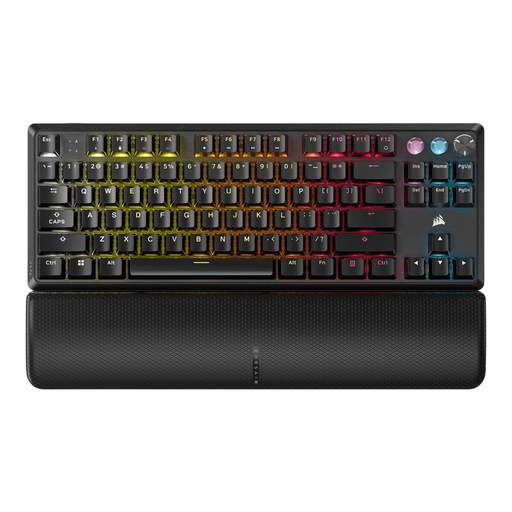
Corsair K70 PRO TKL Magnetic-Mechanical Gaming Keyboard — US QWERTY — MGX v2 — Black
The TKL layout omits the number pad. Check that the US QWERTY layout suits the way you use your keyboard.
The product description lists USB-C, a multifunction rotary dial, key remapping, macros and five profiles.
Joybuy
 No image available
Corsair K55 CORE TKL Gaming Keyboard — US QWERTY
The TKL layout omits the number pad. This version has a wired USB connection and a US QWERTY layout.
The product description lists membrane keys and full key remapping via iCUE, and describes the keys as quiet.
Joybuy
 No image available
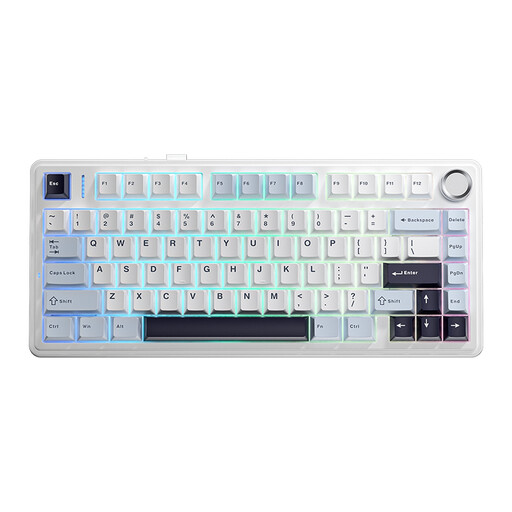
AULA F75 75% Wireless Gaming Keyboard — US QWERTY
The 75% layout is a compact option. The product description mentions navigation keys and function keys. Check the US QWERTY layout.
The product information lists Bluetooth, 2.4 GHz and wired use via USB-C.
Joybuy
 No image available
AJAZZ AK820 MAX 75% Wireless Mechanical Gaming Keyboard — US QWERTY
The product description specifies a 75% layout with arrow keys and a function row. Check the US QWERTY variant.
The title and description list Bluetooth, 2.4 GHz and USB-C, as well as macros and a volume dial.
Joybuy
 No image available
AJAZZ AK820 Pro 75% Mechanical Tri-Mode Keyboard — US QWERTY — Flying Fish Switch — Gray
The product description specifies an 82-key layout with dedicated arrow and function keys. Check the US QWERTY variant.
The title lists Bluetooth, 2.4 GHz and USB-C, while the product description states that it is compatible with Windows and macOS.
Joybuy
Frequently asked questions
Do I need to buy a gaming keyboard for a game menu?
No. Start by choosing a keyboard based on the keys you need in your editor. Check which arrow keys, function keys and shortcuts you want to use directly. Gaming features are only relevant if you’ll use them for this work or for gaming.
How do I connect a wireless keyboard?
It depends on the model and computer. For supported keyboards, Logitech lists Bluetooth or a USB receiver as possible connection methods. Check which methods are supported by the version you choose and your computer.
How do I remove dust from between the keys?
Keychron recommends using a soft brush or cotton bud between the keys, and advises against using a standard full-size vacuum cleaner. For other models, follow the manufacturer’s care instructions.
What are my rights if a keyboard I bought online isn’t suitable?
For an eligible online purchase from a business, the Dutch government says you generally have a 14-day cooling-off period. This is separate from your right to a product that is fit for purpose; if there is a fault, contact the seller. The Netherlands does not have a fixed statutory guarantee period of two years that applies to every product.
Do Dutch workplace health and safety rules require a particular keyboard?
The guidance consulted from Arboportaal does not specify a brand, switch or compact size. For employees who work at a screen for more than two hours a day, the guidance includes a requirement for the screen and keyboard not to be attached to each other. This requirement does not automatically apply to every reader.


