
Writer of longer guide content
You regularly write and edit longer chapters, and want to focus on finding the right key feel, layout and working posture.


Choose a keyboard based on how the keys feel, the layout and where you work. A quiet wired model may suit a fixed, shared workspace, while a compact or wireless model could better meet your space and connectivity needs. A keyboard does not store document versions; according to Microsoft, Version History in Microsoft 365 works with files saved in OneDrive or SharePoint. Check the exact model, layout and connection before buying.
You regularly write and edit longer chapters, and want to focus on finding the right key feel, layout and working posture.
You work somewhere where keyboard noise can affect others, so you’re weighing up a quieter typing experience against the freedom of a wireless model.
You edit the booklet on more than one device, so you need to manage both the keyboard connection and how document versions are stored.
Start with a layout and key feel that suit the way you write. Set up document version storage separately in the software you use to create the booklet.
| What to consider | What should you check? | Who should give this more weight? |
|---|---|---|
| Comfort when typing for long periods | Compare the key feel, dimensions and mouse position; try typing on it yourself if possible. | If I’m writing long texts, I want a key feel and set-up that suit the way I work. Around 40% of consumers prioritise typing comfort. |
| Keyboard noise | Check the exact model and, if possible, judge the sound for yourself. A manufacturer’s description is not a measured comparison between models. | In a shared workspace, I want to be considerate of others without assuming that a model will be quiet in every situation. Around 30% of consumers prioritise a quieter workspace. |
| Revisions and version history | Check whether any keyboard software works on your computer and where your document is stored. | When editing maintenance instructions, I want to work quickly and find earlier document versions. Around 20% of consumers prioritise revision controls. |
| Layout and connection | Compare the US or UK layout on offer, the connection and compatibility with your devices. | If I switch between devices, I want the keys and connection to suit my equipment. Around 10% of consumers prioritise device compatibility. |
Keyboard functions and saving earlier document versions are two different things. Programmable keys can automate certain actions, but they don’t save versions of your booklet.
Test the version history in your document software before making lots of edits, and check where the software saves the file.
Key layouts and connections can vary between versions. For the Keychron K3 Max, Keychron says hot-swapping is available only on the specified RGB hot-swappable version.
Check the full variant description and the key layout of the product you’re considering.
An unsuitable layout, connection or switch variant could mean you have to exchange the keyboard.
Arboportaal points out that working with a screen can involve repetitive hand movements and static strain. A keyboard alone doesn’t determine how comfortable your workspace or posture will be.
Assess the keyboard alongside your workspace and posture, and take breaks from prolonged screen work.
The MX Keys S is an option if you’re looking for a wireless keyboard with backlighting and programmable keys.
The wired Compact Break with US QWERTY is a compact option if desk and mouse space are a priority.
The wired STREAM KEYBOARD is an option for a fixed workspace if you’re looking for a quiet typing experience.
The K3 Max is worth considering if you’re specifically looking for a compact mechanical keyboard with customisable keys.
These keyboards suit a range of writing set-ups, from typing at a fixed desk to working across several devices or using a more compact layout.
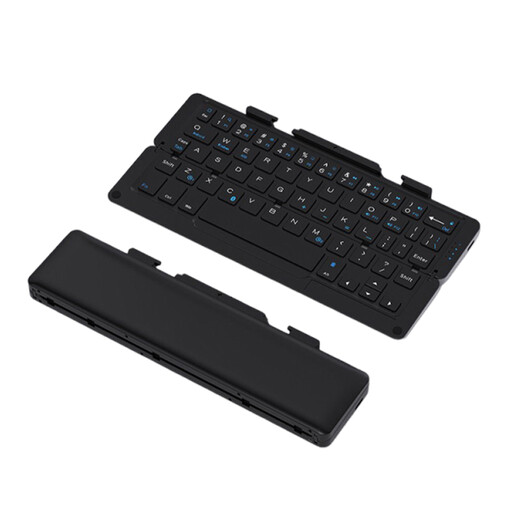 No image available
An option if you want to take a keyboard with you and work across multiple devices.
The product name lists a rechargeable battery and magnetic stand for a phone or tablet; the description says it can pair with up to three devices.
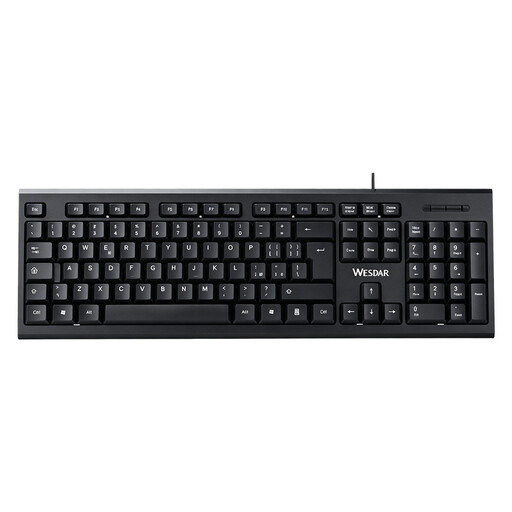 No image available
An option for a fixed workspace if you want to use a full number pad.
The product description lists a wired plug-and-play connection and says it’s suitable for everyday typing and editing documents.
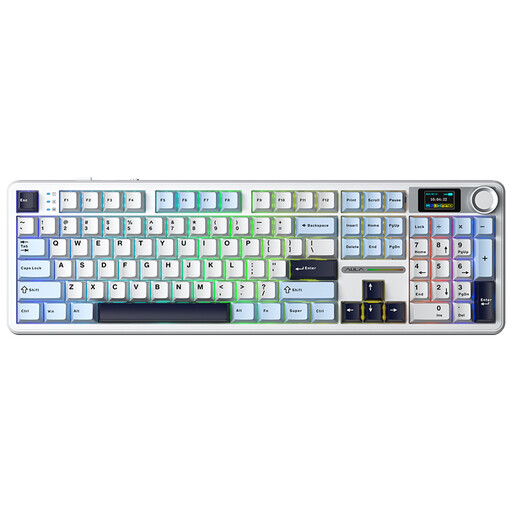 No image available
An option if you’re looking for a mechanical typing feel and the ability to connect to multiple devices.
The product name lists Bluetooth, 2.4 GHz and USB-C; the description mentions connections to three devices and hot-swappable linear Reaper switches.
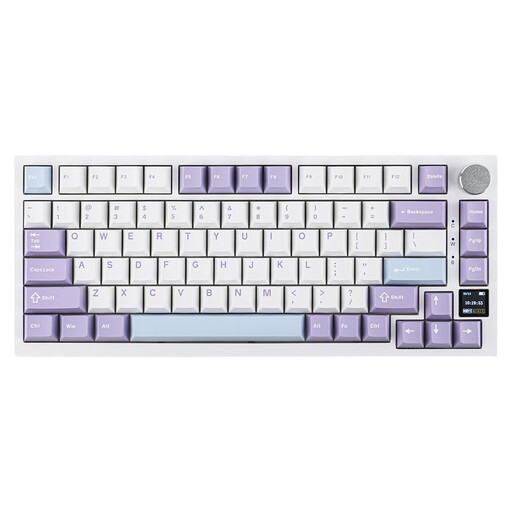 No image available
An option if you’re looking for a more compact mechanical layout and the listed connection options suit your devices.
The product name lists USB-C, Bluetooth, 2.4 GHz and hot-swappable switches. The description mentions a layout with arrow and function keys.
 No image available
An option if you’re looking for a compact wireless model and don’t need a separate number pad.
The product description mentions Bluetooth and switching between three devices; the title specifies a US layout.
No. Use a feature in your document software and storage service instead. Microsoft says Version History in Microsoft 365 works with files saved in OneDrive or SharePoint; check the terms of the software you use.
Compare the layout and connection options of the exact model with your computer. A wired model needs a compatible connection; for a wireless model, check which connection that version uses and whether it works with your devices. US and UK layouts can differ in the position and shape of keys such as Enter and Shift.
Not necessarily. A compact model can free up space for your mouse, but it may not have a separate number pad. Compare the layout with the keys you use most when writing and editing.
For an applicable online consumer purchase, ACM ConsuWijzer says you generally have up to 14 days from delivery to change your mind, subject to legal exceptions. This is separate from your rights if a product is faulty, damaged or not as described. The length of the statutory guarantee depends on what you can reasonably expect from the product; there isn’t one fixed statutory period for every keyboard.