What should you look for when choosing?
Start with the layout and keys you need for working on slides. Then consider the space available on your desk, your typing preferences and the connection on the exact model.
| What to consider |
What should you check? |
Who should give this more thought? |
| Key layout and controls |
Check the physical layout and the position of the navigation and function keys. Microsoft Support bases its PowerPoint shortcut examples on the US layout. |
If you often use keyboard shortcuts when creating and rearranging slides, you’ll want the keys on your model to match the way you work. Around 36% of consumers prioritise controls for editing slides. |
| Typing comfort and hand position |
Compare the feel of the keys and the space for your hands. Split keyboards take some getting used to, and their two halves need room on your desk. |
For long typing sessions, you’ll want to find a position and key feel that suit your workspace, without assuming that a particular shape will prevent discomfort. Around 29% of consumers prioritise hand position and typing comfort. |
| Desk space and number keys |
Consider how often you need a separate number pad and check how a compact model lets you enter numbers. |
If you have limited desk space, a narrower keyboard can leave more room for your mouse. However, consider whether you often enter numbers in tables or charts. Around 21% of consumers focus on this trade-off. |
| Connection and switching between devices |
Check which port is available, how the exact model connects and whether any configuration software is compatible with your computer. |
If you need a particular port or genuinely type across separate devices, you’ll want to know which connection and switching features the model offers. Around 14% of consumers prioritise the connection or switching between devices. |
Keyboards at Joybuy
This selection includes keyboards for presentations at home, with full-size or compact layouts and wired or wireless options.
 No image available
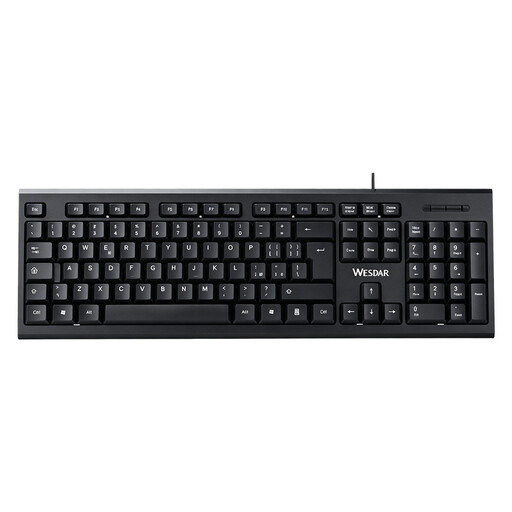
Wired keyboard with number pad, QWERTY
Ideal if you want a number pad and a familiar QWERTY layout when editing.
Full-size; wired and plug-and-play.
View at Joybuy
 No image available
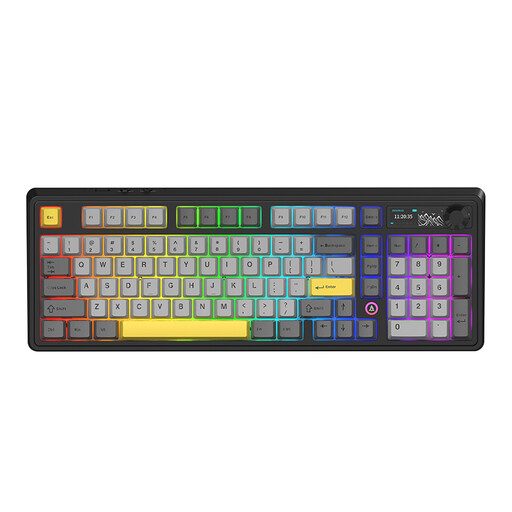
AJAZZ AK980 V2 Wireless Mechanical Keyboard, 98% QWERTY
Worth considering if you’re looking for a mechanical keyboard with a compact layout.
The product name specifies a 98% QWERTY layout, a detachable wrist rest and a phone holder.
View at Joybuy
 No image available
Trust Vaiya Wireless Keyboard, Full-Size, QWERTY US
Ideal if you’re looking for a full-size keyboard with a number pad and want to type across several devices.
The product name specifies a wireless keyboard with scissor keys and a US QWERTY layout. Check that the physical layout suits your keyboard shortcuts.
View at Joybuy
 No image available
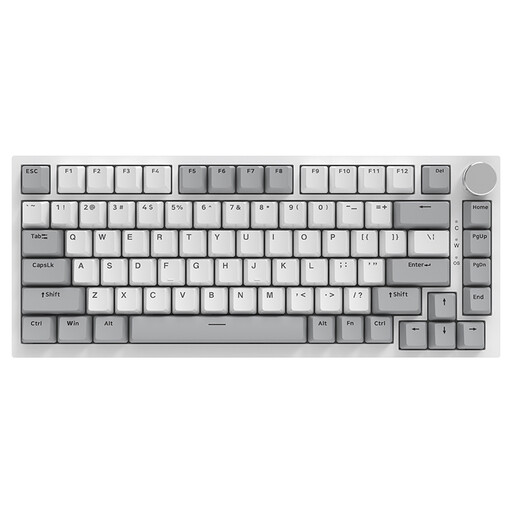
AJAZZ AK820 75% Wired Mechanical Keyboard, QWERTY US
A compact model to consider if you want to save desk space and don’t need a separate number pad.
The product name specifies a wired 75% layout with 83 keys and US QWERTY. Check the key positions for your presentation software.
View at Joybuy
 No image available
AJAZZ AK820 Pro 75% Mechanical Tri-Mode Keyboard, QWERTY US
A compact layout to consider if desk space matters and you want to compare the connection options listed.
The product name specifies a 75% layout, US QWERTY, and wired, Bluetooth and 2.4 GHz connections. Check that the physical layout suits your keyboard shortcuts.
View at Joybuy
Frequently asked questions
Do I need special presentation keys to create slides?
Not necessarily: Microsoft Support describes keyboard shortcuts for creating and editing PowerPoint presentations with an external keyboard. Do check your software and physical layout, as key positions may differ from the US examples.
How do I connect a keyboard and keep it working well?
Check the connection on the exact model. BakkerElkhuizen lists USB-C and a USB-A adapter for the UltraBoard 950 V2; the manual for the wireless R-Go Split Break v.2 explains Bluetooth pairing and charging. For prolonged screen work, Arboportaal recommends varying your activities and taking breaks; a keyboard can’t do that for you.
Should I buy an extended warranty when ordering a keyboard online?
You don’t need an extended warranty to exercise your statutory rights if the product doesn’t meet the terms of the agreement. The Dutch government says there is no fixed statutory warranty period in the Netherlands. An extended warranty may be worthwhile if its terms offer more than you already have; contact the seller if there’s a problem.
Are there any rules about using a separate keyboard when working from home?
For employees who work at a screen for more than two hours a day, Arboportaal describes requirements under which the screen and keyboard must not be attached to each other. A separate screen or keyboard must be usable with a laptop. Exceptions apply under certain conditions where health and safety are protected; this is not a general requirement for every individual buyer.


