
Beginner practising independently
Wants to learn the tune without a computer and will benefit most from suitable keys and useful practice features.


Choose a keyboard with a range that covers your entire folk tune. In a shared music room, a suitable headphone socket is important too. A lightweight model is easier to move, while lesson features or chord accompaniment are only worthwhile if you’ll use them. Check the power supply, included accessories and CE marking for the exact model.
Wants to learn the tune without a computer and will benefit most from suitable keys and useful practice features.
Wants to practise while other people are in the room, so pays attention to the headphone socket and listening volume.
Wants to play the tune with their own chords or built-in accompaniment, and checks whether the available accompaniment suits the piece.
Start with the range of the tune, then decide whether quiet practice, portability or accompaniment matters most for the way you’ll use it.
| What to consider | What to look for | Who is this important for? |
|---|---|---|
| Being able to play the tune | Compare the lowest and highest notes in your sheet music with the range of the exact keyboard. If possible, try the key action too. | I want to learn the tune independently without finding notes that fall outside the keyboard’s range. Around 36% of consumers make practising a tune their top priority. |
| Quiet practice | Check the headphone socket and plug size, and whether connecting headphones mutes the speakers. | When I practise while others are using the room, I want to avoid sound coming from the speakers. Around 29% of consumers prioritise quiet practice. |
| Moving and storing it | Measure your available storage space and compare the keyboard’s dimensions and weight with what you’ll need to carry. | I want to be able to move the instrument between rooms or put it away after use. Around 21% of consumers make portability their top priority. |
| Accompaniment for the tune | Listen to the Styles or rhythms on the exact model and try out how chord control operates the accompaniment. | If I want to combine melody and chords, I’m looking for accompaniment that suits my piece. Around 14% of consumers prioritise accompaniment. |
A list of accompaniment options doesn’t tell you whether the rhythm or arrangement you want is available.
Try relevant Styles with the chords and tempo of your piece before giving extra accompaniment features much weight.
The product information for the Alesis Harmony 61 MK3 doesn’t confirm touch sensitivity.
If you want to practise playing louder and softer, check explicitly whether this feature is available on the exact model.
You may need headphones, a suitable power supply, a stand or a stool to complete your practice setup. The stated weight of the Korg EK-50 excludes the music rest and batteries; the Alesis Harmony 61 MK3 is described as a bundle with accessories.
Check what’s included with the exact model, and compare what you’ll actually need to carry or buy separately.
The PSR-E383 is worth considering if you want to compare keyboards with built-in practice features.
The CT-S300 is worth comparing if you want to move or store your keyboard.
The EK-50 is a good fit if you’re comparing keyboards that combine melody playing with automatic chord accompaniment.
The Harmony 61 MK3 is worth considering if you’re looking for accessories for your practice setup as well as a keyboard.
This selection features 61-key keyboards for independent practice, with differences in their practice features and included accessories.
 Image unavailable
An option to compare if you’re looking for a keyboard to practise tunes on. Check that its key range suits your piece.
The product title lists weighted keys, 300 sounds, 300 rhythms, a headphone socket and a music rest.
 Image unavailable
Compare this version with your practice goals and check that its connections suit the way you plan to use it.
The product title mentions a MIDI controller, recording function, metronome, speakers and music rest.
 Image unavailable
A set to compare if you also need a practice setup. Check which items are included with the version on offer.
The product title lists a stand, stool, music rest, 300 sounds, 300 rhythms and a three-level learning mode.
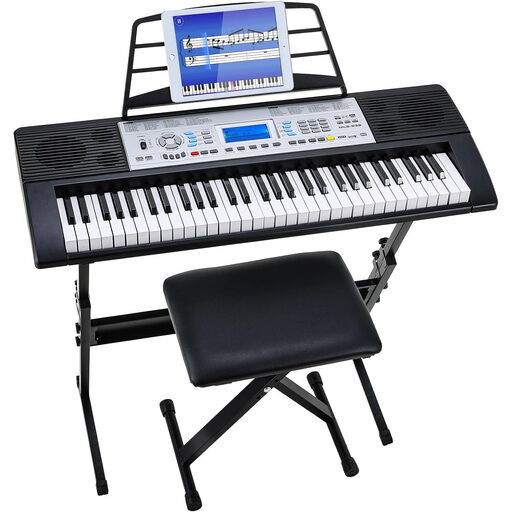 Image unavailable
Compare this set if you’re looking for a keyboard and a setup of your own. Check what’s included with the exact version.
The product title lists 500 sounds and a three-level learning mode.
Not necessarily. Yamaha lists built-in songs for the PSR-E383, while Alesis lists built-in sounds and speakers for the Harmony 61 MK3. Check which power supply and accessories are included with the exact version.
First check the keyboard’s socket and plug size, and those of your headphones. According to Korg, the EK-50 has a 3,5 mm stereo output. Start at a low volume and take listening breaks. The World Health Organization notes that sound level, listening duration and frequency of exposure all affect the risk to your hearing.
Use the power supply supplied with or specified for the exact model. In the manual for the PSR-E383, among other models, Yamaha warns that you should only use the supplied or specified adapter.
The Netherlands Food and Consumer Product Safety Authority states that CE marking is compulsory for electrical consumer products. Check that the specific item you’re considering carries the marking.
According to the Dutch government, many distance purchases from a business come with a 14-day cooling-off period. The same rules don’t apply in the same way when you buy online from a private seller. Check who the seller is and which terms and conditions apply to the offer.