
Artist painting in a quiet shared office
You want to use brushes and layers without distracting the colleagues around you. RTINGS.com highlights key noise as something to consider when choosing a quiet keyboard.


Start by checking how noisy the exact keyboard version is and which shortcuts you use while painting. A low-profile scissor mechanism is a sensible choice if quiet operation is your priority; programmable keys are most useful when your drawing software’s shortcut settings aren’t enough. Choose a compact model if you want to use your keyboard and drawing tablet on the same desk, and check the layout, connection and software requirements.
You want to use brushes and layers without distracting the colleagues around you. RTINGS.com highlights key noise as something to consider when choosing a quiet keyboard.
You often switch between tools and actions while painting, and want the relevant keys to be easy to reach or customise. Krita and Clip Studio Paint let you customise keyboard shortcuts.
You want to leave room for a drawing tablet and other input devices, so the keyboard’s width and layout matter. RTINGS.com discusses compact layouts as a way to free up desk space.
First, work out which limitation you encounter most often. Then choose a layout, connection and any customisation software to suit your drawing programme and work computer.
| What to consider | What to look for | Who is this important for? |
|---|---|---|
| Key noise | Check the exact switch variant and listen out for the noise from larger keys, too. A description such as ‘quiet’ isn’t a measurement taken under consistent conditions. | If I’m painting in a shared office, I want to distract my colleagues as little as possible when typing. Around 36% of consumers put keeping noise to a minimum at the top of their list. |
| Keyboard shortcuts | First, check the shortcut settings in your drawing programme. Then make sure any key remapping software is available and permitted on your work computer. | If I often switch brushes or actions, I want my most-used commands to be easy to reach. Around 29% of consumers prioritise keyboard shortcuts and customisation. |
| Desk space | Compare the dimensions and see how the keyboard and drawing tablet fit together on your desk. Check which keys have been moved or left out on a compact layout. | If my tablet and keyboard need to share the same space, I want to arrange my workspace practically. Around 21% of consumers prioritise desk space and layout. |
| Layout and connection | Check the physical key layout and which connections your computer and workspace support. For wireless use, make sure Bluetooth or the required USB receiver is available. | If I use familiar key combinations, I want the physical layout and connection to work with my computer. Around 14% of consumers put layout and connection first. |
Noise can vary depending on the switches and construction. The product category alone won’t tell you how much your colleagues will hear.
Check the exact switch variant and consider how noisy the version you’re looking at is.
Krita and Clip Studio Paint let you customise keyboard shortcuts. You may not need extra keyboard features for actions you can already set up in your drawing programme.
First, list the actions you want to access quickly, then try setting them up in your own programme.
Layout, connection and switch options can vary between versions. For the Keychron K3 Max, Keychron says hot-swap is only available on the specified RGB hot-swappable version.
Before buying, check the full model and version name, layout and specifications.
The MX Keys S is a low-profile option with customisable keys and the ability to switch between devices.
The STREAM KEYBOARD is a full-size, wired office model with an SX scissor mechanism.
According to Keychron, the K3 Max has a 75% layout and supports key remapping through Keychron Launcher.
The Compact Break is a small, low-profile keyboard option which, according to the manufacturer, is available in wired and wireless versions.
Razer describes the Pro Type Ultra as a mechanical office keyboard with quiet switches and customisable keys.
These keyboard options are suited to a compact desk setup. Check that the layout and connection of each version work with your drawing workspace.
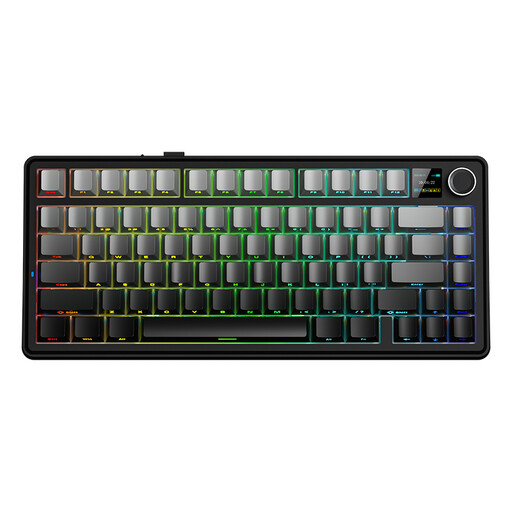 Image unavailable
A compact layout could be a good fit if you want to leave room for a drawing tablet.
75% layout; wired, Bluetooth or 2.4 GHz; US QWERTY layout; Reaper Switch.
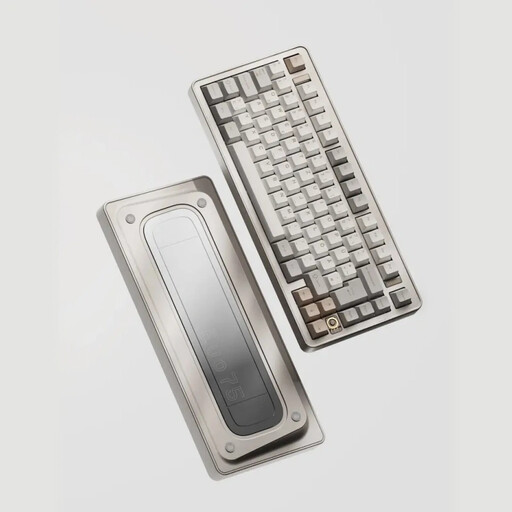 Image unavailable
A compact layout and remappable keys are worth considering if you want to customise shortcuts and save desk space.
75% layout; wired, Bluetooth or 2.4 GHz; US layout; VIA-compatible; hot-swappable.
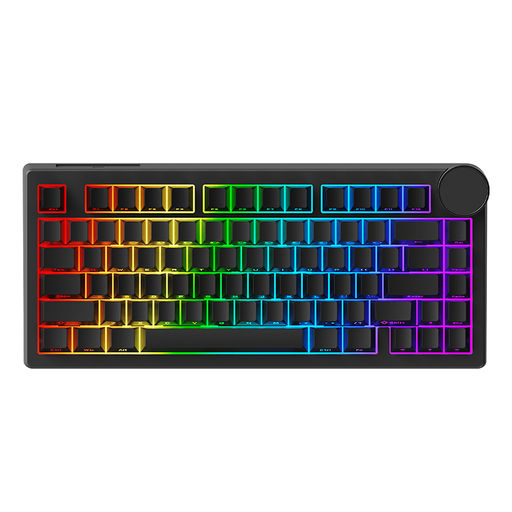 Image unavailable
A 75% layout could be worth considering if you need room for drawing alongside your keyboard.
Wired connection; HE magnetic switches; 75% layout; black keycaps with side legends.
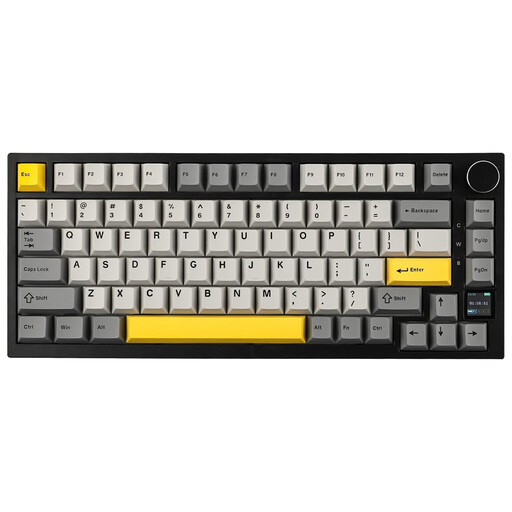 Image unavailable
A compact version with several connection options could be a good fit if you want to match the connection to your work computer.
75% layout; wired, Bluetooth or 2.4 GHz; US QWERTY layout; TFT screen; sound-dampening foam.
If you’ll be using the keyboard in a shared space, check how noisy the exact version is.
 Image unavailable
A tenkeyless layout is worth considering if a full-size keyboard takes up too much room next to your drawing tablet.
Tenkeyless layout; US layout.
Check that the physical layout suits the keyboard shortcuts you’re used to.
Not necessarily: Krita and Clip Studio Paint let you customise keyboard shortcuts. First, assign the actions you want in your own programme. Extra keyboard software is most useful if those settings aren’t enough and the software is available and permitted on your computer.
Check the physical layout, available connections and whether you’re allowed to use any key remapping software. Keychron mentions Launcher for remapping, while Logitech mentions Logi Options+ for Smart Actions. Permission depends on your workplace’s policies.
Adjust your desk and screen setup to suit your own body measurements, as advised by Arboportaal for screen-based work. A compact or low-profile keyboard alone is no guarantee that it will prevent discomfort.
For consumer purchases in the Netherlands, the seller must offer a suitable solution if a product is faulty. Rijksoverheid states that there is no fixed statutory guarantee period. Many online purchases also come with a 14-day cooling-off period, subject to legal exceptions.
For employees who spend more than 2 hours a day doing screen-based work, Arboportaal says the screen and keyboard must not be attached to each other. With a laptop, it must be possible to use a separate screen or keyboard. This doesn’t mean you have to choose a specific keyboard model.