
Dialogue writer with repetitive tasks
You edit lots of branching dialogue and want to carry out recurring tasks quickly, provided your dialogue software supports them. Logitech and Keychron describe options for customising keys or commands.


Choose a keyboard to suit the way you work: a customisable model may be useful for repetitive editing tasks, while size and positioning matter more if you type for long periods or have limited desk space. Using two screens with one computer doesn’t in itself mean you need a keyboard with device switching. Check that the keys and layout you need work with your operating system and dialogue software.
You edit lots of branching dialogue and want to carry out recurring tasks quickly, provided your dialogue software supports them. Logitech and Keychron describe options for customising keys or commands.
You type for long periods and want your keyboard position to work well with the rest of your workspace. Arboportaal highlights repetitive actions and static strain as points to consider when working at a screen.
You use two screens and want to leave room for your mouse without losing the keys you need for typing and navigation. CHERRY and RTINGS describe more compact keyboard layouts as one way to save desk space.
Start with the tasks you do often and the keys you need for them. Then consider the layout and positioning: using two monitors doesn’t automatically mean you need a number pad, device switching or an ergonomic design.
| What to consider | What to check before buying | Who is this most important for? |
|---|---|---|
| Editing commands | Check that key remapping or macros work with your operating system and dialogue software. | If I often edit the same branches, I want to carry out recurring tasks easily. Around 40% of consumers prioritise customising these actions. |
| Posture when typing for long periods | Consider whether you can position the keyboard and mouse comfortably on your desk, and look at the rest of your workspace too. | For long writing sessions, I want to position my hands comfortably and adjust my workspace as a whole. Around 30% of consumers prioritise typing comfort. |
| Space and noise | Compare TKL with full-size keyboards and check that the navigation and number keys you need are included. | If my desk is shared or crowded, I want room for my mouse and pay attention to typing noise. Around 20% of consumers give top priority to a compact, quiet workspace. |
| Easy connection | Check the connection you need, the physical key layout and whether the keyboard will fit on your desk. | If I don’t need any special features, I want a keyboard that’s easy to connect. Around 10% of consumers prioritise a straightforward connection. |
You don’t need a button for switching between devices to use two monitors with the same computer.
First, work out whether you’re using one computer with two screens or actually switching between different computers.
A single keyboard model may be available with different switches, layouts or hot-swap options.
Check the exact version and compare the model designation, key layout, switches and hot-swap status.
Strain from screen work isn’t determined by the keyboard alone. A split layout may also take time to get used to.
Assess your whole workspace and whether you can vary your tasks. Choose a design that will actually fit on your desk.
The MX Keys S is designed for customisable text workflows, while the K120 is a simpler wired alternative.
The STREAM KEYBOARD TKL is a more compact wired model; the STREAM KEYBOARD ULTIMATE is designed for use with multiple devices.
The Split Break is designed for anyone who wants to position the two halves of the keyboard separately.
The K8 Pro combines mechanical keys with configurable commands in a TKL format.
This selection includes keyboards for anyone who wants to combine programmable keys or macros with text input, with some models also featuring a TKL layout.
 No image available
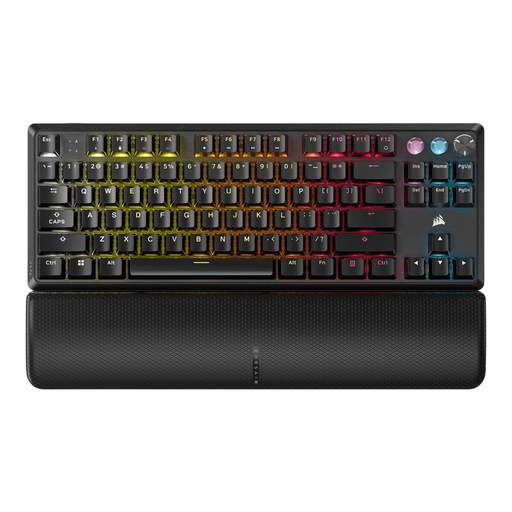
A good fit if you want to set up recurring key actions and are looking for a TKL layout.
The product description mentions key remapping and macros via Corsair iCUE. This wired model has a US QWERTY layout and comes with a wrist rest.
 No image available
A good fit if you’re looking for a compact keyboard with customisable key actions.
The product description mentions quiet membrane keys and key remapping via Corsair iCUE. The TKL layout omits the number pad; this model has a US QWERTY layout.
 No image available
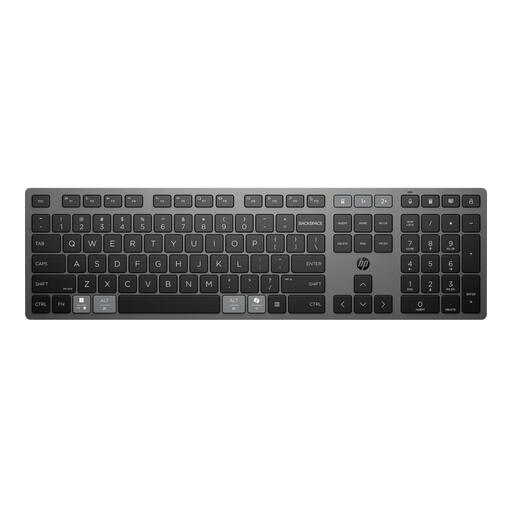
A good fit if you want to use programmable keys and work with multiple devices.
The product description mentions programmable keys and a rechargeable supercapacitor; the product name specifies wireless use with multiple devices.
 No image available
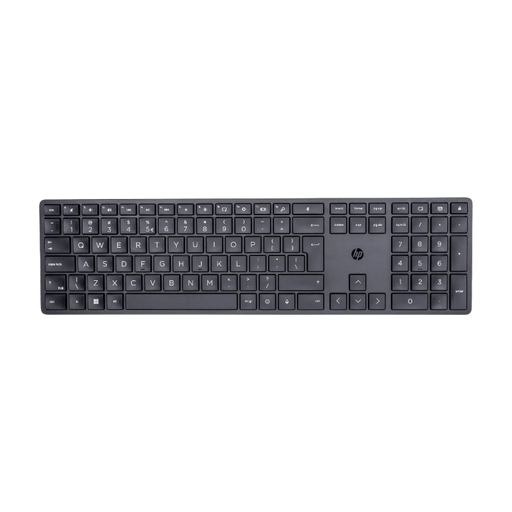
A good fit if you want to set up programmable shortcuts for recurring tasks.
The product description mentions customisable shortcuts via HP Accessory Center and adjustable feet with an angle of up to 6 degrees.
 No image available
A good fit if you want to combine a TKL layout with programmable keys and macro recording.
The product description mentions low-profile optical switches, Bluetooth and macro recording via Razer Synapse. This model has a US layout.
No, not just because two monitors are connected to one computer. Device switching lets you switch between different connected devices. Also check that your keyboard shortcuts work with your dialogue software.
In Windows, you can identify detected displays and set their relative positions. Microsoft Support also explains how to arrange windows using the keyboard. The options available depend in part on your operating system and dialogue editor.
No, a split keyboard on its own can’t guarantee that you’ll avoid discomfort. Consider your workspace and how you vary your tasks too. For employees who work at a screen for more than two hours a day, Arboportaal states that the screen and keyboard must not be attached to each other.
When you buy online from a business in the Netherlands, you’ll often have a 14-day cooling-off period; the exact terms depend on the purchase. The Dutch Government also states that there is no fixed two-year statutory guarantee period in the Netherlands.