
Diagram maker with limited connection options
You don’t want to use an extra power socket for your keyboard, so you’re choosing between Bluetooth, a USB receiver and a cable connected to your computer.


First, choose a connection that works with your computer and its available USB ports: having few power sockets doesn’t automatically mean you need a rechargeable keyboard. Then check that the layout and shortcuts work with your diagramming software, and weigh up desk space against the convenience of a full-size keyboard with a number pad.
You don’t want to use an extra power socket for your keyboard, so you’re choosing between Bluetooth, a USB receiver and a cable connected to your computer.
You repeat tasks and want to tailor the keys, layout and any programmable functions to your drawing software. Logitech lists Smart Actions for the MX Keys S; check which software you’ll need.
You want to leave room for a mouse, sketches or documents, and are weighing up a compact layout against having a dedicated number pad.
A good fit if: you work at one computer and have a suitable spare USB port.
The trade-off: you won’t need keyboard batteries or time set aside for charging, but the cable will take up desk space and use a port.
A good fit if: you want to work without a keyboard cable or having to recharge it, and your computer supports Bluetooth.
The trade-off: check the battery type and allow for replacements; compact models don’t always have a number pad.
A good fit if: you switch between devices or want programmable keys, and can plan when to recharge.
The trade-off: battery life depends on how you use the keyboard and whether the backlighting is on; programmable functions may require additional software.
A good fit if: you want to connect via a receiver and your computer has a suitable spare USB port.
The trade-off: the receiver uses a port; wireless connectivity alone doesn’t tell you how the keyboard is powered.
| What to consider | What to look for | Who is this important to? |
|---|---|---|
| Power and connection | Check the connection type, power source, any receiver or cable, and the available ports on your computer. | If I have few power sockets, I want to know whether Bluetooth will work or if a receiver or cable needs a USB port. Around 33% of consumers put power and connection first. |
| Shortcuts and layout | Test important key combinations in your own software, and check the physical layout and any configuration software you may need. | If I edit diagrams often, I want familiar keys and shortcuts that work with my software. Around 27% of consumers give shortcuts and layout top priority. |
| Desk space | Compare the dimensions and consider whether you need a dedicated number pad. | If I want to leave room for a mouse and work materials, I look at the keyboard’s width and layout. This matters most to consumers who prioritise desk space, around 20%. |
| Maintenance during use | Check the battery type, charging options and the conditions behind the stated battery life. | If I’d rather not replace batteries or recharge a battery regularly, I weigh that up against the cable on a wired model. Around 20% of consumers put maintenance and running costs first. |
A keyboard such as the Trust Ody II uses a USB receiver, so it isn’t the same as a Bluetooth model that connects without one.
Before you buy, check the connection type of the exact model and make sure your computer has a suitable spare port.
A USB receiver takes up a port.
How shortcuts work depends partly on the software and keyboard layout. Logitech lists Logi Options+ for Smart Actions on the MX Keys S; Inkscape notes that some shortcuts may not be available on non-US layouts.
Check that you can use the required software, then test the actions you need in your own diagramming programme.
Configuring adjustable functions may require additional software.
The HP 975 dual-mode’s stated maximum battery life applies when the backlighting is off.
Compare battery life only under the same conditions, and check how you can recharge the keyboard.
The Pebble Keys 2 K380s is a compact Bluetooth option, while the MX Keys S is a larger keyboard with programmable functions.
The Ody II uses a USB receiver, while the Nado II is a compact Bluetooth option.
The HP 975 dual-mode is a full-size option with Bluetooth and 2.4 GHz connectivity.
The KC 6000 SLIM is a wired USB-A option with a full-size layout.
These products show compact layouts and different connection options: several models list both wireless and wired modes, alongside a wired model.
 No image available
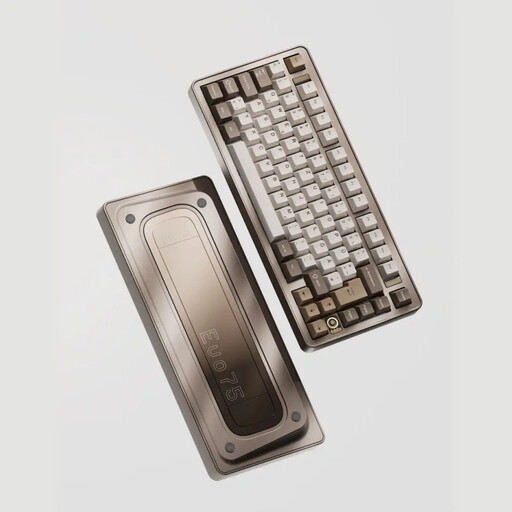
The 75% layout is a compact option for a workspace where you want to save room.
The product name describes a mechanical keyboard with a US layout and tri-mode connectivity: wired, Bluetooth or 2.4 GHz. Check that the US QWERTY layout suits your diagramming work.
 No image available
The 75% layout is a compact option to consider if you want to leave space beside your keyboard.
The product name describes a mechanical keyboard with tri-mode connectivity, a US layout and VIA compatibility. Check that the layout and compatibility suit your software and how you use it.
 No image available
The 75% layout is a compact option if you want to keep desk space free.
The product name describes a wireless mechanical keyboard with tri-mode connectivity, US QWERTY and an 8000 mAh battery. When choosing a layout, bear in mind the shortcuts used in your diagramming software.
 No image available
The 75% layout is a compact option to compare if you have limited workspace.
The product name describes a mechanical keyboard with US QWERTY and wired, Bluetooth and 2.4 GHz modes. Check that the US layout works with the shortcuts you use.
 No image available
The 60% layout with 61 keys is a compact wired option if you don’t want to recharge a keyboard battery.
The product name describes a USB keyboard with a US QWERTY layout. The wired connection uses a computer port; also check that the layout works with your shortcuts.
Not necessarily a separate socket for the keyboard: wireless models can run on batteries or a rechargeable battery. Check how your chosen model is powered, and whether your computer supports Bluetooth or has a spare port for a receiver.
Not always. Inkscape notes that some shortcuts may not be available on non-US layouts, while Microsoft warns that keys may behave differently with other layouts. Test the combinations in your own version of the software.
You can use a wired USB-A keyboard if your computer has a suitable spare port. The Trust Ody II uses a USB receiver, so check that you also have a suitable spare port for it.
According to ACM ConsuWijzer, online purchases generally come with a cooling-off period of up to 14 days after delivery, subject to exceptions. This is separate from the statutory guarantee: if a product doesn’t perform as you could reasonably expect under normal use, the seller must offer a solution under the applicable terms.