
Frequent debugger user
You often switch between lines, windows and debugging commands while coding. Easily accessible arrow and function keys can be a sensible place to start.


Start with the keys you use in your debugger and development environment. A function row and arrow keys are useful, while a numeric keypad matters most if you enter figures regularly. A tenkeyless keyboard leaves out the numeric keypad to give you more room for your mouse. Choose a split model if you want to adjust the position of each half, and always check the layout and software support for the specific version.
You often switch between lines, windows and debugging commands while coding. Easily accessible arrow and function keys can be a sensible place to start.
You regularly enter figures as well as code, and are weighing up whether a numeric keypad is worth the extra desk space.
You want to leave room for your mouse or adjust the position of your hands. A compact and a split keyboard offer different ways to arrange your workspace.
First check which keys you use in your debugger, then consider how much number entry you do, and finally see how much space the keyboard and mouse take up together.
| What to consider | What to look for | Who it matters to |
|---|---|---|
| Debugging and navigation keys | Check the physical function row, arrow keys and navigation keys alongside the shortcuts for your own development environment. | If I often navigate through code and windows while debugging, I want my usual keys within easy reach. Around 36% of consumers have this as their main need. |
| Entering figures | Work out how many figures you actually enter and measure whether there is enough room for your mouse alongside a full-size keyboard. | If I enter a lot of inventory figures at work, a built-in numeric keypad can be useful. Around 21% of consumers prioritise number entry above all else. |
| Mouse space and hand position | Compare the space available on your desk. With a split model, also check the connecting cable length and which tenting accessories you need. | If I want to leave room for my mouse or adjust the distance between my hands, I consider both the keyboard’s width and how it is set up. Around 29% of consumers mainly value workspace or hand position. |
| Key feel and connection | Check the key type and connection for the exact version, and, if possible, assess the sound in your own working environment. | If I need a particular key feel or connection for my workspace, I want to know whether the version is suitable. Around 14% of consumers have this as their main preference. |
A compact layout can make keys used by your development environment less accessible.
Compare your debugger shortcuts with the physical layout before choosing a compact model.
You may need to use extra key combinations more often.
For the V3 Max, Keychron distinguishes a barebone version that does not include switches and keycaps.
Before buying, check which version you have selected and what is included.
If switches and keycaps are not included, you will need to source them separately.
A different keyboard shape alone does not determine how well a workspace will suit every user.
Consider the position of your keyboard and mouse, and vary your posture while working at a screen. If you start to experience discomfort, speak to an appropriate healthcare or occupational health professional.
The V3 Max is a mechanical tenkeyless option for those who want to customise their keys. The version described has an ANSI layout.
The MX Keys S is a low-profile, full-size keyboard with a numeric keypad and configurable actions.
The Freestyle2 is a tenkeyless keyboard with separately positioned halves, designed for those who want to adjust their setup.
The KC 6000 SLIM is a wired, low-profile keyboard with scissor keys and a numeric keypad.
This selection includes both compact layouts and models with a numeric keypad. Compare the physical layout with how you use your debugger and the space you need for your mouse.
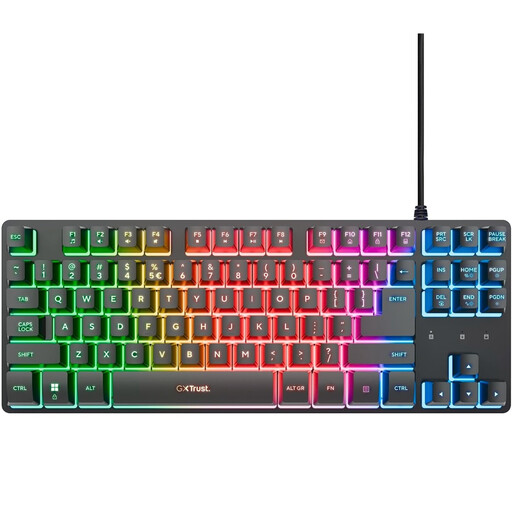 No image available
The tenkeyless layout may suit you if you want to leave room for your mouse beside the keyboard.
Wired keyboard for PC and PS5; QWERTY US layout.
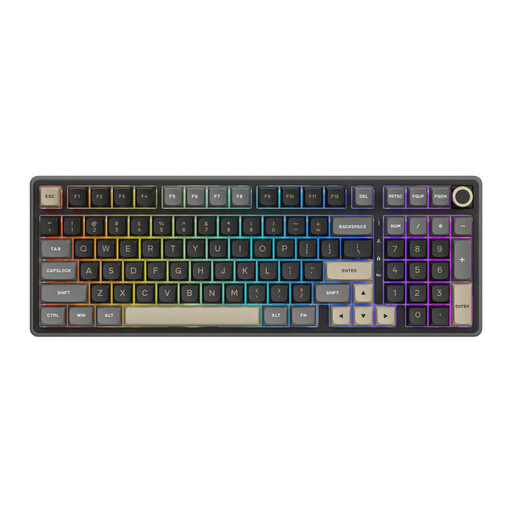 No image available
The built-in numeric keypad can come in handy if you regularly enter inventory figures.
Wired mechanical keyboard with numeric keypad and volume knob; the product name specifies hot-swappable switches and Beige Switch.
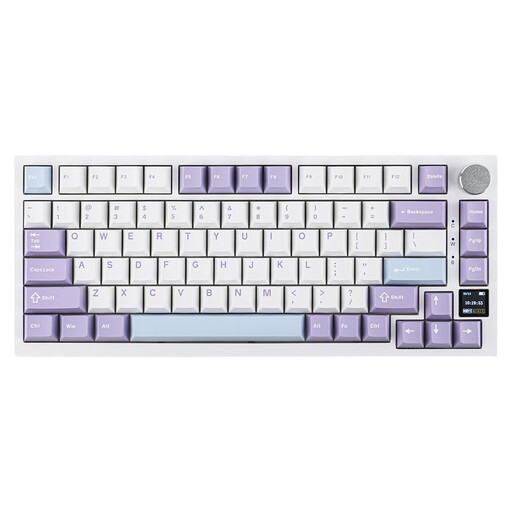 No image available
The compact 75% layout may suit you if you need to leave room for your mouse on your desk. Check that the physical keys work for the way you use your debugger.
Mechanical keyboard with US QWERTY layout and connection via cable, Bluetooth or 2.4 GHz.
 No image available
The tenkeyless layout may suit you if you can do without a numeric keypad and want to leave more room beside the keyboard.
The product name specifies a US layout.
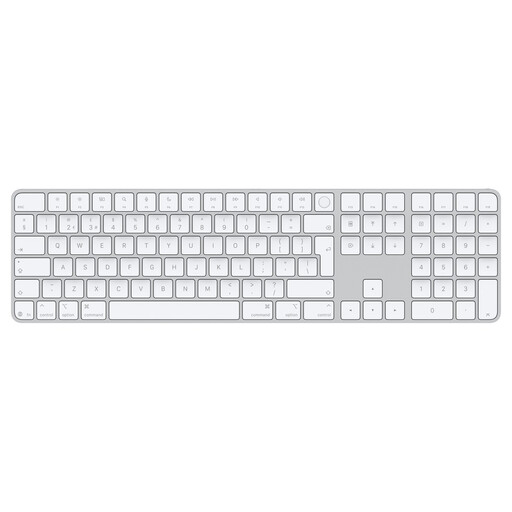 No image available
The numeric keypad may suit you if you regularly enter figures and have room for the extra keyboard width on your desk.
According to the product name, this version is designed for Mac models with Apple silicon.
No. First check the function row, arrow keys and other keys you use in your debugger. Choose a numeric keypad only if you regularly need it for your own data entry. On smaller layouts, some keys may be accessed through a key combination or an extra layer.
Set up your workspace to suit the way you work, and break up your screen time. Arboportaal recommends changing posture and taking short breaks; a different keyboard is no substitute for these measures.
Check which configuration software you need, your operating system and the shortcuts for your development environment. Logitech links Smart Actions to Logi Options+; for the V3 Max, Keychron describes key mapping and macros through Keychron Launcher. These features alone do not tell you whether a particular action will work in every debugger.
You are entitled to a product that meets what you could reasonably expect. According to the Dutch government, the Netherlands has no fixed statutory warranty period; if a product is faulty, contact the seller. A manufacturer’s warranty is in addition to your statutory rights.
For employees who spend more than two hours a day working at a screen, Arboportaal sets out requirements for workplace setup, including the option to use a separate keyboard or screen with a laptop. Do not automatically apply this employment rule to personal use. Radio equipment sold on the EU market is also subject to a separate regulatory framework; the description ‘wireless’ alone does not tell you whether a particular product meets all applicable requirements.