If you have a suitable spare USB port and want to avoid replacing batteries or planning charging breaks, a wired keyboard is a practical choice. However, the cable uses a computer port and limits where you can place it. If you prefer wireless, choose a power source that suits your workspace: rechargeable models need to be charged occasionally, while a light-powered model needs enough light. Then decide whether you need a separate numeric keypad for working with datasets.
Who is this for?
People without access to charging
You work with datasets somewhere with few available power sockets and want to avoid having to recharge your keyboard mid-task. Whether you have a spare computer port or enough light will determine which power option suits you.
Frequent number typists
You enter numbers regularly and want a separate numeric keypad, even if it takes up more desk space.
People who work in different places
You move your keyboard around or type on several devices, so you need a suitable wireless connection and a practical keyboard layout.
What should you consider when choosing?
| What to consider |
What to look for |
Who should prioritise this? |
| Power without a spare socket |
Check whether you have a suitable spare USB port and whether you can charge the keyboard or use replaceable batteries. Logitech specifies a minimum of 200 lux for the K980 to charge using light while in use. |
If I work somewhere with limited charging options, I want to know which power source is practical. Around 36% of consumers make power their top priority. |
| Numeric keypad |
Check whether you often need separate number keys and have room for a full-size layout. |
If I enter lots of numbers, I want a layout that suits the task, even if it takes up more space. Around 29% of consumers prioritise number entry. |
| Connecting to devices |
Check whether your computer supports Bluetooth or has a spare USB port for a receiver. Also check the layout of the version you choose. |
If I work on different devices, I want a connection that works with my computer(s). Around 21% of consumers make device connectivity their top consideration. |
| Space and placement |
Compare the keyboard's physical layout with the space available on your desk, and check whether a compact TKL model leaves out the numeric keypad. |
If I have limited desk space, I could consider a more compact model if I don't need a separate numeric keypad. Around 14% of consumers prioritise space and placement. |
Common buying mistakes
-
Assuming a light-powered keyboard will keep charging without enough light
Logitech specifies a minimum of 200 lux for the K980 to charge using light while in use. This model has no USB charging port.
Check the light levels where you’ll actually use the keyboard. If that spot isn’t suitable for its charging method, compare it with another power option.
-
Choosing a model without a numeric keypad when you use one often
The CHERRY STREAM KEYBOARD TKL does not have a separate numeric keypad. This could be inconvenient if you enter numbers frequently.
Compare your daily input needs with the physical keyboard layout before choosing a compact TKL model.
-
Assuming wireless means you don’t need a computer port
A keyboard that uses a USB receiver still takes up a computer port. The Rapoo E9700M also offers Bluetooth as a connection option.
Check which connections your computer supports and whether the required port is available.
Brands to consider
Logitech
The models mentioned range from wired keyboards with a numeric keypad to wireless models powered by rechargeable batteries, light or replaceable batteries.
- The K120 has a numeric keypad and connects via USB; the K250 uses an AAA battery.
- According to Logitech, the Signature Slim Solar+ K980 charges using light and has no USB charging port.
- Logitech specifies a minimum of 200 lux for the K980 to charge while in use. The right power option therefore depends on the light in your workspace.
CHERRY
The STREAM models mentioned are wired; the STREAM KEYBOARD TKL is a more compact version without a separate numeric keypad.
- CHERRY describes the STREAM range as having a scissor mechanism; the TKL version leaves out the numeric keypad.
- Choose the TKL layout only if not having a separate numeric keypad suits the way you enter data.
Rapoo
According to Rapoo, the E9700M is a rechargeable wireless model that lets you choose between Bluetooth and a 2.4 GHz receiver.
- Rapoo lists device switching and a numeric keypad as features of this model.
- Check that your computer supports the connection you choose and that the layout suits your work.
Trust
The Ody II is a wireless option with a USB receiver and an on/off switch.
- You can store the USB receiver inside the keyboard.
- The receiver needs a suitable computer port. Also check that the version you choose works with your connections.
Keyboards at Joybuy
This selection includes wired keyboards with a numeric keypad and rechargeable wireless models. Compare the computer port you need, charging requirements, connection and keyboard layout with your workspace.
 No image available
Wired QWERTY keyboard with numeric keypad
A wired full-size option if you want a numeric keypad and have a suitable USB port available.
Plug and play; QWERTY layout; black.
View at Joybuy
 No image available
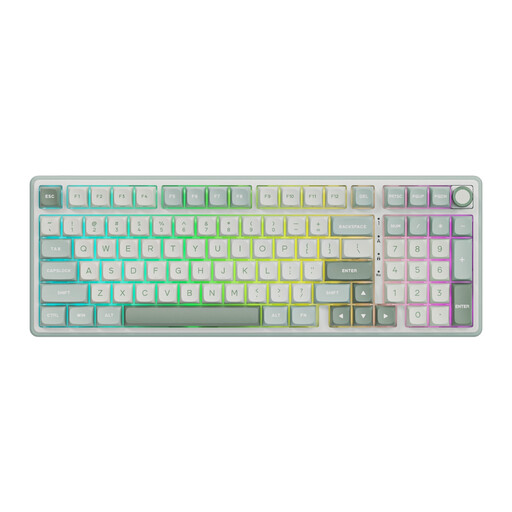
RK ROYAL KLUDGE R98 Pro wired mechanical keyboard
A wired option with a numeric keypad if you enter numbers and a cable connection suits your workspace.
98% layout with an integrated numeric keypad. The wired connection limits where you can place it compared with a wireless model.
View at Joybuy
 No image available
Logitech K120 wired keyboard, black
A wired full-size option if you want to avoid separate charging breaks and regularly enter numbers.
USB connection; numeric keypad; QWERTY US International layout; 1.5 m USB cable. You’ll need a spare USB port, and the cable limits where you can place it.
View at Joybuy
 No image available
Corsair Vanguard 96 wireless mechanical keyboard, US QWERTY
A wireless option with a numeric keypad if you need a suitable connection and the US QWERTY layout works for you.
Bluetooth, 2.4 GHz and wired USB-C mode; numeric keypad. The built-in battery needs to be recharged periodically via USB-C.
View at Joybuy
 No image available
Trust Vaiya wireless full-size keyboard, US QWERTY
A rechargeable wireless option if you want a full-size layout and connections to multiple devices.
Bluetooth and USB receiver; numeric keypad; USB-C charging; connects to up to four devices. The battery needs to be recharged periodically, and the layout is US QWERTY.
View at Joybuy
Frequently asked questions
Does a wireless keyboard always need a charging cable?
No, it depends on the model. According to Logitech, the K250 uses an AAA battery; the Signature Slim Solar+ K980 charges using light only and has no USB charging port. These are differences between specific models, not a feature of all wireless keyboards.
How can you check whether a light-powered keyboard will charge in your workspace?
Logitech specifies a minimum of 200 lux for the K980 to charge using light while in use. Check the light levels where you’ll actually use the keyboard; don’t rely solely on the presence of a lamp or window.
What can you do if your keyboard turns out to be faulty after you buy it?
For a consumer purchase in the Netherlands, the seller must provide a solution if the product is not as it should be, according to the Dutch government. The Dutch government says there is no fixed statutory guarantee period that applies to all products in the Netherlands; a manufacturer’s guarantee is separate from your statutory rights.
Do Dutch workplace rules apply to a laptop used with a separate keyboard?
For employees who work with display screens for more than 2 hours a day, Arboportaal states that the screen and keyboard must not be attached to each other. When using a laptop, it must be possible to use a separate screen or keyboard. This is a workplace consideration that applies in certain circumstances, not a recommendation for every private buyer.
Does a wireless keyboard have to meet radio equipment rules to be sold in the Netherlands?
The European Commission describes the Radio Equipment Directive as the framework for placing radio equipment on the EU market, with requirements covering areas including safety and radio spectrum. A mention of Bluetooth alone does not prove that a specific version meets all applicable requirements; check the product information for the version you’re buying.


