
Code-focused builder
Writes and edits code above all, and wants symbols, arrow keys and function keys to suit the way they work.


Start with the physical layout: it determines where programming symbols, arrow keys and function keys are placed. Then choose a size that suits your work: compact if you want to save desk space, or with a numeric keypad if you often enter scores. A split keyboard gives you another way to position your hands. Noise levels may also matter in a shared workspace. Always check the layout and compatibility of the exact model.
Writes and edits code above all, and wants symbols, arrow keys and function keys to suit the way they work.
Switches between an editor and a local preview during longer work sessions, and values a comfortable posture and keyboard setup.
Regularly enters scores or other figures by hand and weighs up whether a numeric keypad is worth the extra desk space.
First, check the layout and the position of the keys you use most often. Then choose between a compact and full-size keyboard, and only after that consider features such as programmable keys, wireless connections or a split design.
| What to consider | What should you check? | Who is this most important for? |
|---|---|---|
| Layout for coding and navigation | Check the physical layout and the position of programming symbols, arrow keys and function keys on the exact model. | If I often switch between code, an editor and a browser, I want to use symbols and navigation keys without having to search for them. Around 36% of consumers prioritise the layout for coding and navigation. |
| Posture during long sessions | Consider whether a standard or split keyboard suits your preferred setup; also allow for enough room for your screen and mouse. | When typing for long periods, I want to adjust the distance and position of my hands myself. Around 29% of consumers put an adjustable typing setup first. |
| Switching between work environments | Check that programmable keys and switching between devices work with your computer and the software you need. | If I switch between an editor and a local preview while building, I want to know whether extra keys or device switching will genuinely support my workflow. Around 21% of consumers prioritise smooth switching between work environments. |
| Manual score entry | Compare a full-size keyboard with a numeric keypad against a more compact model without one. | When I regularly enter scores, I want dedicated number keys without losing unnecessary desk space. Around 14% of consumers prioritise manual number entry. |
The physical layout and the selected keyboard language together determine where characters appear. A Dutch keyboard buying guide from toetsenbord.org explains that US International can enter programming symbols using dead keys, sometimes requiring an extra keystroke for quotation marks in code.
Check the key legends, key shapes and selected language on the exact model, and see where commonly used programming symbols are positioned.
A different character input method may mean getting used to an alternative way of typing commonly used symbols.
A compact model such as the Keychron K8 Pro has no numeric keypad; the Logitech K120 does, according to Logitech. This difference matters if you regularly enter scores by hand.
Think about how often you enter numbers and whether you want a full-size keyboard for the job.
If you end up entering numbers frequently, you may need a separate numeric keypad.
An adjustable keyboard setup is no substitute for assessing your entire workspace. A manufacturer's description alone does not prove an individual health benefit.
Consider your screen, desk, posture and how you work together. Speak to an appropriate professional if discomfort persists.
A model range may include different versions, for example with a different connection, layout or switch. A matching model name alone does not prove that two variants are identical.
Compare the full model designation and specifications of the version you want to buy.
The K8 Pro reviewed is a TKL option for anyone looking to customise the key layout and considering Bluetooth or USB-C.
The models reviewed range from the wired K120 with a numeric keypad to the MX Keys S, with programmable keys and device switching.
The Split Break v.2 is a split option for anyone who wants to position the two keyboard halves separately.
The wired STREAM KEYBOARD is an option for anyone looking for a low-profile office keyboard with a scissor mechanism.
This Joybuy selection includes keyboards for coding and local previews, with a range of options for number entry, size and layout.
 No image available
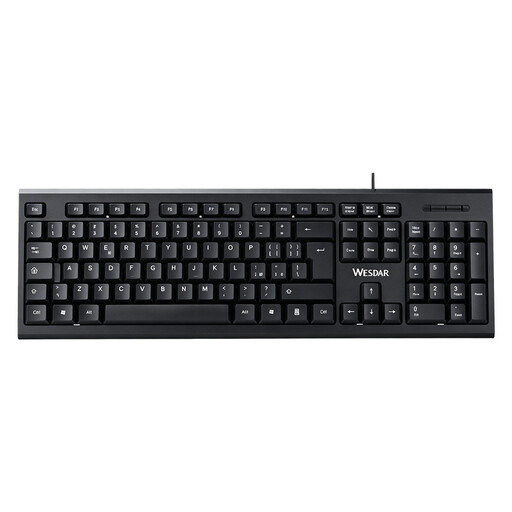
A full-size keyboard with a numeric keypad for anyone who regularly enters scores or other figures.
The product name specifies a QWERTY layout, plug-and-play functionality and a full-size design.
 No image available
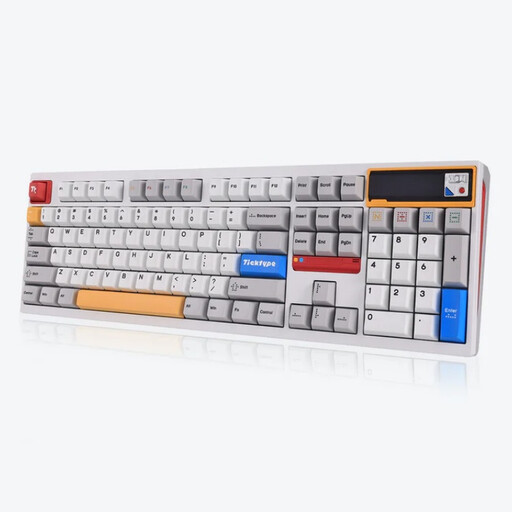
A full-size option if you want a numeric keypad and the choice of wired or wireless use.
The product information lists USB-C, Bluetooth and 2.4 GHz; the product name specifies a US layout and hot-swappable switches.
 No image available
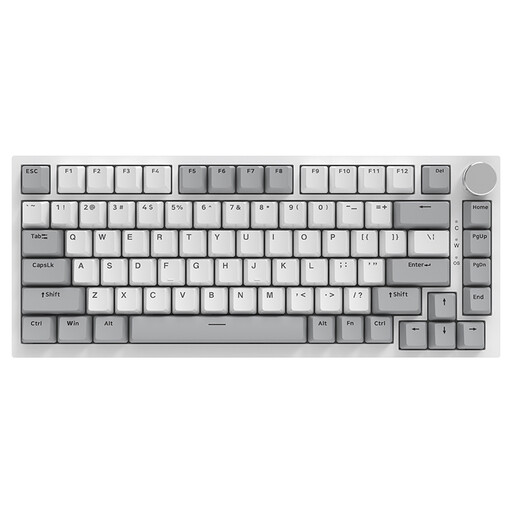
A more compact choice if you want to save desk space and don't need a numeric keypad.
The product name specifies a wired connection, 75% layout, 83 keys, a volume knob and hot-swappable linear switches.
 No image available
A tenkeyless option if you want a more compact size and would like to use programmable keys.
The product information lists programmable keys and macro recording, Bluetooth and USB-C, and connections to up to three devices. The product name specifies a US layout.
 No image available
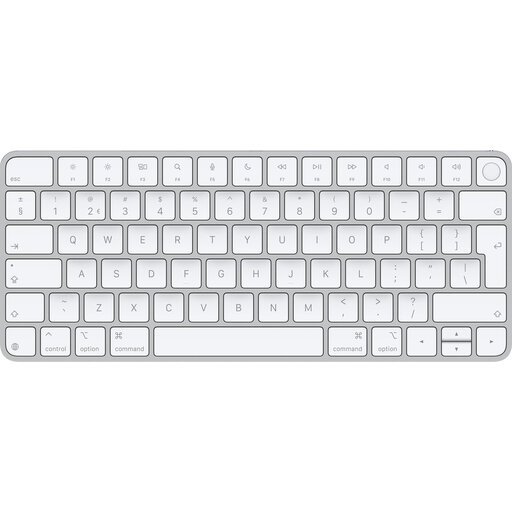
A wireless option if you want a Dutch QWERTY layout for a compatible Mac.
The product information lists Bluetooth and Touch ID for Mac models with Apple silicon. According to the product information, a Mac with Apple silicon and macOS 11.4 or later is required.
Check both the physical layout and the selected keyboard language. A Dutch keyboard buying guide describes different symbol positions and input methods on US-ANSI and US International layouts; the right choice also depends on how much Dutch text you type.
Check your computer's connections and operating system. According to Keychron, the K8 Pro offers Bluetooth and USB-C; according to Logitech, the wired K120 connects via USB. Your local preview runs on your computer, not on the keyboard.
For many online consumer purchases from a business, the Dutch government says you have a 14-day cooling-off period. Check the applicable terms and exceptions; this is separate from your rights if a product is faulty.
According to the Dutch government, you are entitled to a product that works properly, and there is no fixed statutory warranty period in the Netherlands. If a product is faulty, the seller must offer an appropriate solution; a manufacturer's warranty is in addition to your statutory rights.
For employees who work at a screen for more than 2 hours a day, the Dutch occupational health and safety portal states that the screen and keyboard must not be attached to each other. This is not a general product requirement for every private buyer or every working situation.