
Coder who uses lots of symbols
Wants quick access to braces, brackets and navigation keys, so compares the physical layout with the selected keyboard language. The importance of symbols when programming is also discussed by toetsenbord.org.


First, choose a layout that gives you easy access to programming symbols and navigation keys. Then consider your posture, preferred typing feel and connection method. Typing with a wired keyboard can remove the need for a wireless connection, but having offline documentation doesn’t automatically mean you can change your keyboard settings offline too. So check the exact model and any required software before working without an internet connection.
Wants quick access to braces, brackets and navigation keys, so compares the physical layout with the selected keyboard language. The importance of symbols when programming is also discussed by toetsenbord.org.
Wants to adjust the position of their hands and keyboard to suit their workstation. An adjustable split keyboard is one option, but the rest of the workstation and taking regular breaks matter too, as Arboportaal explains.
Wants to know in advance which features work without an internet connection or extra software, and whether pairing, charging or switching between devices is required. Check the specific model and any configuration requirements.
First compare the layout and how easy the keys are to reach, then consider your posture, offline use and which connection best suits your workstation.
| Feature to consider | What should you check? | Who is this most important for? |
|---|---|---|
| Programming symbols and navigation | Compare the physical ANSI or ISO layout, the key legends and the selected keyboard language. Check the characters you use most often and whether a compact layout moves keys to a function layer. | If I use braces, brackets and arrow keys frequently, I want them within easy reach. For around 36% of consumers, access to symbols and navigation keys is the top priority. |
| Posture during long typing sessions | Consider how you can position the keyboard at your workstation and whether both halves are adjustable. If you’re looking at accessories, check which parts are included with the model you’ve chosen. | During long coding sessions, I want to be able to adjust the position of my hands and keyboard. Posture is the main reason to buy for around 29% of consumers. |
| Getting started offline | Check the connection and which key functions work without configuration software. Set up any necessary adjustments in advance if you plan to work offline afterwards. | If my documentation is available offline, I also want to be able to type without first changing settings online. Being ready to use for offline work is decisive for around 21% of consumers. |
| Typing feel and switching between devices | Compare the stated typing feel, connection method and any receiver for the exact model. Also check whether you need to pair your devices and whether charging is required. | When I switch between devices and type longer passages, I consider the typing feel and connection. This combination is the top priority for around 14% of consumers. |
The physical ANSI or ISO layout and the selected keyboard language both affect where characters appear. So two QWERTY keyboards can differ in the symbols you need.
Compare the exact model and test the symbols you use in your code before buying.
A keyboard may let you type over a wired connection, while changing key functions requires separate software or a web app.
Check which settings you need and configure them in advance if you plan to work offline afterwards.
The Kinesis Freestyle2 comes in different configurations, with different tenting options available. An adjustable setup also doesn’t guarantee that you’ll avoid discomfort.
Check what’s included with the model you’ve chosen and consider the layout of your entire workstation too.
The V1 is a wired, programmable keyboard with a compact 75% layout.
The Freestyle2 is designed for an adjustable split layout; models vary in connection and layout.
The KC 6000 SLIM is a low-profile, full-size wired keyboard for a fixed workstation.
The MX Keys S is a wireless keyboard for people who work across multiple devices.
These keyboards suit different layout and connection preferences. For each model, check that the connection and any configuration requirements work with your offline setup.
 No image available
Suitable for anyone who wants to switch between devices while working.
Connects via Bluetooth or a 2.4GHz receiver. USB-C is listed for charging, not as a wired typing connection. The product information mentions programmable keys.
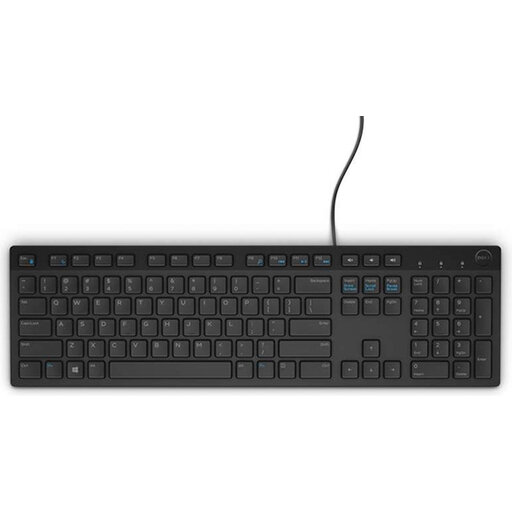 No image available
Suitable for anyone who wants a wired connection and a numeric keypad.
Full-size layout with chiclet keys and multimedia keys. The physical layout is Belgian AZERTY; check that it suits the symbols you use.
 No image available
Suitable for anyone who wants to work wirelessly and customise shortcut keys.
Full-size layout with a USB receiver and adjustable feet. The product information lists more than 20 programmable keys via HP Accessory Center and an adjustable angle of up to 6 degrees.
 No image available
Suitable for anyone looking for a wireless set with a full-size keyboard and numeric keypad.
The set has a UK QWERTY layout and connects via a USB receiver. The product information lists a low-profile design and an included mouse.
 No image available
Suitable for anyone looking for a full-size keyboard with a numeric keypad for a shared workspace.
Low-profile design with a USB receiver; Bluetooth isn’t mentioned. The product name specifies quiet keys and a spill-resistant design. The physical layout is US QWERTY.
Reading offline documentation and typing text are different from configuring special keys. According to Kinesis, the USB version of the Freestyle2 works without a special driver; for key customisation on the V1, Keychron offers the Launcher web app. Make any necessary changes in advance if you plan to work offline afterwards.
Position your keyboard and screen so you can work comfortably, and vary your posture and tasks. Arboportaal emphasises that both a well-adjusted workstation and enough variation are important; simply changing your keyboard won’t automatically change the rest of your workstation.
According to ACM ConsuWijzer, a product should perform as you would reasonably expect under normal use. If the product is faulty, the retailer is responsible for providing an appropriate remedy at no cost; a manufacturer’s warranty doesn’t replace this right.
For a distance purchase from a business, the Dutch government says you’ll often have a 14-day cooling-off period. Check the applicable terms and conditions; a purchase from a private individual doesn’t fall under the same definition of a distance purchase.
The Arboportaal guidance mentioned doesn’t require a split keyboard. However, for employees who work at a screen for more than 2 hours a day, Arboportaal does specify workstation requirements, including that the screen and keyboard must not be attached to each other; whether these apply depends on the working situation.