What should you look for?
Start with the keys you use every day for coding and tests. Then compare typing posture, sound and connectivity according to your workspace and the devices you use.
| What to consider |
What should you check? |
Who is this important for? |
| Layout and coding keys |
Check the physical language layout, programming symbols, arrow keys and function row for the exact version. |
If I write code and tests, I want to reach my usual symbols and shortcuts without constantly changing how I work. Around 36% of consumers give layout and access to coding keys top priority. |
| Posture during long typing sessions |
Consider the keyboard, arms and screen together; for a split model, check which adjustments and accessories are included with that version. |
During long development sessions, I want to be able to adjust the position of my hands and keyboard to suit my workspace. Around 29% of consumers put typing posture and positioning first. |
| Typing noise |
Check the key mechanism and, for mechanical models, the switch type; if possible, try the sound in a similar space. |
If I work alongside others, I want to know how noticeable the keyboard sounds before choosing a particular mechanism. Around 21% of consumers make quiet typing their top priority. |
| Connectivity and switching between devices |
For each version, check the connection you need, supported systems and availability of key customisation. |
If I work on the log across different computers, I want to be able to switch easily between devices. Around 14% of consumers make connectivity and device switching their top priority. |
Keyboards at Joybuy
This selection includes keyboards for coding and working across multiple devices, with a range of layouts and wired or wireless connections.
 No image available
HP 725 Multi-Device Rechargeable Wireless Keyboard
Worth considering if you’re looking for a wireless keyboard to use with multiple devices.
The product name indicates wireless connectivity and a rechargeable design.
View at Joybuy
 No image available
Trust Vaiya Wireless Keyboard, Full-Size, QWERTY US
Worth considering if you’re looking for a full-size keyboard with scissor-switch keys for a shared workspace.
The product name indicates wireless use, a number pad and a US QWERTY layout; check that the layout suits the characters you use.
View at Joybuy
 No image available
AJAZZ AK820 Pro 75% Mechanical Tri-Mode Keyboard, QWERTY US
A compact mechanical option worth considering if you’re looking for a 75% layout and several connection options.
The product name indicates US QWERTY, wired, Bluetooth and 2.4 GHz connectivity. Check the exact version and layout.
View at Joybuy
 No image available
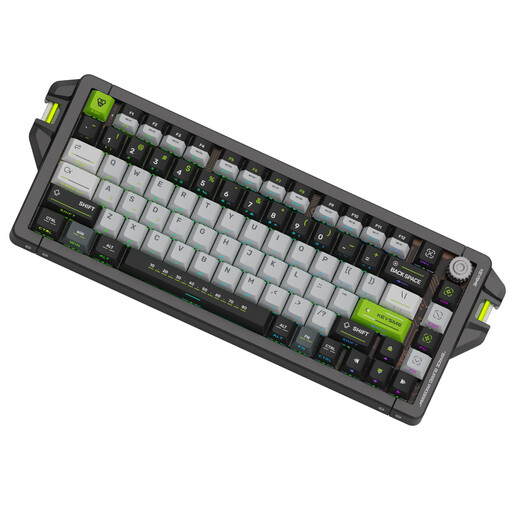
KEYSME AHD-HCKR-C 75% Keyboard, QWERTY US
A wired 75% option worth considering if you’re looking for a compact layout with US QWERTY.
The product name indicates Magnetic Jade Switch Pro and a US QWERTY layout. Check that the physical layout suits the way you enter code.
View at Joybuy
 No image available
Siukie CR108 108Keys Detachable Switch Wired Mechanical Keyboard
Worth considering if you’re looking for a full-size wired mechanical keyboard.
The product name indicates 108 keys and detachable switches.
View at Joybuy
Frequently asked questions
Do I need a special keyboard for automated tests?
No, not simply to run software tests: pytest explains how to run and select tests using commands. Choose a keyboard to suit your coding, shortcuts and workspace. If your application needs to record played notes, MIDI input is a separate feature that isn’t assessed here.
How should I set up my keyboard for long development sessions?
Consider the keyboard as part of your whole computer workstation, and take regular breaks from screen work. Arboportaal identifies repetitive actions and a static posture as aspects of computer-based work; employees are also subject to specific workplace requirements that apply in certain circumstances. A split keyboard doesn’t replace those adjustments or breaks.
What if the keyboard doesn’t work properly after I buy it?
When you buy as a consumer in the Netherlands, you’re entitled to a product that conforms to the agreement. The Dutch government says there is no fixed statutory guarantee period; if a product is faulty, the seller must provide a solution. Online purchases from a business also usually come with a 14-day cooling-off period, although there are exceptions.
What should I look for in a wireless keyboard?
Check which connection the version you’ve chosen uses and what information is provided about the relevant safety requirements. Ondernemersplein and the Dutch government include Bluetooth and radio-frequency modules among the safety requirements for electronic devices; a product title alone doesn’t show that a specific version complies with the rules. According to Ondernemersplein and the Dutch government, most of the other obligations under the Cyber Resilience Act apply from 11 December 2027.


