What should you consider when choosing?
First check that you can operate the checkout using the keyboard and that the keyboard connects to the test computer. Then compare the features that matter most at your shared workstation.
| What to consider |
What to look for when buying |
Who is this important for? |
| Keyboard operation and connection |
Check the physical key layout, navigation keys and available connection; test keyboard operation on the checkout separately. |
If I want to check fields and controls without a mouse, I look for usable keys and a connection that works with the test computer. Around 36% of consumers prioritise navigation and connectivity. |
| Quiet typing |
Check the model and feel of the keys; treat ‘quiet’ as the manufacturer’s description, not as a measured sound comparison. |
If I work close to colleagues, I want to type without distracting them unnecessarily. Around 29% of consumers give key noise top priority. |
| Posture and desk space |
Consider whether you often need to enter numbers, whether the size suits your workstation and whether any break-reminder software can be installed. |
If I need room to position my keyboard and mouse comfortably, size is a factor in my choice. Around 21% of consumers prioritise posture and available space. |
| Cleaning for shared use |
Check the cleaning instructions for the exact model and your workplace protocol; spill resistance does not automatically mean that disinfectants can be used. |
If several people use the keyboard, I want to know how to clean it according to the instructions. Around 14% of consumers give cleaning top priority. |
Joybuy products for this test setup
This selection includes standard wired models with a numeric keypad and wireless keyboards for checkout testing at a shared desk.
 No image available
RK Royal Kludge R98 Pro Wired Mechanical Keyboard, Cream Switch
A wired model with a numeric keypad and volume knob for checkout testing involving numeric input.
The product name lists RGB lighting, gasket mount, MDA-profile PBT keycaps and hot-swappable keys.
View at Joybuy
 No image available
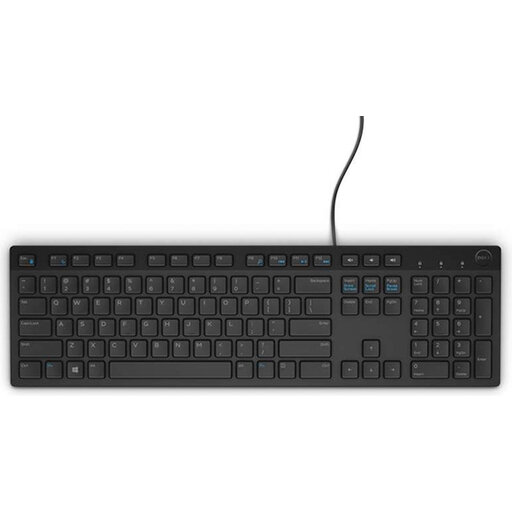
Dell KB216 USB, Belgian AZERTY
A wired USB model for a test setup that needs a Belgian AZERTY layout.
The product name specifies a black model.
View at Joybuy
 No image available
Logitech K120 Wired Keyboard, Black
A wired model for a fixed test computer. Logitech describes the K120 as a full-size model with an integrated numeric keypad.
Check the physical key layout of the model on offer before buying.
View at Joybuy
 No image available
Trust Ody II Wireless Keyboard, US QWERTY
A wireless model with a numeric keypad for checkout testing involving numeric input; Trust describes the keys as quiet.
The product name specifies spill resistance. It connects using the included USB receiver; check that this suits your workplace and test computer.
View at Joybuy
 No image available
Trust Vaiya Wireless Keyboard, Multidevice, US QWERTY
A wireless multi-device model for a shared desk where switching between devices is a consideration.
The product name specifies a full-size layout with a numeric keypad and scissor keys. Check whether wireless use via USB receiver or Bluetooth suits your needs; don’t assume it can be used in wired mode.
View at Joybuy
Frequently asked questions
Can a new keyboard tell me whether a checkout is accessible?
You can use the keyboard to check whether page features can be operated and whether focus remains visible. The W3C Web Accessibility Initiative emphasises that web content must be operable through a keyboard interface; the keyboard itself doesn’t prove that it is.
When is a separate keyboard relevant for screen work?
For employees who work at a screen for more than 2 hours a day, Arboportaal states that the screen and keyboard must not be attached to each other. When using a laptop, it must be possible to use a separate screen or keyboard. This is a workplace requirement that applies in certain circumstances, not a general product specification for every buyer.
How do I connect a keyboard to a shared test computer?
Compare the available port and your workplace’s wireless equipment policy with the connection method used by the model you choose. Trust lists a USB-C cable with a USB-A adapter for the Primo; Logitech describes its wireless keyboards as connecting via Bluetooth or a USB receiver. Which option works depends on the computer and the model.
Can I clean any spill-resistant keyboard with disinfectant?
No. Don’t assume this from the term ‘spill-resistant’. For the HP 125 model reviewed, HP makes a specific claim about daily cleaning with disinfectant wipes; follow the instructions for the model you choose and your workplace protocol.
What warranty and cooling-off period apply to a consumer purchase in the Netherlands?
The Dutch government states that there is no fixed statutory warranty period in the Netherlands and that you are entitled to a product that works properly; if there is a fault, contact the seller. For online purchases from a business, a 14-day cooling-off period applies in many cases. These consumer rights do not automatically apply to business purchases.


