
Vandaag of morgen in huis

Kwaliteit gegarandeerd

Welkomstaanbiedingen ontgrendelen: GRATIS bezorging | Tot 80% korting | Gratis 30 dagen JoyPlus-proefperiode
Download de app
Buying a keyboard seems simple, until you discover that the wrong layout, a missing numeric keypad or an inconvenient connection can cause daily frustration. A wireless keyboard can be ideal for a tidy desk, while a USB keyboard requires less maintenance. Gaming also calls for different features than spreadsheets or extended typing.
Pay particular attention to these three common pitfalls when choosing:
First check which layout you are used to. A QWERTY keyboard is common on many international models and is often supplied as US International. An AZERTY keyboard is widely used in Belgium and France. The keys for A, Q, Z and W, among others, are positioned differently.
Do not rely solely on the name in the product title. Also check:
For Dutch users, US International can be useful for international characters, but the positioning of accents works differently from a Dutch layout. If you work with Belgian software or office settings every day, it is better to choose a specific Belgian AZERTY variant.
A full-size keyboard usually has a separate number row on the right-hand side. This is practical for accounting, spreadsheets and administrative work. However, a keyboard with a numeric keypad takes up more desk space.
Common sizes include:
For an office keyboard, quiet membrane or scissor-switch keys are often comfortable in a shared space. A mechanical keyboard generally provides more pronounced tactile feedback, but can be louder. So check the switch type: linear, clicky, optical and mechanical do not mean the same thing.
A USB keyboard usually works as soon as you plug it in and does not need a battery. This makes a wired model suitable for a fixed workstation or gaming PC. Do check whether your computer has a USB-A or USB-C port.
A Bluetooth keyboard gives you more freedom of movement and is handy for laptops, tablets and multiple devices. Check the battery capacity, charging time and pairing method. Some models combine Bluetooth with an RF receiver, allowing you to switch between devices.
Also check whether features such as lighting, macros or Touch ID only work with a specific operating system. The Apple Magic Keyboard with Touch ID, for example, is designed for Mac models with Apple Silicon. A Surface keyboard has a specific magnetic connection and is not automatically suitable for every tablet.
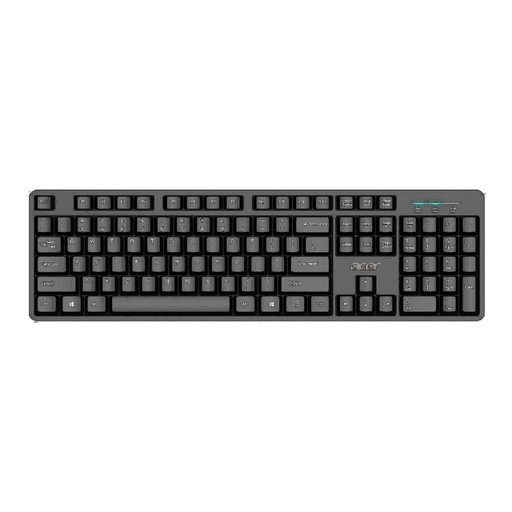
Why it suits this profile: A full-size USB model for home use and straightforward office work, with no battery or extra software required.
The wired connection means you do not have to worry about charging. Before buying, check that the US International QWERTY layout suits your usual typing habits.
Full-size layout, USB connection, 1.45-metre cable and numeric keypad.
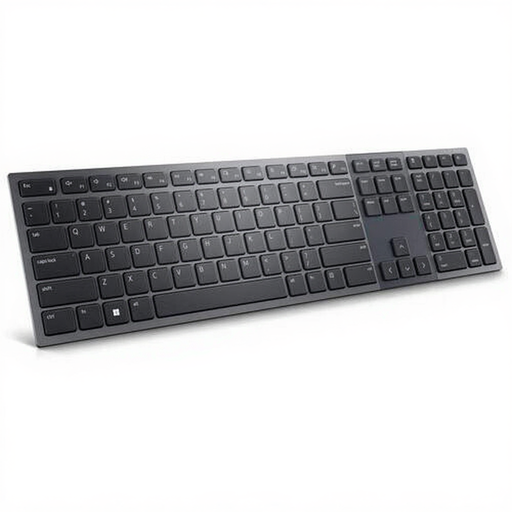
Why it suits this profile: Ideal for hybrid workspaces where quiet keys, wireless connections and a full layout are important.
The Belgian AZERTY layout is clearly stated. This reduces the risk of using the wrong letter and symbol positioning.
Bluetooth 5.1 and RF, scissor switches, numeric keypad, white backlighting and a rechargeable 3,000 mAh battery.
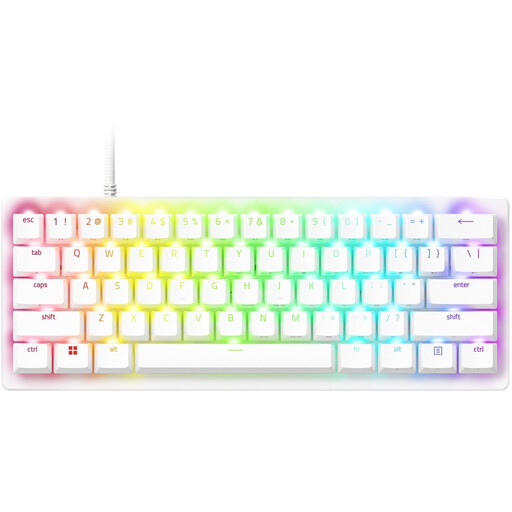
Why it suits this profile: Designed for gamers who use little desk space and want adjustable actuation, RGB and programmable features.
The product details specify the 60% size and 61 keys. This means you know in advance that there is no separate numeric keypad or dedicated arrow keys.
Analogue optical switches, adjustable actuation, USB-C, RGB lighting and storage for up to six profiles.
We have put together a complete, up-to-date list of products that fully meet these strict selection criteria and the applicable European safety regulations.
It depends on your workspace. Bluetooth is handy for laptops, tablets and multiple devices. A USB keyboard does not need a battery and provides a direct connection. For a fixed desktop setup, wired is often the simplest option; for a flexible desk, wireless may be more practical.
Its lifespan depends on the switch type, usage and maintenance. Some manufacturers state a number of keystrokes, but this is a quoted product specification rather than a guarantee of a particular service life. Keep the keyboard dry, clean it with a soft cloth and do not pull on the cable.
A wired model has no battery or charging costs. With a wireless keyboard, you mainly pay for the model itself and recharge the built-in battery. Lighting can increase power consumption. So check the battery capacity and whether the lighting dims or switches off automatically.
