
Vandaag of morgen in huis

Kwaliteit gegarandeerd

Welkomstaanbiedingen ontgrendelen: GRATIS bezorging | Tot 80% korting | Gratis 30 dagen JoyPlus-proefperiode
Download de app
Buying a new keyboard may seem straightforward, until you find that the keys are arranged differently, the connection drops out or there is no numeric keypad. If you are looking for a keyboard for home, the office, gaming or a tablet, it pays to look beyond colour and marketing terms.
Three common pitfalls are:
For most Dutch users, a QWERTY keyboard with a Dutch or European layout is a logical choice. Do not just check the letters: also look at the position of punctuation marks, the Enter key and special characters.
An AZERTY keyboard is mainly suitable if you are used to the Belgian layout. On a Belgian keyboard, for example, the A and Q are positioned differently from QWERTY. A US International keyboard can be useful for international software and special characters, but it also differs from the Dutch key layout.
Also check whether you need:
A full-size keyboard generally provides 100% of the standard keys, including a numeric keypad. Compact models save desk space, but may require a separate numpad or greater use of the function keys.
A USB keyboard is straightforward: plug in the cable and the operating system will usually recognise the device automatically. A cable of around 1.45 to 1.8 metres provides enough flexibility on a desk. A wired connection is also practical for permanent office setups and gaming.
A wireless keyboard usually works in one of the following ways:
For wireless models, check the power supply. Some keyboards use standard batteries, while others have a built-in rechargeable battery. A rechargeable battery avoids recurring battery costs, but does need to be charged in good time. According to the product description, an Apple Magic Keyboard comes with a USB-C cable and its battery can last for around a month under normal use. This is the stated battery life and may vary depending on how it is used.
A mechanical keyboard uses individual switches beneath the keys. These can provide a clearly tactile keystroke, an audible click or a linear movement. A membrane or plunger keyboard works differently and is often simpler and quieter.
No single type suits everyone:
For gaming, anti-ghosting, key rollover, a stable connection and a comfortable posture are also important alongside the switch type. RGB lighting is mainly a control or style choice and, by itself, says nothing about input quality. A gaming keyboard with macro keys can be useful if you use shortcuts or streaming functions, but it is not essential for word processing.
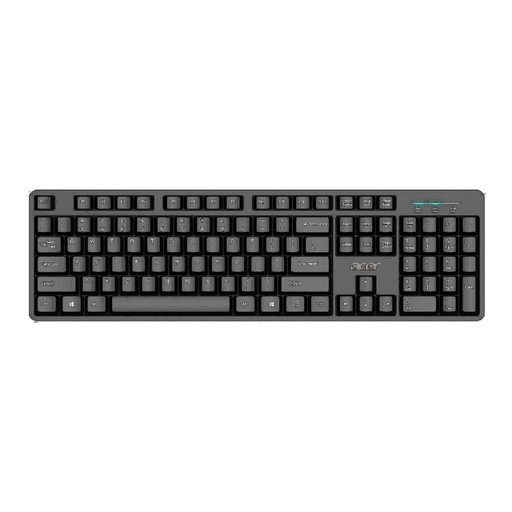
Why it suits this profile: This full-size USB model is designed for straightforward home and office use and, according to the product description, offers plug-and-play compatibility with Windows.
The fixed USB cable eliminates the need for batteries and wireless pairing. Do check beforehand that the US International layout suits the way you plan to use it.
Full-size format, numeric keypad, 1.45-metre cable and water-resistant design according to the product information.
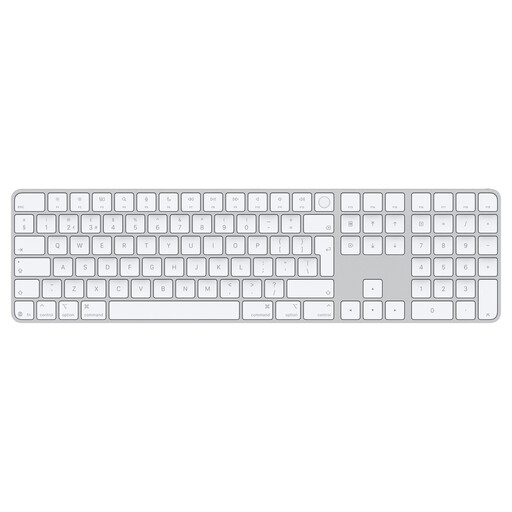
Why it suits this profile: Suitable for Mac users with Apple Silicon who are looking for a wireless keyboard with Touch ID and a numeric keypad.
The product specifications list Bluetooth, USB-C and a QWERTY EU layout. This allows you to check the key compatibility points in advance.
Bluetooth, built-in rechargeable battery, Touch ID, USB-C port and numeric keypad. According to the product description, the stated battery life is around one month.
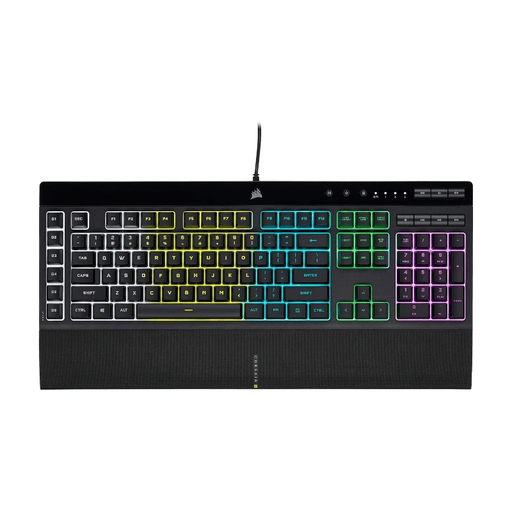
Why it suits this profile: This wired gaming keyboard is designed for users who want macro keys, media controls and customisable lighting.
The specifications explicitly mention membrane keys, USB connectivity, anti-ghosting and selective 12-key rollover. You therefore do not have to rely on the term ‘gaming’ alone.
Six programmable macro keys, five-zone RGB lighting, numeric keypad, wrist rest and IP42 dust and splash protection according to the product details.
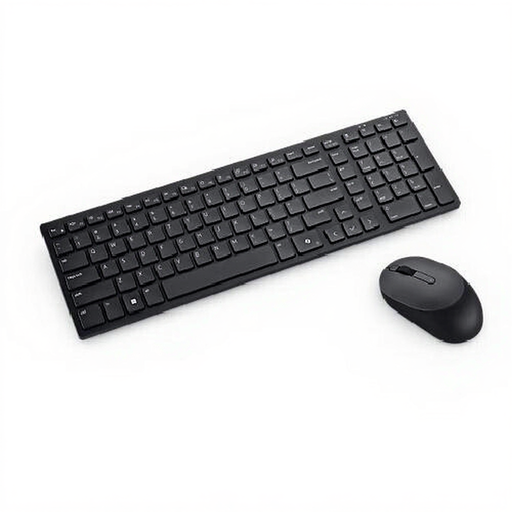
Why it suits this profile: A practical keyboard and mouse combination for anyone working across Windows, MacOS, Linux or Android and using a Belgian AZERTY layout.
The connection is not limited to one method: the set supports RF via a USB receiver and Bluetooth 5.1. Do check that AZERTY suits your usual typing habits.
Mouse included, numeric keypad, media keys, Bluetooth 5.1, RF connection and a stated lifespan of 10 million keystrokes.
We have put together a complete, up-to-date list of products that fully meet these strict selection criteria and the applicable European safety regulations.
That depends on your computer, layout and how much numerical work you do. For spreadsheets, a full-size keyboard with a numeric keypad is practical. If you have limited space, you can choose a compact model. A USB model is straightforward for a permanent workstation, while Bluetooth is better suited to laptops and tablets.
Not necessarily. Bluetooth gives you greater freedom of movement and eliminates a cable, but it requires charging or batteries. A USB keyboard provides a direct connection and is usually ready to use quickly. Choose based on the number of USB ports, how mobile you are and the devices you want to work with.
Its lifespan depends on the key mechanism, usage, maintenance and exposure to moisture. Manufacturers sometimes state a specified number of keystrokes, such as 5 or 10 million. This is a product specification, not a guarantee of a particular service life. Keep the keyboard dry, do not pull on the cable and check whether replacement parts are available before you buy.
