
Teacher working beside a bright window
Organises digital teaching materials in a spot where daylight can cause reflections or glare. Needs readable keys and a practical screen set-up. Arboportaal offers advice on lighting in the workplace.


Start with the light: move or screen off your workspace if the window causes glare, then check that the key legends are easy to read in the daylight at your desk. Next, choose a compact model if you mainly type text and want more room for your mouse; a full-size model if you regularly enter numbers; or a multi-device model if you often switch between, for example, a laptop and a tablet. Backlighting has not been proven to solve glare from sunlight.
Organises digital teaching materials in a spot where daylight can cause reflections or glare. Needs readable keys and a practical screen set-up. Arboportaal offers advice on lighting in the workplace.
Writes and rearranges plenty of text, and wants to weigh up whether a compact keyboard with room for a mouse will be enough or whether a separate number pad is needed.
Uses, for example, a laptop and tablet for teaching resources, and is looking for a suitable connection and familiar physical keyboard layout.
First, assess the light and how easy the keys are to read in your own workspace. Then choose a layout and connection that suit your typing, number entry and devices.
| What to consider | What to look for when buying | Who is this important for? |
|---|---|---|
| Readable keys in daylight | Check the key legends in similar daylight and consider whether you need to change your screen set-up or use a window covering. | If the window causes reflections, I want to be able to distinguish the key legends clearly. Around 31% of consumers prioritise readability in daylight. |
| Typing and desk space | Check whether you need a number pad, and compare the keyboard layout and key feel. | When doing a lot of typing, I want room for my mouse and a comfortable layout. Around 31% of consumers prioritise this combination. |
| Connection and switching between devices | Check the connection, compatibility and physical keyboard layout for the exact version. | If I use teaching resources on different devices, I want to know whether one keyboard will work with them all. Around 23% of consumers prioritise switching between devices. |
| Number pad and layout | Check whether the version has a separate number pad and whether its physical layout suits the way you work. | For regular number entry, I want a familiar number pad close to hand. Around 15% of consumers say number entry is their top priority when choosing. |
Lighting that adjusts to the ambient light does not change the light falling on your screen or workspace.
First, assess your screen set-up and window coverings. Then check whether you can read the key legends in similar daylight.
Compact and TKL models may not have a separate number pad. This can be inconvenient if you enter numbers often.
Before buying, decide how often you use a number pad and check the layout of the exact version.
If you find you do need a separate number pad, you may need to buy one separately or choose a different version.
Keyboards can vary in their connections, including USB, USB-C with an adaptor or Bluetooth, as well as in their physical layouts.
Check the available ports, connection, compatibility and keyboard layout for the exact model.
Depending on your device and model, you may need a suitable adaptor.
The UltraBoard 950 V2 is a compact, wired option to consider if you’re thinking about key readability in bright daylight and room for your mouse.
The STREAM KEYBOARD TKL is designed for a fixed workspace where quiet typing and a smaller keyboard are important.
Features vary by model: the K120 is a wired full-size option, while the MX Keys S is designed for use with multiple devices.
The compact Nado II is a Bluetooth option for anyone who uses teaching resources on multiple devices.
These keyboards are options to compare for a compact workspace, use with multiple devices or regular number entry.
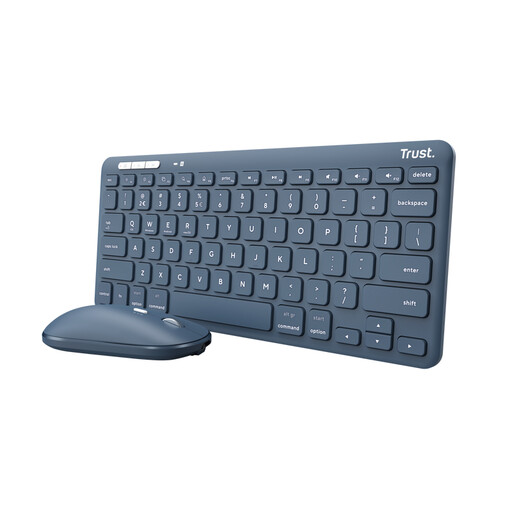 No image available
An option to consider if you’re looking for a wireless Bluetooth keyboard to use with different devices.
The title specifies a QWERTY US English layout. The set also includes a mouse, so bear this extra component in mind when planning your workspace.
 No image available
A full-size version to consider if you want a number pad and work across multiple devices.
The title specifies a US QWERTY layout. Check that this physical layout suits the way you work.
 No image available
The 75% format is worth considering if you’re looking for a compact keyboard and want to save desk space.
The title specifies a US QWERTY layout and wired, Bluetooth and 2.4 GHz connections. Check that the physical layout and connections suit your devices.
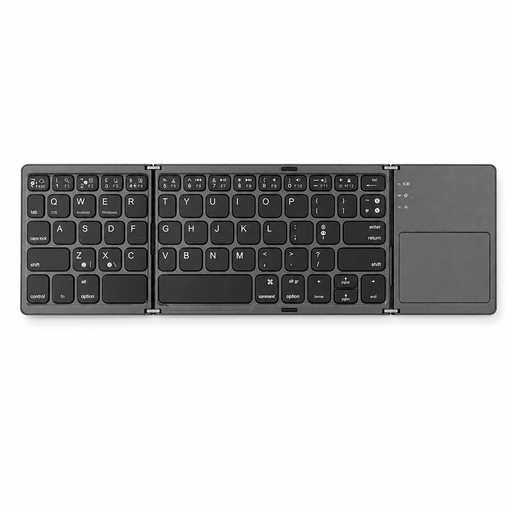 No image available
A compact, foldable option with a touchpad to consider if you’re looking for an input device for different types of devices.
The product description warns against exposure to direct sunlight. Bear this in mind when placing it beside a bright window.
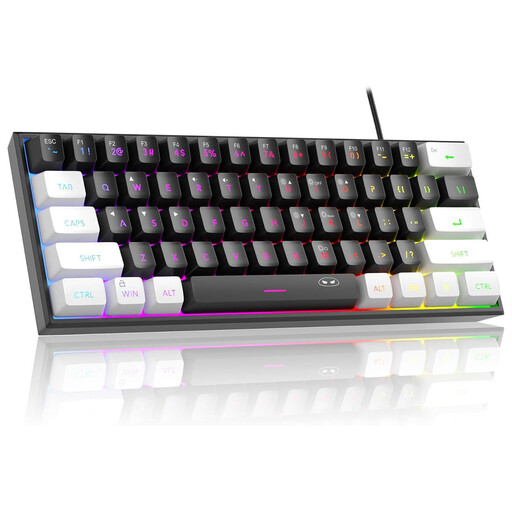 No image available
The compact 60% format is worth considering if you want to save desk space.
The product description says this layout has no number pad. The title specifies a US QWERTY layout, so check that it suits the way you work.
This isn’t supported by the product features described. Logitech says the MX Keys S backlighting adjusts to the ambient light. If you experience reflections or glare, Arboportaal recommends rearranging your workspace or using suitable window coverings.
First, check the physical layout of the version you’ve chosen. On a Windows computer, you can also check or change the keyboard language and input settings. This won’t change the characters printed on the keys.
According to Arboportaal, for employees who use a screen for more than 2 hours a day, the screen and keyboard must not be attached to each other. When using a laptop, a separate screen or keyboard must be available in this situation. Whether this applies to an individual workspace depends, among other things, on how long you work.
According to the Dutch government, when you buy from a business online at a distance, you generally have 14 days to change your mind. The Netherlands has no fixed statutory guarantee period: you’re entitled to a product that works properly, with factors such as the product and its expected use taken into account. Check the applicable terms and contact the seller if the product is faulty.