Keyboards at Joybuy
This selection includes compact wired and mechanical models, a wireless keyboard and mouse set, and keyboards with different layouts and connections. For each version, check the connection, physical layout and compatibility with your device.
 No image available
Corsair K55 CORE TKL Gaming Keyboard, US QWERTY
The TKL layout may suit a small desk if you don’t need a number pad.
The description mentions membrane keys, a 1.82 m USB cable and an adjustable stand. This version has a US QWERTY layout.
View at Joybuy
 No image available
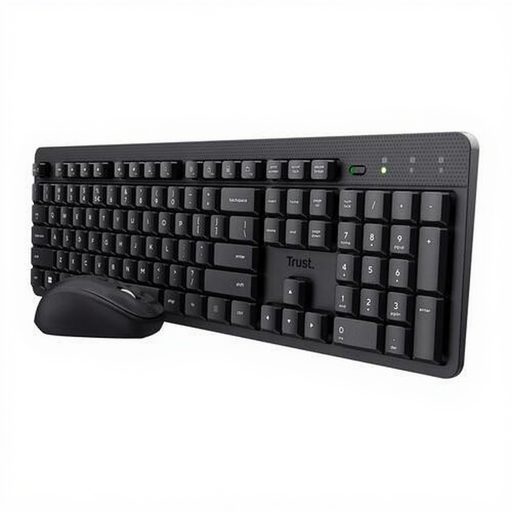
Trust Ody II Wireless Keyboard and Mouse Set, US QWERTY
This wireless set may suit you if you’re looking for both a keyboard and a mouse and can use a USB receiver.
The product description mentions quiet keys and one USB receiver for the keyboard and mouse. This set has a US QWERTY layout.
View at Joybuy
 No image available
Ajazz AK820 Pro 75% Mechanical Tri-Mode Keyboard, US QWERTY
The compact mechanical layout may suit you if you want to save space and prefer a mechanical typing feel.
The description lists 82 keys, arrow and function keys, and Bluetooth, 2.4 GHz or wired connections. This version has Flying Fish Purple switches and a US QWERTY layout.
View at Joybuy
 No image available
Apple Magic Keyboard with Touch ID, Dutch
The compact layout may suit a smaller workspace if you have a compatible Mac as described.
This version has a Dutch QWERTY layout, a scissor mechanism, Bluetooth and a rechargeable battery. The description lists Mac models with Apple silicon and macOS 11.4 or later.
View at Joybuy
 No image available
Trust Vaiya Wireless Keyboard, Full-Size, US QWERTY
A full-size keyboard may suit you if you want to keep the number pad and have enough desk space.
The description mentions scissor keys, three Bluetooth channels, a USB receiver and a rechargeable battery. This version has a US QWERTY layout.
View at Joybuy
Frequently asked questions
Do I need a keyboard with a number pad to write a book review?
Not necessarily. If you don’t enter many numbers, a TKL model without a number pad can save space. Just check that it has the keys you use to edit text.
What should I do if the punctuation doesn’t match the keys?
Check that the physical keyboard layout matches the input layout selected in Windows. Microsoft Support explains how to check, add and change installed layouts.
How should I use an external keyboard at a laptop workspace?
Position your keyboard and screen so you can work comfortably, and change your posture regularly. Arboportaal gives this advice for workstations; the employer rules mentioned for screen work don’t automatically apply to a student writing a book review independently.
What are my rights when buying a keyboard online in the Netherlands?
For eligible online consumer purchases, you generally have a 14-day cooling-off period, according to the Dutch government. Statutory guarantee rights also apply if the product doesn’t perform as you could reasonably expect during normal use. ACM ConsuWijzer explains that there is no single fixed duration for this guarantee in the Netherlands.
Does Dutch workplace health and safety law require every student to use a separate keyboard?
No. Arboportaal describes the screen-work requirements cited as obligations for employers in relation to employees. The stated requirement for employees who work with screens for more than 2 hours a day has not been established for this study assignment.


