What should you look for?
First check the physical layout and the keys you need for testing, then how the keyboard connects to your computer, and finally how easy it is to read in your working conditions.
| What to consider |
What to look for |
Who should prioritise this? |
| Legends that are easy to read |
Check the legends in daylight and with the lights dimmed. See whether the letters themselves let light through; backlighting won’t prevent screen glare. |
If I test beside a bright window, I want to be able to distinguish the characters both during the day and later on. Around 36% of consumers prioritise legibility in changing daylight. |
| Layout and test keys |
Compare the physical layout with the selected input layout, and check the function keys, navigation keys and, if needed, the numeric keypad. |
When testing characters and shortcuts, I want the key layout to match the test environment. Around 29% of consumers prioritise the right layout and easy access to the keys they need for testing. |
| Connection |
Check which USB ports are available, which wireless connection you need, and whether your test environment allows any software for remapping keys. |
If I work with one or more test computers, I want a connection that works with those devices. An estimated 21% of consumers prioritise a suitable connection and the ability to switch between devices. |
| Quiet typing and desk space |
Measure the available space and check which keys are retained on a compact model. A manufacturer’s claim that a keyboard is quiet is not an independent noise measurement. |
At a shared workstation, I want to type comfortably and have enough room for my mouse. Around 14% of consumers prioritise quiet operation and usable desk space. |
Keyboards at Joybuy
These keyboards suit app testing, with options for a full-size or compact layout, a wired or wireless connection, and different types of backlighting.
 No image available
Full-size QWERTY keyboard with numeric keypad
The full-size layout could suit you if you need dedicated numeric, navigation and function keys for testing.
Wired plug-and-play connection and backlit keys. The product name describes it as suitable for office and home use.
View at Joybuy
 No image available
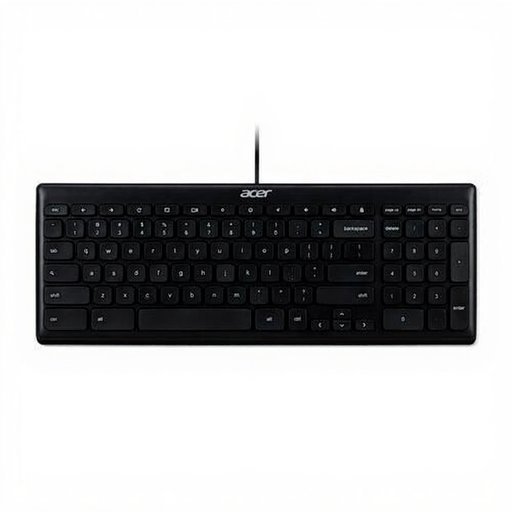
Acer GP.KBD11.00S USB office keyboard
A wired, full-size layout could suit a fixed desktop setup where you use lots of dedicated keys.
QWERTY US International layout, USB connection and a 1.8 m cable. Check that the layout matches the characters you need to test.
View at Joybuy
 No image available
Trust Vaiya wireless full-size keyboard
This model could suit you if you want a full-size keyboard and need to switch between several test devices.
US QWERTY layout with numeric keypad, USB receiver and Bluetooth. The product description lists connection to up to four devices and scissor keys.
View at Joybuy
 No image available
AJAZZ AK820 75% wired mechanical keyboard
The compact layout could suit you if you want to save desk space and the model has the test keys you need.
QWERTY US layout and white backlighting; the product description lists several RGB lighting modes. Check that the physical layout suits your test cases.
View at Joybuy
 No image available
AJAZZ AK820 Pro 75% mechanical keyboard, Flying Fish Switch Purple
This compact model could suit you if you want to save space and the US layout matches the characters you need to test.
QWERTY US layout with 82 keys, arrow keys and function keys. Connections listed include USB-C, Bluetooth and 2.4 GHz; the model has RGB lighting and a TFT display.
View at Joybuy
Frequently asked questions
Does backlighting help with bright light from a window?
No, backlighting won’t prevent glare on your screen. For problems caused by daylight, Arboportal recommends measures including positioning your line of sight parallel to the window and using suitable blinds or shading. In bright daylight, also check that the legends on the keys themselves remain visible.
Why does a different character sometimes appear from the one shown on the key?
Check both the physical layout and the selected keyboard or input layout. Microsoft Support explains how to view and change the input layout in Windows; then test the characters that matter for your app.
What should I check when connecting a keyboard?
Check that your computer has the USB port or wireless connection you need. According to Trust, the Trust Primo Illuminated comes with a USB-C cable and a USB-C to A adapter. For cleaning and maintenance, follow the instructions for the exact version.
What rights apply when buying a keyboard online in the Netherlands?
When you buy online from a business, you are often entitled to a 14-day cooling-off period, according to the Dutch government. You are also entitled to a product that is in good condition; in the Netherlands, there is no fixed statutory warranty period. Check who the seller is and which terms and conditions apply to your purchase.
Are there workplace health and safety rules for working beside a window?
Rules on display screen work apply to employees. Arboportal states that if you work at a screen for more than 2 hours a day, the keyboard and screen must not be attached to each other. This is not a standard buying requirement for every private customer.


