
Vandaag of morgen in huis

Kwaliteit gegarandeerd

Welkomstaanbiedingen ontgrendelen: GRATIS bezorging | Tot 80% korting | Gratis 30 dagen JoyPlus-proefperiode
Download de app
Do you work on the train, in a café, at the office or from a shared home-working space? A Kensington privacy screen filter can help make confidential information less visible to people sitting beside you. This could include customer data, financial documents, assignments or business emails.
However, not every Kensington privacy screen is suitable for every laptop or monitor. The right size, aspect ratio and attachment method determine whether the filter works comfortably. Below, you’ll discover which pitfalls to avoid and which features to check before buying.
A 14-inch laptop may have a 16:9 or 16:10 aspect ratio. These screens are not the same height and width. A 14-inch privacy filter with the wrong aspect ratio may leave gaps around the edges, cover the webcam or fail to fit properly.
As well as the screen size, check:
A 2-way privacy filter limits visibility from the sides. Various Kensington models specify a viewing angle of around 30 degrees. The display remains visible when viewed straight on, while it becomes harder to read from an angle.
This does not guarantee that nobody will ever be able to see anything. Someone standing diagonally behind you or sitting close beside you may still be able to see parts of the screen. You should therefore also position your screen lower and lock your device when you walk away.
Permanent attachment is not always convenient for people who use their laptops on the move. If you regularly switch between a clear screen at the office and a matt finish while travelling, an removable privacy filter or reversible model may be more suitable.
Also consider the difference between:
The size must match the compatible device, not just the description “laptop filter”. For example, a 15.6-inch privacy filter for 16:9 is not automatically suitable for a 15.6-inch laptop with a 16:10 aspect ratio.
The same applies to monitors. Check whether the model is intended for, for example, 21.5, 32 or 34 inches and whether the aspect ratio matches. If you are unsure, use Kensington’s compatibility finder and compare your device’s dimensions with the product information.
A 2-way privacy filter is primarily designed to prevent people viewing your screen from the left and right. The stated viewing angle is a technical indication, not a promise of complete invisibility. For a flexible workspace, a reversible filter is practical: the matt side can make reflections and fingerprints less noticeable, while the glossy side may provide a brighter image.
A Kensington privacy screen can also provide an additional physical layer of protection against light scratches. It remains delicate material: do not bend, fold or crease the filter, and store it flat or in the supplied holder.
If you use a laptop with touch control or a stylus, look specifically for privacy filter touchscreen compatibility. Not every filter is designed for this.
Various product descriptions also mention a blue-light filter for laptops and anti-reflective coating. According to Kensington’s own information, certain models can reduce blue light by up to 22%, 30%, 43% or 52%. These percentages vary by product and should not be interpreted as a medical claim. They also do not mean that prolonged screen use cannot cause eye strain.
For monitor models, Kensington’s product information mentions an antimicrobial coating. It states that, on certain versions, the coating can inhibit bacterial growth by up to a specified percentage. This is a brand claim about the product feature, not a guarantee of a hygienic workspace.
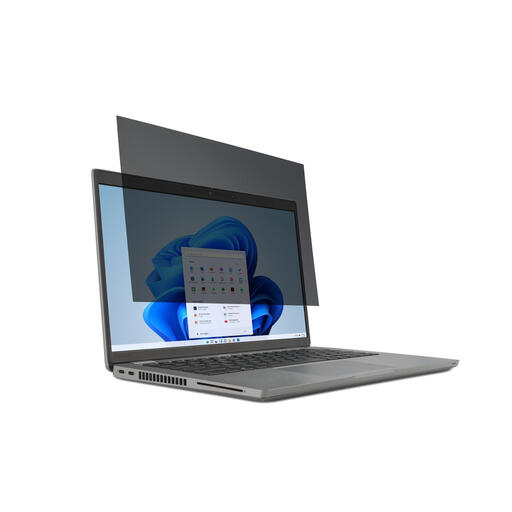
Why it suits this profile: This model is designed for users with a 14-inch 16:9 laptop who are looking for a removable solution for the train, library or office.
The correct 14-inch and 16:9 specifications prevent you from choosing an arbitrary size. Tabs or tape make it possible to remove and refit the filter.
30-degree viewing angle according to the product description, reversible with matt and glossy sides, and suitable for touchscreen use.
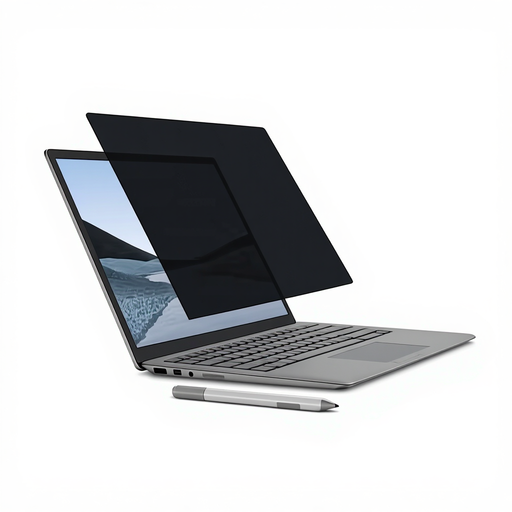
Why it suits this profile: A natural choice for Surface users who regularly switch between privacy, touchscreen use and Surface Pen input.
The magnetic attachment avoids adhesive and is tailored to a specific Surface model. Check beforehand that your version matches.
Magnetic attachment, matt and glossy sides, touchscreen and pen support, and a stated viewing angle of +/- 30 degrees.
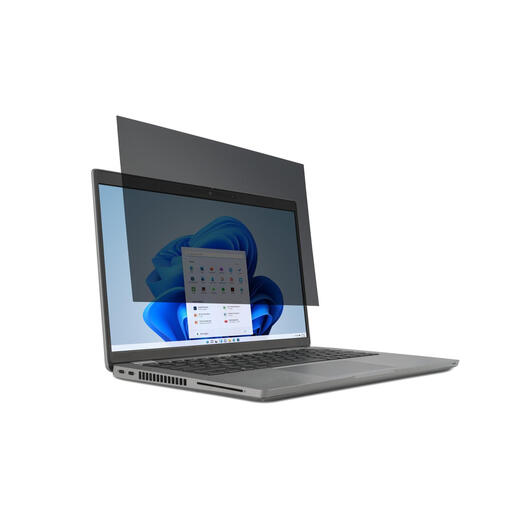
Why it suits this profile: For professionals and home workers with a larger 15.6-inch screen who regularly work with sensitive documents.
The size and 16:9 aspect ratio are clearly specified. The filter is removable, so you can use the screen without it when privacy is not required.
30-degree viewing angle, matt and glossy sides, touchscreen compatibility and anti-reflective properties according to the product description.
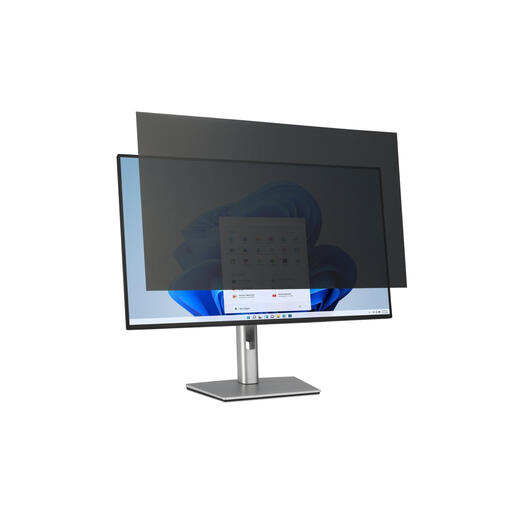
Why it suits this profile: Suitable for a shared office or reception desk with a 32-inch 16:9 monitor.
The product specification states both 32 inches and 16:9. This helps prevent you from ordering a laptop filter or the wrong monitor size.
Removable attachment, matt and glossy sides, and support for touchscreen monitors according to the product information.
We have put together a complete, up-to-date list of products that fully meet these strict selection criteria and the applicable European safety regulations.
Clean the screen with a soft microfibre cloth before fitting the filter. Dust particles between the filter and display can cause scratches or air bubbles. Do not use harsh glass cleaner, acetone or an abrasive sponge. After fitting, check that the webcam, light sensors and ventilation openings remain unobstructed.
Store a removable privacy filter flat or in the supplied case. A filter that is bent or folded may become permanently misshapen. The product information for the Kensington models mentioned states a minimum of two years’ statutory guarantee under EU consumer legislation; additional rights may apply under Dutch law.
That depends on the specific model. The product description must explicitly state that the filter is suitable for touchscreen or pen input. Also check that the attachment does not interfere with touches around the edge of the screen.
Its lifespan depends primarily on how it is fitted, cleaned and stored. Avoiding folds, handling it carefully by the edges and using a soft cloth can help prevent damage. Replace the filter if it develops deep scratches, cracks or permanent distortion.
This may vary by model and viewing side. A matt side generally reduces reflections, while a glossy side may provide a brighter image. Before buying, check that the filter is intended for your screen type and that the brightness and colour reproduction remain sufficient for your work.
