
Vandaag of morgen in huis

Kwaliteit gegarandeerd

Welkomstaanbiedingen ontgrendelen: GRATIS bezorging | Tot 80% korting | Gratis 30 dagen JoyPlus-proefperiode
Download de app
A Kensington privacy filter can be useful when you work with confidential information on a train, in a flexible office, library or living room. Without a suitable filter, a neighbour, colleague or fellow passenger can easily view your screen from the side. However, not every privacy screen laptop model is suitable for every computer.
The biggest purchasing mistakes usually come down to three things:
First, check the visible screen diagonal, rather than just the dimensions of the laptop casing. Also pay attention to the aspect ratio:
A filter for a 14-inch 16:9 privacy screen will therefore not automatically fit a 14-inch laptop with a 16:10 display. For a model-specific product, also check the ports, webcam cut-out, sensors and bezel around the screen. If in doubt, you can consult Kensington’s compatibility information.
A 2-way privacy filter limits visibility from the left and right. The product information for various Kensington filters states a viewing angle of around 30 degrees. The content remains visible when viewed straight on, while the image becomes less clear when viewed from the side.
This is particularly relevant for:
A privacy filter does not prevent someone behind you from viewing your screen. So also consider your desk layout and the position of the screen.
A removable privacy filter with mounting tabs is flexible: you can remove the filter when you want greater viewing comfort at home and put it back on when travelling. A magnetic privacy filter, such as a Kensington MagPro, is convenient for users who frequently attach and remove their filter.
Also consider the finish:
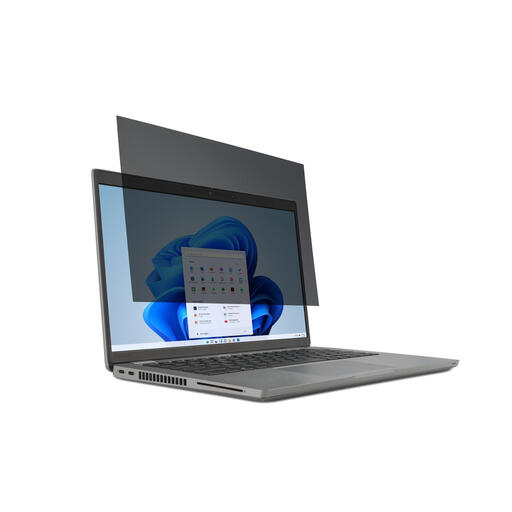
Why it suits this profile: A practical choice for anyone using a laptop privacy filter for the first time and with a standard 14-inch 16:9 screen. The mounting tabs make it possible to remove and reattach the filter.
The size and aspect ratio are clearly stated in the product name, so you do not have to rely on “14 inches” alone. The matt and glossy sides let you adapt the finish to your preference.
30-degree 2-way viewing angle according to the product information; reversible design with matt and glossy sides; suitable for touchscreen laptops.
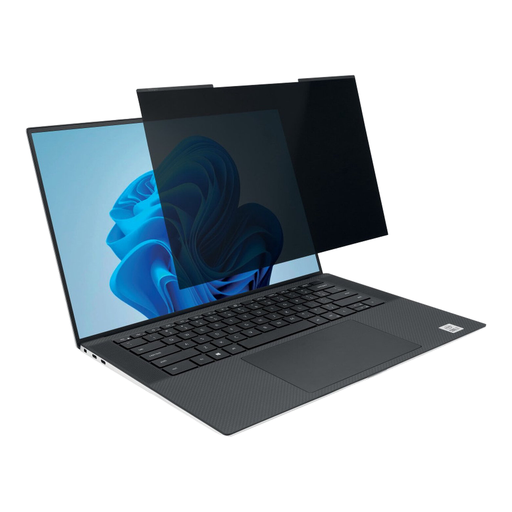
Why it suits this profile: Suitable for users with a slim 14-inch laptop featuring a 16:10 screen who regularly switch between working on the move and at a fixed workstation.
The magnetic attachment avoids permanent adhesive strips. However, check that the narrow screen bezel and webcam cut-out match your laptop.
Viewing-angle restriction of +/- 30 degrees according to the product information; matt and glossy sides; the laptop can, according to the description, be closed with the filter attached.
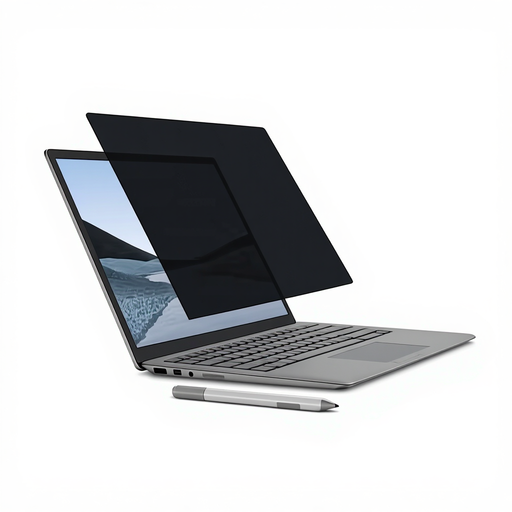
Why it suits this profile: Designed for a specific 13.5-inch Surface Laptop, with touchscreen use and mobile working in public spaces.
The model-specific fit prevents the common mistake of placing a universal filter on an unusual screen. The magnetic edge avoids adhesive residue.
Suitable for touchscreen use and Surface Pen according to the product information; matt side for fewer reflections and glossy side for a brighter image; viewing angle of +/- 30 degrees.
We have compiled a complete, up-to-date list of products that fully meet these strict selection criteria and the applicable European safety regulations.
A screen filter only works properly when it is correctly aligned. Follow these steps when fitting it:
Store a removable filter flat, preferably in a protective sleeve. For a laptop, also check that the lid can close fully without putting pressure on the screen or keyboard.
No. The screen diagonal, aspect ratio, bezel width and exact model must match. For example, a 13.3-inch 16:10 privacy filter is not automatically suitable for a 13.3-inch screen with a different aspect ratio.
That depends on the model. The product description should explicitly state that touchscreen use is supported. Kensington filters for certain Surface and laptop models specify this compatibility. Also check that the attachment does not interfere with touch input, the stylus or the sensors.
Its lifespan depends mainly on careful removal, cleaning and storage. Avoiding folds and sharp objects, and storing the filter flat, helps prevent damage to the optical layer. According to the product information, the Kensington products mentioned are covered by at least the statutory two-year guarantee of conformity; additional rights may apply under relevant Dutch law.
