
Vandaag of morgen in huis

Kwaliteit gegarandeerd

Welkomstaanbiedingen ontgrendelen: GRATIS bezorging | Tot 80% korting | Gratis 30 dagen JoyPlus-proefperiode
Download de app
Do you work on a train, in a café, library or shared office? A passer-by can sometimes easily read your emails, customer data or documents. A Kensington privacy filter narrows the screen’s viewing angle and may also help reduce glare, fingerprints or blue light, according to the product specifications.
However, choosing the right option is about more than just the brand. Screen size, aspect ratio and attachment method are particularly important when it comes to ensuring that a laptop privacy filter fits properly. Below, you’ll discover which common pitfalls to avoid and which Kensington screen filters are suited to different situations.
For example, a 14-inch laptop may have a 16:9 or 16:10 aspect ratio. This means that the height and width of the visible screen differ. A 14-inch privacy filter with the wrong aspect ratio may cover the edges or fail to fit the screen properly.
Always check:
An anti-reflective screen filter is mainly designed to reduce reflections. A privacy filter also narrows the viewing angle from the side. So not every monitor privacy filter automatically protects against prying eyes.
Pay attention to the difference between:
These features can be combined, but they do not solve the same problem.
Permanent attachment with tabs or tape can be practical when the filter is always left on the laptop. For mobile users, a removable privacy filter is more convenient. A magnetic privacy filter can be fitted and removed quickly, without leaving adhesive residue.
Also check whether the laptop can still close fully with the filter fitted. With magnetic models, you should also take sensitive magnetic cards, storage media and other devices with magnetic strips into account.
Several Kensington models specify a viewing angle of around 30 degrees. This does not mean the screen becomes completely black from every angle, but that the image is less visible from the side. Readability remains clear when looking straight at the screen.
For confidential information on a train or at an airport, a 2-way filter is often a more sensible choice than a basic transparent screen filter.
Many reversible filters have two usable sides:
The matte side can be more comfortable under bright office lighting. The glossy side may be better if a clear, bright image is your priority. If you use a touchscreen, it is worth checking whether the model is suitable for this.
A 13.3-inch privacy filter, 15.6-inch privacy filter or 21.5-inch privacy filter is not automatically suitable for every screen with that diagonal measurement. The aspect ratio and type of bezel are just as important.
When installing:
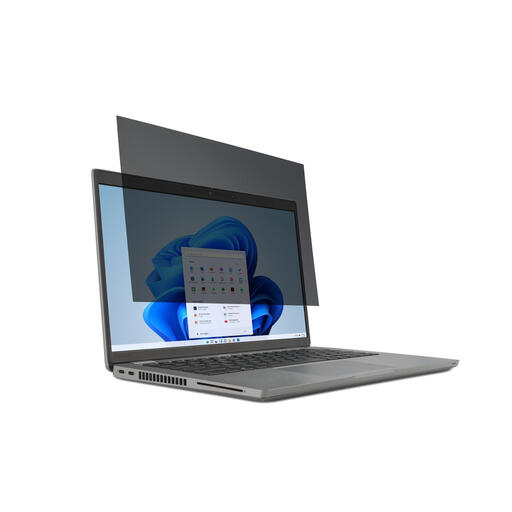
Why it suits this profile: This model combines a 14-inch size with the common 16:9 aspect ratio and tab attachment. It is a practical introduction to laptop privacy filters for use at school, in the office or on the go.
The correct aspect ratio is clearly stated in the product name. The reversible design means you are not limited to either a matte or glossy display.
30-degree 2-way viewing angle, matte and glossy sides, touchscreen compatibility and repeated removal.
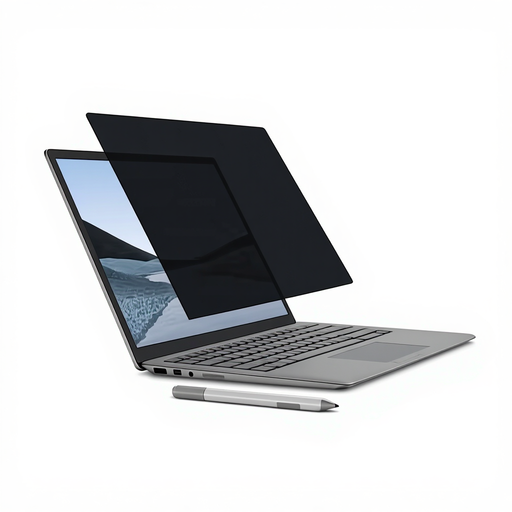
Why it suits this profile: Surface Laptop users who regularly switch between private working and presenting get a magnetic system without adhesive strips. The filter is compatible with touchscreen use and the Surface Pen.
The specific 13.5-inch size is tailored to the Surface Laptop. The magnetic frame reduces the risk of adhesive residue when the filter is removed repeatedly.
Magnetic attachment, viewing angle of +/- 30 degrees, matte and glossy sides, plus a protective sleeve included.
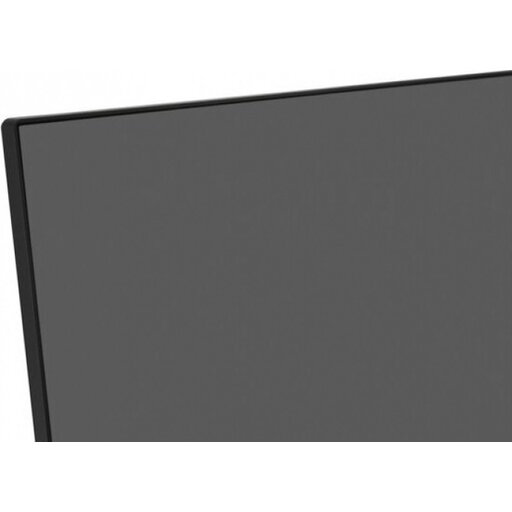
Why it suits this profile: For a fixed workstation with a 21.5-inch monitor, the focus is on reducing reflections and providing a different viewing experience, rather than carrying the filter around every day.
This is not a laptop filter that you choose based solely on the inch measurement: the model is specifically designed for 21.5-inch monitors. The anti-glare function is aimed at reducing reflections.
Anti-glare coating, easy attachment and, according to Kensington product information, up to 43% blue-light reduction. According to the description, the antimicrobial coating is only on the matte side.
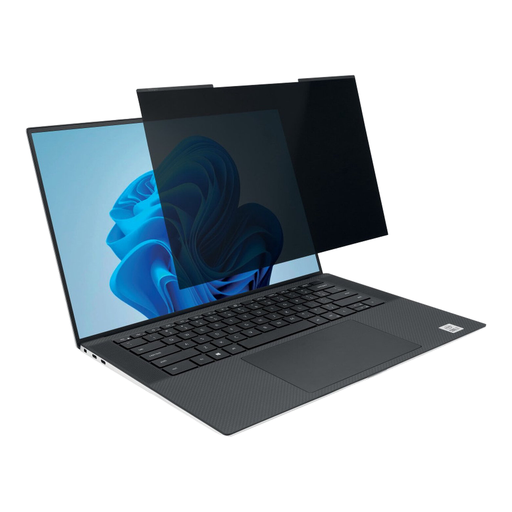
Why it suits this profile: This model is ideal for anyone who regularly works from home, in the office and on the go with a slim-bezel 14-inch laptop and a 16:10 screen.
The 16:10 aspect ratio prevents confusion with a 16:9 filter. The magnetic strips make it quick to switch between uses, while the webcam cut-out helps keep the camera unobstructed.
Viewing angle of +/- 30 degrees, magnetic attachment, webcam cut-out and, according to Kensington product information, up to 30% blue-light reduction.
We have compiled a complete, up-to-date list of products that fully meet these strict selection criteria and the applicable European safety regulations.
Start by checking the screen size and aspect ratio. Then check the visible width and height, not just the laptop’s external dimensions. For specific devices, such as Microsoft Surface or Dell Latitude, it is advisable to compare the exact model number with Kensington’s compatibility information.
This depends on the model and the laptop’s construction. Magnetic models are often designed to remain on the screen, but always check that there is enough space between the screen and keyboard. Do not close the device if there is dust, an object or a misaligned filter between them.
Its lifespan depends on installation, cleaning and storage. A filter that is not folded, scratched or exposed to harsh products will generally remain usable for longer. Store a removable model flat or in the supplied protective sleeve, and use a soft microfibre cloth to clean it.
