
Vandaag of morgen in huis

Kwaliteit gegarandeerd

Welkomstaanbiedingen ontgrendelen: GRATIS bezorging | Tot 80% korting | Gratis 30 dagen JoyPlus-proefperiode
Download de app
Do you regularly work on the train, in the office, in a café or from a shared workspace? Someone sitting next to you can easily see what is on your screen. A Kensington privacy filter narrows the viewing angle and can also help reduce reflections. However, not all screen filters are interchangeable. The wrong size, an unsuitable aspect ratio or an awkward mounting method can make the product less practical to use.
As a Joybuy Product Recommendation Officer, I filter the most important product specifications and set out the practical differences. This helps you avoid relying solely on terms such as “blue-light filter” or “privacy screen”.
A 14-inch privacy filter will not automatically fit every 14-inch laptop. The aspect ratio, such as 16:9 or 16:10, and the exact width and height are just as important. A filter designed for a 16:9 screen may cover the edges of a 16:10 laptop or leave part of the screen uncovered.
Therefore, check:
A 2-way privacy filter generally restricts visibility from the left and right sides. The Kensington models in this selection specify a viewing angle of around 30 degrees. This is useful in public spaces, but someone sitting directly behind you may still be able to see parts of the screen.
A privacy filter is therefore no substitute for locking your device, using strong passwords or handling confidential documents carefully.
A glossy filter can produce a bright, clear image, but it often reflects more ambient light. A matte side is usually more practical near windows, under bright office lighting or when you are travelling. Also pay attention to claims about blue-light reduction. According to Kensington’s product descriptions, some models can reduce blue light by a specified percentage. This is a product specification from the brand, not a guarantee of any medical or health benefit.
A 2-way privacy filter restricts visibility from both sides. This type is suitable for travellers, students and employees who regularly use their screens in public spaces. A standard anti-glare filter without a privacy function can reduce reflections, but it does not prevent others from viewing the screen from the side.
Also check whether the filter:
If you are looking for a laptop privacy filter, always check the specific model. The same applies to monitors: a 21.5-inch monitor privacy filter is not suitable for a 32- or 34-inch screen. The Kensington Anti-Glare and Blue Light Filter for 21.5-Inch Monitors and the model for 34-inch monitors are therefore designed for clearly different screen sizes.
The following variants are available for laptops, among others:
A PET filter, such as the Kensington Anti-Reflective and Blue-Light Filter for 14-Inch Laptops, is thin and lightweight. The product description states that the filter is suitable for touch and pen use. With a reversible model, you can often choose between a matte and a glossy side.
Use a soft microfibre cloth for cleaning. Avoid harsh cleaning products, scouring pads and products containing ammonia or strong solvents. Dust between the screen and the filter can cause scratches or air bubbles. Store a removed filter flat and preferably in a protective sleeve.
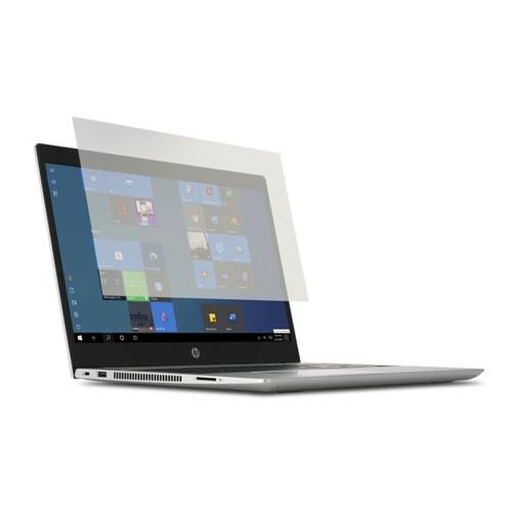
Why it suits this profile: A straightforward choice for anyone using a 14-inch laptop who mainly wants to reduce reflections without opting for a more substantial privacy design.
The size is clearly designed for 14-inch laptops. However, check the aspect ratio and dimensions of your own screen beforehand.
According to the product description: PET material, removable fitting, support for touch and pen use, and a cleaning cloth included.
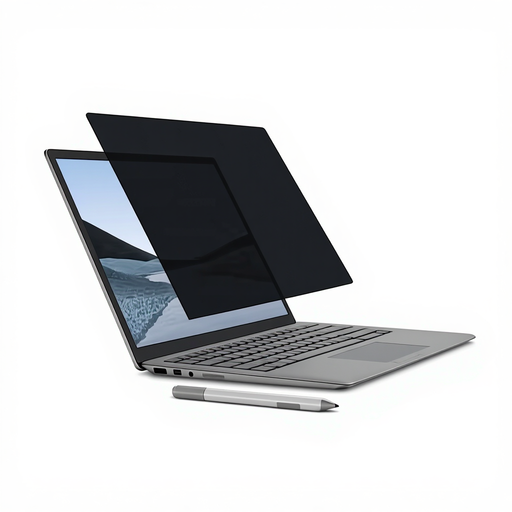
Why it suits this profile: Designed for Surface Laptop users who want a neat, quick-fit solution without adhesive strips.
The magnetic fitting avoids the need for universal adhesive mounting, but this model is specifically designed for a 13.5-inch Surface Laptop.
Magnetic fitting, matte and glossy sides, touchscreen and Surface Pen support, and a stated viewing angle of +/- 30 degrees.
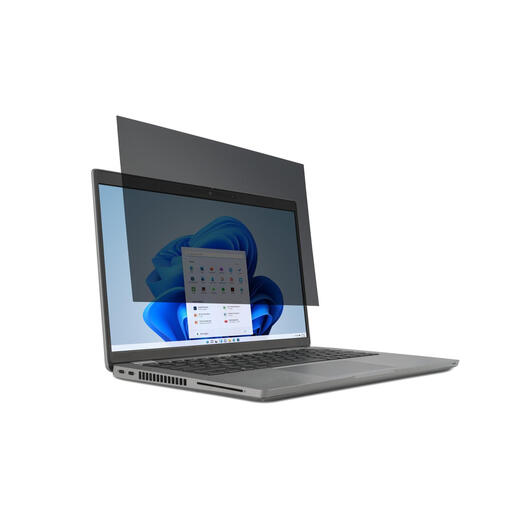
Why it suits this profile: Practical for professionals and students with a 15.6-inch laptop who regularly move between home, the office and travelling.
The 16:9 specification makes checking compatibility more straightforward. The filter is removable, so you do not have to use it permanently.
2-way privacy with a stated viewing angle of 30 degrees, matte and glossy sides, touchscreen support and mounting tabs for fitting.
We have compiled a complete, up-to-date list of products that fully meet these strict selection criteria and the applicable European safety regulations.
Clean the screen thoroughly with a soft cloth before fitting a Kensington screen filter. Then check that the fitting does not obstruct the webcam, sensors or ventilation openings, or prevent the laptop from closing properly.
Pay attention to the following:
A Kensington privacy filter generally does not require a separate power supply. This means there are no batteries, cables or additional running costs. However, a filter can alter the perceived brightness or sharpness. Test both the matte and glossy sides, and adjust the screen brightness if necessary.
No. In addition to the diagonal measurement, you need to check the aspect ratio, visible screen dimensions and model specification. A 14-inch privacy filter for 16:9 is not automatically suitable for a 14-inch laptop with a different aspect ratio.
This varies by model. The product descriptions for several Kensington filters state that they are suitable for touchscreen and pen use. Check this specifically before ordering, particularly for devices with an unusual bezel or integrated sensors.
Its lifespan depends on how it is fitted, removed, cleaned and stored. Scratches, folds and pressure between the filter and laptop can reduce its optical performance. According to the product information, the Kensington products mentioned come with at least two years of statutory warranty in the EU; this is separate from normal wear and tear or damage caused by incorrect use.
