
Vandaag of morgen in huis

Kwaliteit gegarandeerd

Welkomstaanbiedingen ontgrendelen: GRATIS bezorging | Tot 80% korting | Gratis 30 dagen JoyPlus-proefperiode
Download de app
Do you regularly work on the train, in the office, in a café or from a shared home-working space? A Kensington privacy filter can help make the information on your screen less visible to people sitting beside you. However, the range varies considerably in terms of screen size, aspect ratio and fitting method.
Choosing the wrong model can often result in a filter that does not fit properly, covers the webcam or is barely usable in bright light. With this buying guide, you can compare the key specifications and find out which model is right for your laptop, Microsoft Surface, Dell Latitude or monitor.
A 14-inch laptop is not automatically suitable for every 14-inch screen filter. The aspect ratio, such as 16:9 or 16:10, and the width of the screen bezel also determine whether the filter fits properly.
Therefore, check:
A 14-inch laptop privacy filter for 16:9 may therefore be unsuitable for a 14-inch laptop with a 16:10 screen.
A 2-way privacy filter limits visibility from the sides. The image remains visible when viewed directly from the front. Kensington models often specify a viewing angle of around 30 degrees. According to the manufacturer's product specification, this means the screen becomes harder to read outside that angle.
This is particularly useful in public spaces, but it does not replace a password, screen lock or careful handling of confidential documents.
A screen filter can be attached using mounting tabs, tape, clips or magnetic strips. Permanent attachment can be stable, but is less convenient if you want to remove the filter regularly. A magnetic privacy filter is quicker to install, but must fit properly against the screen bezel.
Also consider whether the laptop can close properly. With some models, the filter can remain in place, but always check that the keyboard, webcam and screen are not subjected to pressure.
For travelling, client meetings and flexible workplaces, a 2-way filter is practical. According to the manufacturer, the Kensington 2-Way Removable Privacy Screen Filters for 13.3, 14 and 15.6 inches limit the viewing angle to 30 degrees. This makes it more difficult for people to view your screen from the side.
A monitor privacy filter works on the same principle, but its dimensions and fitting method differ from those of a laptop filter. Therefore, choose a model specifically designed for your monitor size.
The dimensions are crucial. The range includes, among others:
For a Microsoft Surface privacy filter or Dell Latitude privacy filter, the model number is more important than the screen size alone. A filter for a Surface Go or Surface Laptop 13.5 inches has a different fit from a universal laptop filter.
Many reversible filters have a matte and a glossy side. According to the product description, the matte side can reduce glare and visible fingerprints. The glossy side is intended to provide a brighter image.
An anti-reflective screen filter or anti-glare filter can be useful near windows and under office or train lighting. Do not expect all reflections to disappear: the amount of ambient light, your screen brightness and the position of the laptop will still have an effect.
Some Kensington filters also include a blue-light filter. According to the manufacturer, different models reduce blue light by up to 22, 30, 43 or 52 per cent. These are the brand's product specifications, not medical guarantees. Regular breaks and good screen positioning remain important during prolonged use.
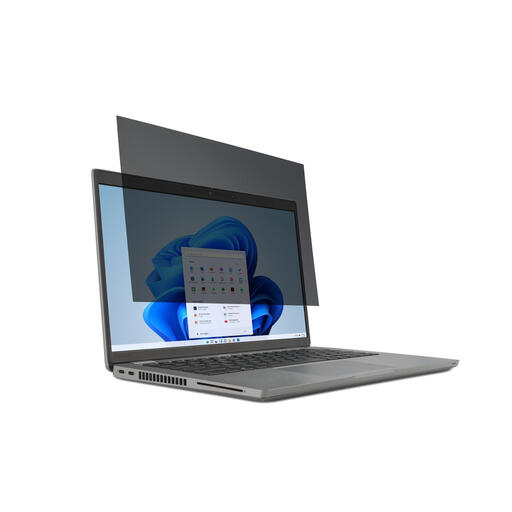
Why it suits this profile: This model is suitable for users looking for an easily removable laptop privacy filter for a 14-inch screen with a 16:9 aspect ratio.
The correct combination of 14 inches and 16:9 reduces the risk of a poor fit. It is attached with tabs or tape, so you can remove the filter.
2-way viewing angle of up to 30 degrees according to the product specification, reversible matte and glossy sides, and touchscreen support.
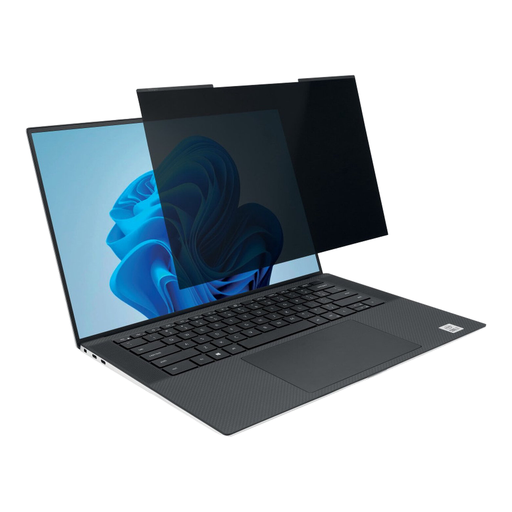
Why it suits this profile: Suitable for business users with a slim 14-inch laptop and 16:10 screen who frequently switch between privacy and unrestricted viewing.
The magnetic attachment means you do not have to rely on permanent adhesive. A cut-out for the webcam helps prevent it from being blocked during video calls.
Viewing angle of +/- 30 degrees, matte and glossy sides, anti-reflective coating and, according to the manufacturer, up to 30% blue-light reduction.
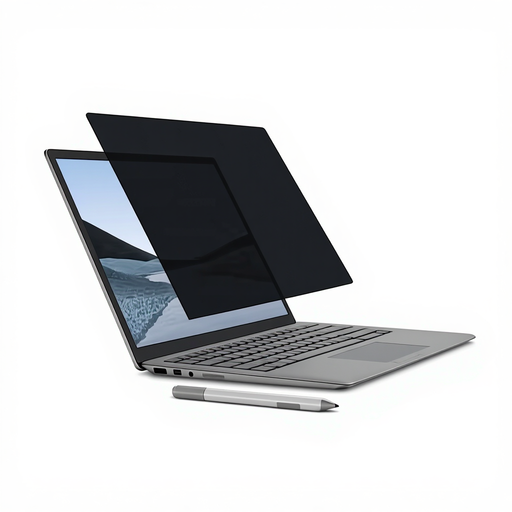
Why it suits this profile: A logical choice for Surface users who want to continue using the touchscreen and Surface Pen while carrying the filter with them regularly.
This is not a universal filter: it is designed for the 13.5-inch Surface Laptop. The magnetic attachment avoids adhesive residue and makes removal easy.
Viewing angle of +/- 30 degrees, suitable for touchscreen and Surface Pen use, plus matte and glossy sides. According to the manufacturer, it reduces blue light by up to 22%.
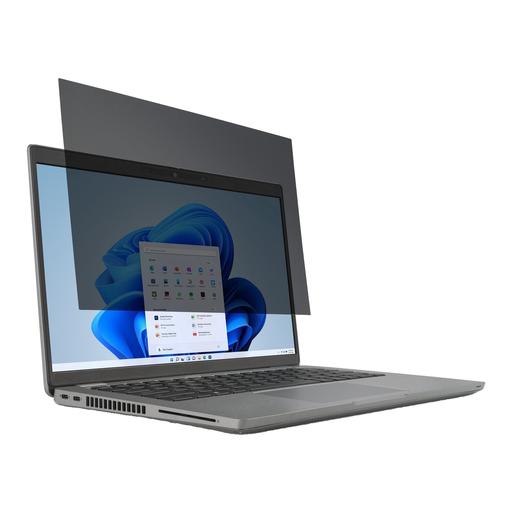
Why it suits this profile: Designed for professionals with a Dell Latitude 7350 Detachable who need to keep documents and customer data private while travelling.
The model-specific fit removes the guesswork based solely on screen size. According to the product description, the filter is removable and fits from edge to edge.
2-way privacy with a viewing angle of up to 30 degrees, anti-fingerprint coating and, according to the manufacturer, up to 52% blue-light reduction.
First, clean the screen with a soft, lint-free cloth. Dust particles between the filter and display can cause scratches or air bubbles. Position the filter carefully and check that the webcam, sensors and edges remain unobstructed.
Do not use harsh glass cleaner, acetone or ammonia. A dry or slightly damp microfibre cloth is generally more suitable; if in doubt, follow the instructions for the specific model. Do not fold or crease the filter. Store a removed filter flat or in the supplied case.
According to the product information, the Kensington products in this selection are covered by at least two years of statutory warranty under European consumer legislation. In practice, the lifespan depends on careful installation, removal and storage.
We have put together a complete, up-to-date list of products that fully meet these strict selection criteria and the applicable European safety regulations.
No. As well as the screen size, check the aspect ratio, screen bezel, webcam position and exact model. For specific devices, such as a Surface or Dell Latitude, use the manufacturer's compatibility information.
According to the product specification, several Kensington models are suitable for touchscreen and pen input. Check this for each product. A filter can slightly alter the viewing and touch experience, particularly when using the matte side.
There is no fixed replacement period. Replace the filter when it is permanently scratched, distorted or cloudy, or when the attachment no longer works properly. Store the filter carefully and clean it with a soft cloth to minimise unnecessary wear.
