
Vandaag of morgen in huis

Kwaliteit gegarandeerd

Welkomstaanbiedingen ontgrendelen: GRATIS bezorging | Tot 80% korting | Gratis 30 dagen JoyPlus-proefperiode
Download de app
Leaving a laptop unattended in an office, lecture hall, library or hotel lobby presents a practical security risk. A Kensington laptop security lock can help secure your device to a fixed object. However, not every laptop cable lock is compatible with every laptop.
The connector, cable length and locking mechanism determine whether your purchase will be suitable. Anyone who focuses solely on the brand name or a low price could end up with a laptop lock that does not fit the security slot.
Laptops use different types of connectors. Many models have a standard Kensington slot, while slimmer laptops use a NanoSaver slot or a wedge-shaped opening. A standard laptop security lock will not automatically fit a slim business notebook.
First, check your laptop’s specifications or inspect the opening on the side. Look for terms such as:
If you are unsure which connector your laptop has, a 3-in-1 solution may be more practical than a model designed for just one type of slot.
A thicker cable may sound appealing, but it is not always convenient for everyday use. A cable that is too short may not reach a table or desk leg. An extremely rigid cable is also more difficult to carry in a laptop bag.
A 1.8-metre cable lock generally provides sufficient reach for a desk, table or fixed anchor point. Make sure, however, that you can loop the cable around an object without creating sharp bends.
A laptop lock with a key is suitable when one person is responsible for managing the key. For multiple employees or students, a combination laptop lock may be more convenient, as there is no key to distribute or replace.
The downside is that you must store the number combination securely. If the code is lost, using the lock can become less practical. Choose the locking mechanism based on the working environment, not solely on appearance or price.
The connector is the first selection criterion. A laptop cable lock only works when its locking head is compatible with the opening on your device.
A universal laptop lock does not mean that every conceivable device will fit without verification. Always review the compatibility information for the specific product.
A 1.8-metre cable provides room to manoeuvre around a fixed object. The diameter indicates the size of the cable, but it is not the only factor that determines usability. Also consider the attachment method, flexibility and quality of the locking head.
According to the product details, the Kensington Slim NanoSaver Combination Ultra Cable Lock has a 1.8-metre cable with a diameter of 6.5 mm. This model weighs 219 grams, which is relevant for students, travellers and employees who carry the lock every day.
A laptop lock with a key is easy to understand and suitable for personal use. A laptop lock with a combination mechanism means you do not have to carry a key. For a shared workspace or school environment, a combination model may be more convenient from a logistical perspective.
Also pay attention to the warranty information. The Kensington models mentioned are covered by at least two years of statutory warranty under EU consumer law. Additional rights may apply under local legislation.
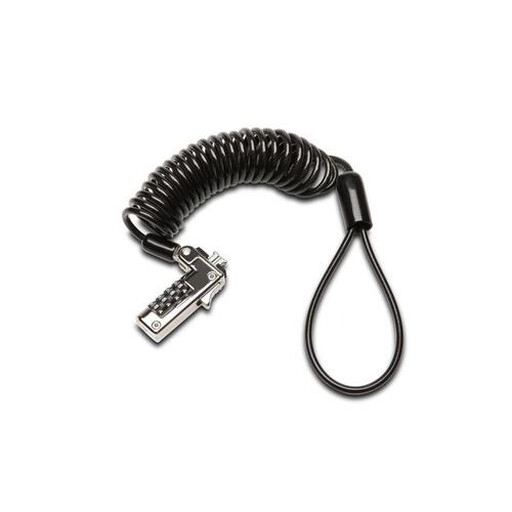
Why it’s a good fit: A practical choice for students, home workers and employees whose laptop has a standard security slot. You use a combination instead of a separate key.
The product name clearly states that this model is intended for a standard slot. First check that your laptop does not have a NanoSaver or wedge-shaped slot.
1.8-metre cable, combination mechanism and, according to the product information, easy installation.
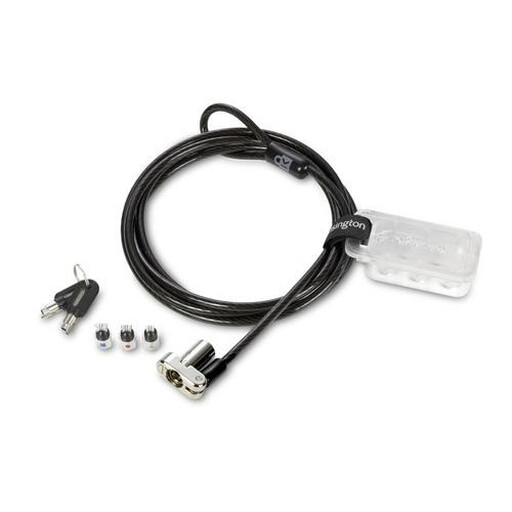
Why it’s a good fit: Suitable for offices, businesses and households with several laptop models. The key-operated design suits users who prefer a consistent, straightforward setup.
According to the product description, the 3-in-1 head is designed for standard, nano and wedge-shaped slots. Nevertheless, check your laptop’s connector before ordering.
Key mechanism, 1.8-metre cable and support for the three stated slot types.
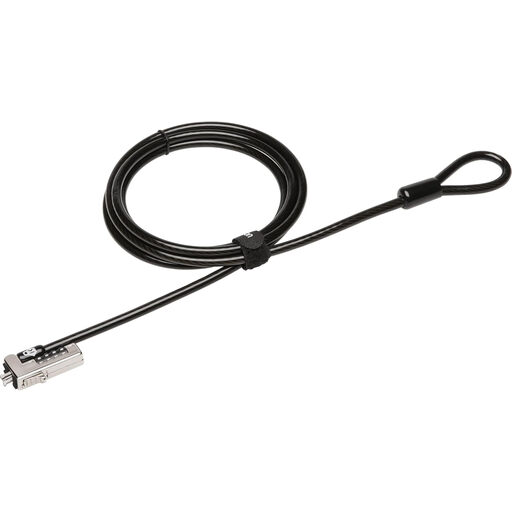
Why it’s a good fit: Designed for users of laptops with a NanoSaver slot who carry their security cable to the office, school, train or hotel.
This is not a standard Kensington cable lock. The model is designed for a NanoSaver slot, making it essential to check the connector first.
1.8-metre cable, 6.5 mm diameter, combination lock and stated weight of 219 grams.
A laptop security cable only works when the fixed anchor point is genuinely secure. A loose chair or lightweight piece of furniture offers little protection. Follow these steps when installing the lock:
A laptop lock cannot prevent a device from being picked up if it is not attached to a fixed object. Always check the entire setup.
Browse our current range of security locking systems and compare models by connector type, locking mechanism, cable length and intended use.
No. Check whether your laptop has a standard, NanoSaver or wedge-shaped security slot. A 3-in-1 model supports multiple stated connector types, but compatibility must still be verified for your specific device.
That depends on the user. A combination lock means you do not have to carry a key and can be practical in shared spaces. A keyed model is straightforward when one person manages the lock. If the combination is lost, using the lock can become more difficult.
Its lifespan depends on use, storage and maintenance. Do not coil the cable too tightly, protect it from moisture and heat, and stop using the lock if any components are damaged. According to the product information and EU consumer regulations, the Kensington products mentioned come with at least two years of statutory warranty.
