
Vandaag of morgen in huis

Kwaliteit gegarandeerd

Welkomstaanbiedingen ontgrendelen: GRATIS bezorging | Tot 80% korting | Gratis 30 dagen JoyPlus-proefperiode
Download de app
A laptop cable lock may seem like a simple accessory, but choosing the wrong version can quickly become inconvenient in everyday use. If the lock head does not fit the security slot, a sturdy cable is of little use. A cable that is too short, a combination that is difficult to read or a lock that makes a thin laptop tilt can also make daily use frustrating.
For offices, schools and home-working spaces, these three pitfalls are particularly relevant:
Choosing the wrong connection
Not every laptop has the same security slot. A NanoSaver lock is smaller than a standard Kensington lock. So check your laptop or monitor’s connection first.
Looking only at cable thickness
A thicker cable is not automatically more practical. Length, flexibility and the ability to secure the cable around a fixed object are at least as important.
Buying a combination lock without a clear reset process
With a laptop lock featuring a combination mechanism, you need to be able to set and remember the code easily. If the instructions are unclear, the lock may become unusable if the combination is lost.
The connection is the first thing to check. Kensington NanoSaver cable lock variants are designed for laptops and monitors with a NanoSaver slot. A standard cable lock for a notebook uses a different format.
Check the technical specifications of your laptop, monitor or docking station. If it states “Nano Security Slot” or “NanoSaver”, choose a suitable NanoSaver variant. If it has a standard Kensington security opening, you need a lock for a standard slot. Never force a lock into an unsuitable opening; this could damage the connection.
A 1.8-metre security cable offers sufficient reach for many desks, tables and fixed workstations. Decide in advance where you want to position the device and which fixed object you will attach the cable to. A cable that is too short restricts your setup, while one that is much too long may lie loose on the desk.
The products in this selection have cables with diameters of 5 mm or 6.5 mm. According to the product descriptions, they feature sturdy cable constructions, but a cable lock does not guarantee that a device cannot be taken. It acts as a physical deterrent and should be attached to a fixed, difficult-to-move object.
A combination lock means you do not have to carry a key. However, pay attention to the number of digits, the reset mechanism and the shape of the lock head. A thin laptop or 2-in-1 device may feel unstable if the lock head is too large or protrudes awkwardly.
For laptop security in offices and schools, management is also important. If you have several devices, it is useful to decide in advance who will manage the codes and where the instructions for use will be kept. For shared use, a multi-pack of locks may be more practical than buying them individually.
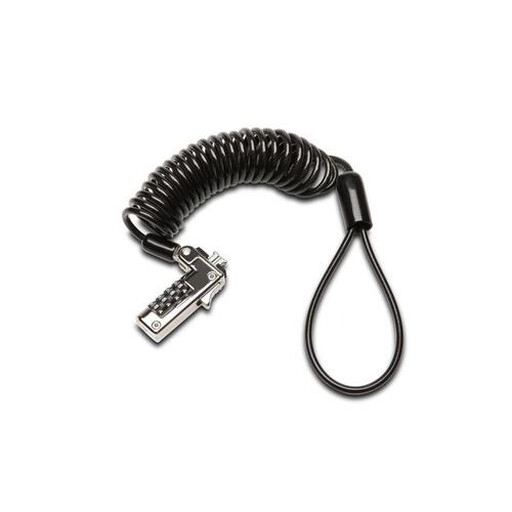
Why it suits this profile: This cable lock for notebooks is aimed at users with a standard security slot who are looking for straightforward installation and operation.
The product description states that it is 1.8 metres long and features a combination lock for a standard slot. Check the connection before buying.
1.8 metres of reach, combination operation and, according to the product information, suitability for notebooks.
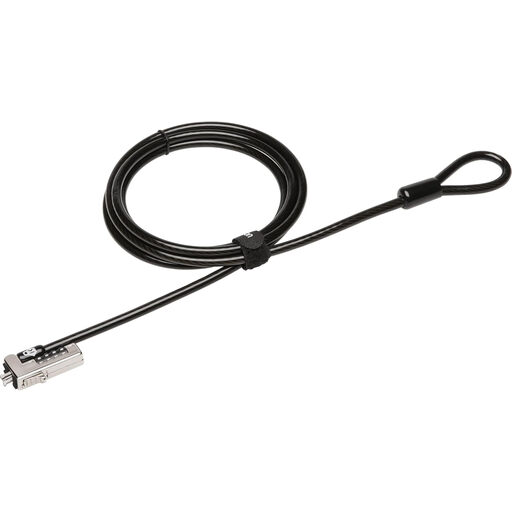
Why it suits this profile: This variant is suitable for users with a NanoSaver connection who value a cable with a diameter of 6.5 mm.
The product name and description clearly indicate the NanoSaver connection. This reduces the risk of ordering a standard lock for a smaller opening.
1.8-metre cable, 6.5 mm diameter, black metal design and keyless operation according to the product information.
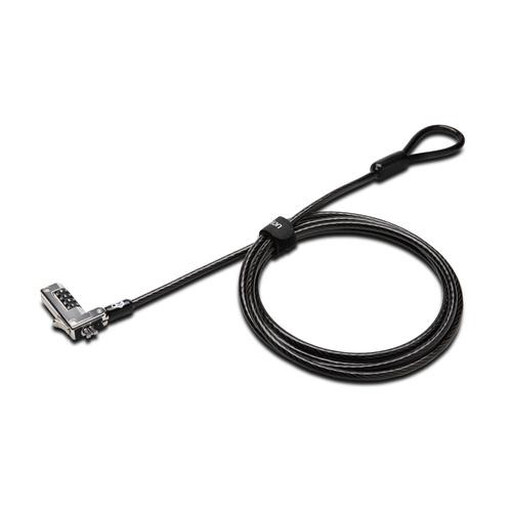
Why it suits this profile: This version is suitable for organisations that want to secure multiple NanoSaver devices in offices or educational settings.
The description mentions a 5 mm cable and a compact design. This can be useful at fixed workstations where cables need to run neatly alongside equipment.
Four-digit combination, 1.8-metre cable and, according to the product information, packs of 25 for larger-scale installations.
We have put together a complete, up-to-date list of products that fully meet these strict selection criteria and the applicable European safety regulations.
According to the product information for the Kensington models, a statutory warranty of at least two years applies under EU consumer legislation. Before buying, check the current product page, package contents and applicable terms and conditions of sale.
No. A NanoSaver lock is designed for devices with a NanoSaver security slot. Laptops with a standard Kensington opening require a suitable standard variant. Check your laptop or monitor model before ordering.
Its lifespan depends on use, storage and conditions. Avoid moisture, heat, sharp bends and pulling on the cable. Store the combination securely and regularly check that the lock head engages smoothly. Do not continue using a damaged laptop security lock.
Only if both devices have the same type of security slot and the cable can be practically attached to a fixed point. Check the lock format for each device. A NanoSaver variant is not automatically suitable for a monitor with a standard opening.
