What should you look for when choosing?
First, check which game and system you use. Then count the controllers available, and only after that consider grip, connectivity and how much space an accessory takes up.
| Buying concern |
What should you look for? |
Which consumers does this matter to? |
| Compatibility |
Check the game, console version and supported connection. |
I want to avoid choosing a controller that isn’t right for my game or system; around 36% of consumers prioritise compatibility. |
| Playing together |
Count the suitable controllers for each player and check whether a single Joy-Con will do. |
If I want to race with my housemates, I’ll first count how many controllers we already have; around 29% of consumers say playing together is their main priority. |
| Space and freedom of movement |
Compare a handheld controller with a steering wheel, and consider the cable route for wired models. |
In a small room, I want to know how much space an accessory takes up and where its cable will run; around 21% of consumers prioritise space. |
| Accessories required |
Check what’s in the box, which controllers you already own, and whether you need a dock or a way to charge it. |
I don’t want to find out that an accessory only works with a controller sold separately; around 14% of consumers prioritise the accessories and conditions needed for use. |
Controllers at Joybuy
This selection includes a wireless game controller for Switch and PC, individual Joy-Con 2 controllers, and a wired gamepad for Switch systems. Check that the stated compatibility for each product matches your game and console version.
 No image available
Wireless game controller with dual vibration and gyro for Switch and PC
The product information lists Switch and PC; check that your specific game and Switch generation are supported.
The description lists wireless controls, dual vibration, gyro controls and an ergonomic grip.
View at Joybuy
 No image available
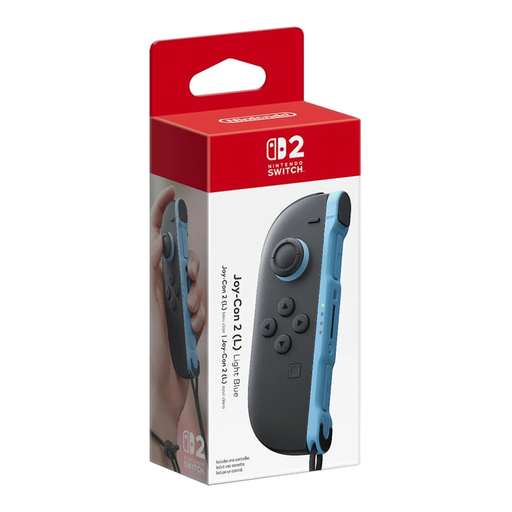
Nintendo Switch 2 Joy-Con 2 (L), Light Blue
A single Joy-Con 2 can be an extra option for local racing on Switch 2. Nintendo explains how to use one Joy-Con 2 per player in Mario Kart 8 Deluxe.
This is the left Joy-Con 2 in Light Blue; the controller can be used wirelessly.
View at Joybuy
 No image available
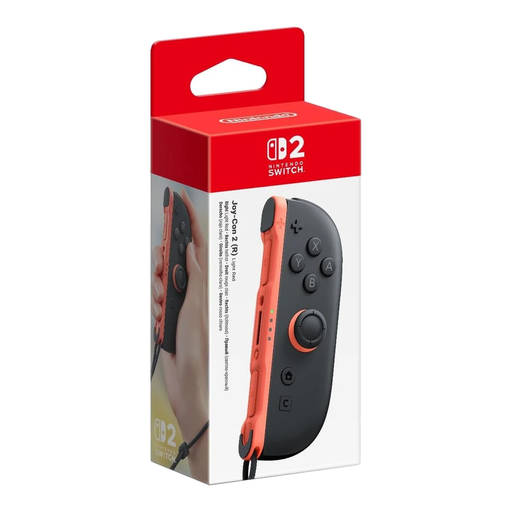
Nintendo Switch 2 Joy-Con 2 (R), Light Red
A single Joy-Con 2 can be an extra option for local racing on Switch 2. Nintendo explains how to use one Joy-Con 2 per player in Mario Kart 8 Deluxe.
This is the right Joy-Con 2 in Light Red; the controller can be used wirelessly.
View at Joybuy
 No image available
Pair of Nintendo Switch 2 Joy-Con 2 controllers, Light Blue/Light Red
This pair could be a good choice if you need two individual Joy-Con 2 controllers for local play. Nintendo explains how to use one Joy-Con 2 per player in Mario Kart 8 Deluxe.
The set includes a left and right controller in Light Blue and Light Red; both can be used wirelessly.
View at Joybuy
 No image available
HORI Wired Controller HORIPAD Turbo for Switch and Switch 2, Pokémon Eevee Cottage Core Edition
A wired gamepad for anyone who wants to use a full-size controller with a supported Switch system. The product description lists Switch, Switch 2 and Switch OLED.
The description lists programmable rear buttons and a turbo function. The controller connects via USB; the USB cable is not included.
View at Joybuy
Frequently asked questions
Do you need to buy an extra controller straight away for two-player Mario Kart 8 Deluxe?
Not necessarily: according to Nintendo, each player on one compatible system can use a left or right Joy-Con, Joy-Con 2 or compatible Pro Controller. First count what you already have and check that the controllers work with your console.
How do you set up two Joy-Con 2 controllers for separate players?
On Switch 2, open the controller menu and select ‘Change Grip/Order’. Nintendo says that to use each Joy-Con 2 horizontally as a separate controller, press the SL and SR buttons on each one.
Does a Joy-Con 2 steering wheel set include controllers?
No. Nintendo says the set contains two steering wheel accessories and only works with Joy-Con 2; the Joy-Con 2 controllers are not included.
What are your rights if a controller bought online isn’t right for you or breaks too soon?
For an online consumer purchase, the ACM says you generally have a 14-day cooling-off period after delivery, subject to legal exceptions. Separately, if a product is faulty, you have statutory rights under the legal guarantee; the seller is your point of contact for an appropriate solution.
Where can you dispose of used controller batteries in the Netherlands?
According to the Dutch government, used batteries should not go in the rubbish bin. You can take them to shops and supermarkets that sell batteries, among other places.


