
Kart player checking console compatibility first
You want to know whether the controller works with your Switch generation and kart game. Nintendo, for example, says Joy-Con 2 and the Switch 2 Pro Controller work only with Nintendo Switch 2.


Start with your console and game, then choose between stick controls, motion controls or a fixed steering wheel and pedal setup. Nintendo says you can steer in Mario Kart World with a stick or motion controls; a Joy-Con 2 steering wheel is an accessory only and doesn’t include controllers. In a bright room, assess screen visibility and positioning separately: changing your controller won’t solve glare.
You want to know whether the controller works with your Switch generation and kart game. Nintendo, for example, says Joy-Con 2 and the Switch 2 Pro Controller work only with Nintendo Switch 2.
You want to steer by moving a stick, tilting a controller or using a fixed steering wheel and pedals. Each option calls for different controllers, connections and, sometimes, settings.
You want a clear view of the game as well as a comfortable way to play. Assess screen brightness and positioning separately from your choice of controller.
Best for: playing Mario Kart World on Switch 2 and steering by tilting the controller.
Bear in mind: the steering wheel set doesn’t include Joy-Con 2 controllers, so check how many controllers you need.
Best for: playing with a directional stick or choosing a complete gamepad.
Bear in mind: check the console generation and features of the exact model. Nintendo says the Switch 2 Pro Controller works only with Switch 2.
Best for: a dedicated gaming spot, provided the game and connection are compatible with the wheel.
Bear in mind: HORI says its Mario Kart Racing Wheel Deluxe connects via USB through the Switch dock; some functions require button remapping.
| What to consider | What should you check? | Who is this important for? |
|---|---|---|
| Console and game | Check the exact console generation, model name and supported game controls. | I want to make sure my controller works with my console and game. Around 36% of consumers put console and game compatibility first. |
| Steering style | Decide whether you want to steer with a stick, motion controls or pedals, and check whether any settings are needed. | I want to choose between a stick, tilting and pedals without finding I need a different type of control later. Around 29% of consumers make steering style their top priority. |
| Visibility | Assess the screen where you plan to play and check the available brightness settings. | I want to see the picture clearly in the light conditions in my room; a different controller won’t change that. Around 21% of consumers put screen visibility first. |
| Playing together and included components | Check how many players and controllers the game supports, and what’s included in the box. | I want to know whether everyone can join in and whether I’ll need extra controllers or components. Around 14% of consumers start by checking multiplayer options and the components they’ll need. |
Nintendo says the Nintendo Switch 2 Pro Controller and Joy-Con 2 don’t work with earlier Nintendo Switch consoles.
Before choosing, check the full generation names of both your console and controller.
Nintendo’s Joy-Con 2 steering wheel set doesn’t include Joy-Con 2 controllers, so the accessory alone isn’t enough to play.
Check what’s included in the box and count how many separate controllers you’ll need for your players.
Brightness is a system setting. Nintendo says automatic brightness isn’t available on the Switch 2 screen in TV mode.
First assess the screen, play mode and lighting at your intended playing spot; then choose your controls.
The HORI Mario Kart Racing Wheel Deluxe connects via USB through the Switch dock. The controls you need can vary between games.
Check the compatibility information for your game and model, as well as the connections and any button settings you may need.
Nintendo offers Joy-Con 2 steering wheel accessories and a Switch 2 Pro Controller for different ways to play on Switch 2.
The Mario Kart Racing Wheel Deluxe is an option if you’re considering a fixed steering wheel and pedal setup.
The Advantage Wireless Controller for Switch 2 is an alternative if you’re looking for a complete gamepad.
The Ultimate 2 Bluetooth Controller is a gamepad option if you’re also considering compatibility with Windows.
These Joybuy products are traditional gamepads for players who prefer to steer with a stick; check the stated console compatibility and features for each model.
 No image available
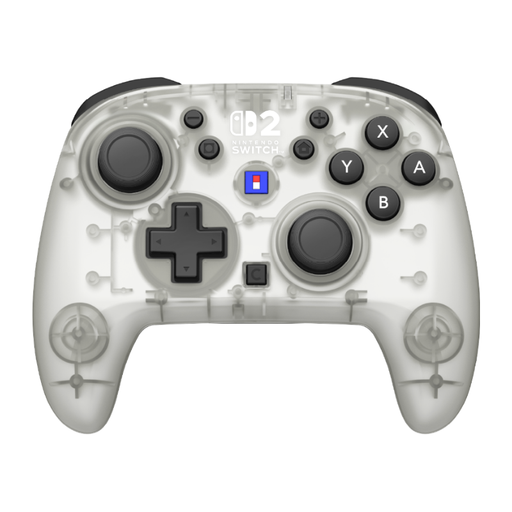
A wireless gamepad option if you don’t use a fixed steering wheel; the product name specifies Nintendo Switch 2.
The product name lists TMR sticks, up to 40 hours of battery life, four RGB modes and two programmable buttons.
 No image available
A wireless gamepad option if you don’t need a fixed steering wheel; the product name lists Nintendo Switch and Switch 2.
The product name lists a C button, assignable functions and up to 10 hours of battery life. According to the product information, HD Rumble 2 and vibration aren’t included.
 No image available
A wireless gamepad option if you’re looking for Switch 2 and Switch OLED compatibility, as stated in the product name.
The product name lists a TMR joystick, up to 40 hours of battery life, a C button for GameChat and two programmable buttons.
 No image available
A pair of controllers for playing together; the product name lists compatibility with Nintendo Switch, Switch OLED and Switch 2.
The product name lists up to 8 hours of battery life and a vibration function.
 No image available
A complete gamepad for playing with a stick. Nintendo says this older Switch Pro Controller can connect wirelessly to Switch 2.
Before buying, check that the stated compatibility and features suit your console and game.
No. Nintendo says the steering wheel accessories are designed for Joy-Con 2 and that controllers aren’t included. Check how many Joy-Con 2 controllers you’ll need for your players.
Turn on motion controls in the game’s control settings. Nintendo says you’ll need a controller that supports motion controls; players on the same system can adjust their settings individually.
Check the brightness setting and make sure the light sensor isn’t covered. Nintendo says you can turn off automatic brightness and adjust the brightness manually; automatic brightness isn’t available in TV mode.
You may need to, depending on the game and function. HORI’s May 2026 compatibility list says that in Mario Kart 8 Deluxe you need a custom ASSIGN mapping to use the pedals for acceleration and braking. Check the instructions for your game and model.
According to the Dutch government, when you buy from a business you’re entitled to a product that works properly. The Netherlands has no fixed statutory warranty period, and the seller is your point of contact if a product is faulty. For distance purchases, you’re entitled to a 14-day cooling-off period in many cases. Check the terms and exceptions that apply to your purchase.