What should you look for when choosing?
First, check that the controller works with your console or PC game. Then consider how many people will be racing at once and how noise, vibration, grip and cables might affect your shared room.
| What to consider |
What should you check? |
Who is this important for? |
| Compatibility |
Check the exact Switch model and game. Nintendo Netherlands says Joy-Con 2 and the Switch 2 Pro Controller only work with Switch 2. For PC games, also check controller support and any firmware requirements. |
I want to know in advance whether my controller will work with my system and kart game, so I don’t choose a model I can’t use. Around 36% of consumers put compatibility first. |
| Keeping the room quiet |
Check whether you can connect compatible headphones and switch vibration off. Headphones keep game audio with the player, but say nothing about button noise. |
If someone is sleeping or working beside me, I want to keep game audio and vibration down without assuming the buttons are quiet. Around 29% of consumers prioritise keeping the room quiet. |
| Enough controllers |
Count the players and compatible controllers. Nintendo Netherlands says up to four people can play Mario Kart World on one Switch 2, and up to eight can play Mario Kart 8 Deluxe on one Switch 2 after the update on 2 September 2026. |
I want everyone to be able to play at once, and to check whether detachable Joy-Con are enough before choosing an extra full-size controller. Around 21% of consumers focus on having enough controllers for everyone. |
| Grip and set-up |
Consider whether you want to play with a detachable Joy-Con or a full-size controller. PowerA lists a 10 ft cable for the Advantage Wired and says it can be used with Switch 2 when the system is docked; this model doesn’t have motion controls. |
If I prefer holding a full-size gamepad or steering with motion controls, I want to know whether the shape and set-up will suit me. Around 14% of consumers prioritise grip and controls. |
Brands to compare
The features listed apply to the specific product lines and models below, not necessarily to every product from the same brand.
Nintendo
Offers detachable Joy-Con 2 and a full-size Switch 2 Pro Controller for playing on Switch 2.
- Nintendo Netherlands describes using detachable Joy-Con for local Mario Kart play, and an audio socket on the Switch 2 Pro Controller.
- Joy-Con 2 and the Switch 2 Pro Controller don’t work with the original Switch. Existing Switch Joy-Con can be used wirelessly with Switch 2, but won’t charge when connected to that console.
PowerA
The Advantage Wired Controller is a full-size wired controller for use with Switch 2 when docked.
- PowerA says this model has an audio socket and a detachable 10 ft cable.
- PowerA says the model doesn’t support motion controls or HD rumble, and only works with Switch 2 when the console is docked. The Hall Effect stick claim isn’t an independent durability test.
8BitDo
The Ultimate 2 Bluetooth is designed for anyone looking for a customisable full-size controller for the Switch and Windows platforms listed by 8BitDo.
- 8BitDo lists a charging dock and adjustable controls.
- 8BitDo lists a firmware update as necessary for Switch 2. Check the required version; claims about precision or durability aren’t independent measurements.
Xbox
The Xbox Wireless Controller is an option for kart games on Xbox or a compatible Windows PC, not a proven substitute for a Switch controller.
- Microsoft lists support for Xbox, Windows and Bluetooth, plus a 3.5mm socket for a headset.
- Check whether your chosen game supports the controller features you want and local multiplayer.
Controllers for Nintendo Switch 2
This selection focuses on controllers for local kart gaming on Nintendo Switch 2: detachable Joy-Con 2 and full-size wired or wireless controllers. Check compatibility for each game and model.
 No image available
Turtle Beach Rematch Super Mario Jump Wireless Controller for Nintendo Switch 2 and Switch OLED
A good fit if you’re looking for a full-size wireless controller for the Nintendo systems listed, without a cable in your gaming set-up.
The product name lists a TMR joystick, a C button for GameChat, two programmable buttons and 40-hour battery life.
Joybuy
 No image available
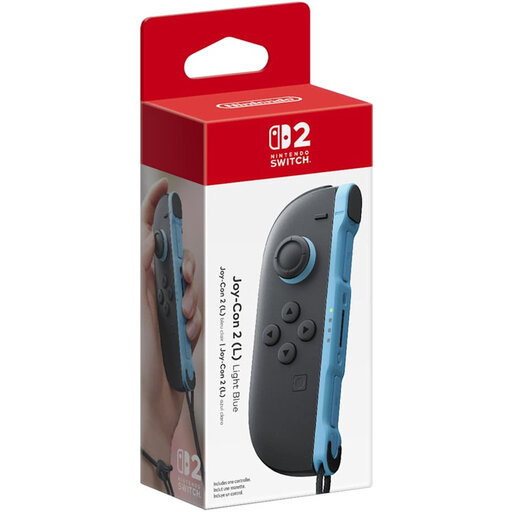
Nintendo Switch 2 Joy-Con 2 (L) Light Blue
A detachable left Joy-Con 2 is an option if one player wants to use a single controller on a compatible Switch 2.
The product name identifies the left controller in Light Blue. Nintendo Netherlands describes using one detachable Joy-Con 2 per player for local Mario Kart multiplayer.
Joybuy
 No image available
Nintendo Switch 2 Official Pro Controller Black
A good fit if you’d rather play on Switch 2 with a full-size controller than detachable Joy-Con.
Nintendo Netherlands lists an audio socket for headphones or a headset. This doesn’t tell you whether the buttons are quiet.
Joybuy
 No image available
Nintendo Switch 2 Joy-Con 2 Pair Light Blue/Light Red
This pair is for anyone looking for two detachable controllers for local play on Switch 2.
Nintendo Netherlands describes using one Joy-Con 2 per player for local Mario Kart multiplayer.
Joybuy
 No image available
HORI Wired Controller HORIPAD Turbo for Switch and Switch 2 – Pokémon Eevee Cottage Core Edition
A full-size wired controller to consider if a cable works with your room’s layout.
The product information lists programmable rear buttons and a turbo function. The USB cable isn’t included; bear the wired connection in mind and check whether you need motion controls or HD rumble.
Joybuy
Frequently asked questions
Do two players each need a full-size controller for Mario Kart 8 Deluxe?
No, not necessarily. Nintendo Netherlands says that players on one system can each use, among other options, a left or right Joy-Con or Joy-Con 2, provided it’s compatible with the system.
Does Mario Kart World work on the original Nintendo Switch?
No. Nintendo Netherlands says Mario Kart World is exclusive to Nintendo Switch 2.
How do you turn off controller vibration on Switch 2?
According to Nintendo Netherlands, go to SYSTEM SETTINGS from the HOME menu, then select CONTROLLERS/ACCESSORIES. The selected vibration setting applies to all synced controllers.
Will older Joy-Con charge when you use them with Switch 2?
No. Nintendo Netherlands says original Switch Joy-Con can be used wirelessly with Switch 2, but can’t be charged on that console. Check which other compatible charging option you can use.
What are your rights in the Netherlands when you buy a controller online?
When you buy from a business online, you’ll often have 14 days to change your mind, subject to conditions and exceptions. The Dutch government also says you’re entitled to a product that works properly, and should contact the seller if there’s a fault. The Netherlands doesn’t have a fixed, general statutory warranty period.


