You don’t necessarily need a new camera: start with your smartphone or camera on a stable surface, using a plain background and soft light. Then check whether it can capture the close-ups you need in sharp focus. For tiny engravings or settings, a camera with a suitable, separate macro lens may be worthwhile. Compare the lens magnification and the complete setup, not just the camera body.
Who is this choice relevant to?
Maker working with tiny jewellery details
You want to show engravings, settings or textures clearly. So first work out how much magnification and depth of field your details require. Etsy Seller Handbook suggests that a macro mode or macro lens may be an option for small objects.
Maker working with shiny jewellery
You photograph metal or stones against a simple background and want to manage reflections, colour casts and changing light before investing in a different camera body. Shopify Netherlands discusses reflections and lighting in jewellery photography.
Maker with a dedicated photography space
You regularly take similar product photos and want to be able to set up the background, lighting, camera angle and focus in the same way each time. A fixed support and a consistent setup make it easier to repeat your process.
What should you look for when choosing?
Existing smartphone with a fixed setup
Choose this if: you mainly take overview shots and your own test photos show enough detail.
Consider: check close-ups for sharpness and distortion; getting a suitable detailed shot isn’t guaranteed.
Mirrorless camera with a macro lens
Choose this if: tiny engravings, settings or textures need to fill the frame and you can match the lens to the magnification you want.
Consider: a standard kit lens isn’t automatically a macro lens; check compatibility and exactly what’s included in the kit.
Etsy Seller Handbook recommends macro photography for small jewellery items, while Shopify Netherlands highlights reflections and lighting. So consider both the lens and the space you’ll need for soft light, a simple background and a stable support.
| What to consider |
What to check before buying |
Who it matters most to |
| Tiny details |
Magnification of the exact lens, lens mount and supported focusing method. |
If I want to show engravings or small settings clearly, I prioritise magnification and sharpness. Around 33% of consumers put capturing tiny details first. |
| Reflections and background |
Room for diffused light and reflectors, adjustable exposure and a plain background. |
When photographing shiny metal or stones, I want to be able to control the light and surroundings before buying a different body. Around 27% of consumers prioritise managing reflections and the background. |
| Repeatable process |
Room for a fixed support and, if you need it, focus stacking for the exact camera-and-lens combination. |
If I photograph several pieces of jewellery in a similar way, I want to be able to repeat the angle and focus. Around 20% of consumers prioritise a repeatable process. |
| Complete setup |
Compare what’s included in the kit with the camera, lens, lighting and support you already have. |
If I want to keep costs down, I first want to know whether my current equipment can produce the overview and detail shots I need. Around 20% of consumers prioritise the complete setup over a new body. |
Common pitfalls
-
Choosing a camera kit based only on the word ‘macro’
The stated magnification applies to the exact lens. An interchangeable-lens camera won’t deliver that magnification automatically.
Check what’s included in the kit, the lens mount and the maximum magnification of the supplied lens.
-
Trying to fix reflections by changing the camera alone
Lighting, reflections and the background are separate elements of a jewellery photo. A different camera won’t automatically remove unwanted reflections.
Start by taking test photos with a fixed setup and soft light. Then assess which part of the photo still needs improvement.
-
Reading ‘2x’ as an optical magnification of 2:1
OM SYSTEM states that the M.Zuiko Digital ED 60mm F2.8 Macro has an optical magnification of 1:1, and also lists ‘2x’ as the 35mm equivalent.
Only compare magnification figures when it’s clear whether they’re optical and what equivalent basis they use.
Camera brands and macro options to consider
Canon
Canon lists the EOS R50 as an RF mirrorless camera and names the separate RF 35mm F1.8 MACRO IS STM as a compatible lens.
- Canon specifies a maximum macro magnification of 1:2 for the RF 35mm F1.8 MACRO IS STM.
- The 1:2 specification applies to this lens, not every kit. Canon doesn’t list sensor-shift image stabilisation for the EOS R50.
Nikon
Nikon describes an option that pairs the Z50II with Z macro lenses.
- Nikon specifies a 1:1 magnification for the separate NIKKOR Z MC 50mm f/2.8.
- Check which lens the offer includes; the 1:1 specification applies to this particular lens, not every kit.
Sony
The Sony ZV-E10 II is an APS-C camera with interchangeable lenses. Sony also offers the E 30mm F3.5 Macro for APS-C cameras with an E-mount.
- Sony specifies a 1:1 magnification for the separate E 30mm F3.5 Macro.
- The listed ZV-E10 II kit includes a 16–50mm power zoom lens; that doesn’t mean the macro lens is included.
OM SYSTEM
OM SYSTEM lists Focus Stacking for the OM-5 Mark II. This technique may be useful for jewellery with varying depths of field.
- OM SYSTEM specifies an optical magnification of 1:1 for the separate M.Zuiko Digital ED 60mm F2.8 Macro.
- Check the support and process for the exact combination. The stated ‘2x’ is a 35mm equivalent, not an optical magnification of 2:1.
Cameras on Joybuy
The products below are listed for photography. For jewellery close-ups, assess the exact lens and the complete setup; the camera name alone won’t tell you which details you can capture in sharp focus.
 No image available
Komery W6 digital camera
The product name describes it as a camera for photography; check your own close-up results before choosing it for tiny engravings or settings.
The product name lists 64 MP, 12× optical zoom, 4K and Wi-Fi.
Joybuy
 No image available
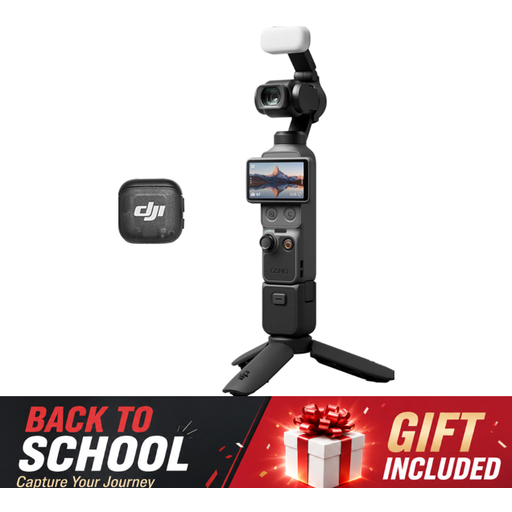
DJI Osmo Pocket 3 Creator Combo
The product title describes it as a camera for photography; assess whether it suits the framing and jewellery close-ups you want.
The product information lists a 1-inch CMOS sensor, a rotating 2-inch screen, 3-axis stabilisation and an included microphone.
Joybuy
 No image available
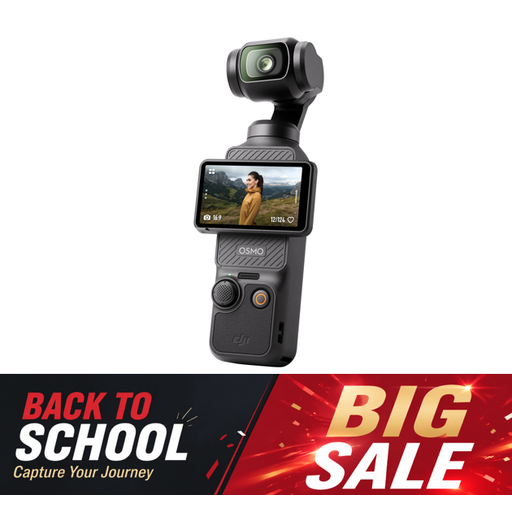
DJI Osmo Pocket 3
The product title describes it as a camera for photography; check whether its close-ups capture the level of detail you need for your jewellery.
The product information lists a 1-inch CMOS sensor, 3-axis stabilisation and a rotating 2-inch touchscreen.
Joybuy
 No image available
Sony Alpha A6100 + 16–50mm f/3.5–5.6 OSS II
If you want to photograph tiny details, check the magnification offered by the included lens and whether you’ll need a separate macro lens.
The product information lists a 24.2 MP APS-C sensor, an electronic viewfinder and a Sony E-mount. Sony specifies 1:1 for the separate E 30mm F3.5 Macro for APS-C cameras with an E-mount.
Joybuy
 No image available
Sony ZV-E10 + 16–50mm zoom lens
For tiny jewellery details, you can pair the camera body with a suitable macro lens; check separately which lens is included in the kit.
The product information lists a 24.2 MP APS-C camera and a vari-angle touchscreen. The kit as listed includes a 16–50mm kit lens; Sony specifies 1:1 for the separate E 30mm F3.5 Macro for APS-C cameras with an E-mount.
Joybuy
Frequently asked questions
Do I need to buy a mirrorless camera straight away for jewellery photography?
No. First, test whether your existing phone or camera can take both overview and detail shots with a stable setup, a plain background and good lighting. Etsy Seller Handbook suggests that a macro mode or macro lens may be an option for small objects.
How do I set up a fixed tabletop arrangement?
Keep the background simple and consistent, position your camera on a stable surface and check the lighting for reflections. Then check separately whether the detail you want to show is in sharp focus.
Does every camera kit include a suitable macro lens?
No. Check exactly what’s included in the kit. Magnifications of 1:1 or 1:2 apply to specific lenses and don’t automatically apply to the supplied kit lens.
When buying a camera online in the Netherlands, do I always have a 14-day cooling-off period and a statutory warranty?
Not unconditionally. According to the Dutch government, consumers buying at a distance generally have a 14-day cooling-off period; if a product is faulty, the seller must handle the statutory warranty. KVK distinguishes between business agreements and consumer purchases, so if you’re buying for your business, don’t assume you have the same consumer rights.


