
Kitchen-diner album listener
You want to play jazz albums with ease, so first check that your music service, phone or own audio source works with the speaker’s playback options and connections.


For jazz in your kitchen-diner, a single mains-powered speaker is enough if you have one listening spot and a suitable way to play your music. Choose a stereo pair if you want to position the left and right speakers separately and have room for them. If you often listen in different places, a portable speaker with a battery may suit you better. First, check that you can play your albums through your preferred service, phone or own audio source.
You want to play jazz albums with ease, so first check that your music service, phone or own audio source works with the speaker’s playback options and connections.
You want to position two speakers separately for the left and right channels, provided your kitchen-diner has enough space. KEF describes the LSX II LT as a two-part system.
You also use your speaker away from its usual spot, and weigh portability and charging against a mains-powered set-up at home. Sony describes the ULT FIELD 3 as portable.
A good fit if: you mainly listen at home and want to play albums through a supported service or device.
Bear in mind: setting up the Sonos Era 100 SL for the first time requires Wi-Fi and the Sonos app. Sonos specifies a separate line-in adapter for a wired source.
A good fit if: you want to position the left and right channels of a recording separately and have suitable places for them.
Bear in mind: the KEF LSX II LT speakers need to be connected to each other with the supplied cable.
A good fit if: you mainly want to listen from a device via Bluetooth and value having controls on the speaker.
Bear in mind: the Marshall Acton IV is a Bluetooth speaker with AUX and RCA inputs. Check that your audio source is compatible.
A good fit if: you regularly take your music from the kitchen-diner to another spot.
Bear in mind: a battery-powered model needs charging and serves a different purpose from a fixed Wi-Fi stereo set-up.
| What to consider | What should you check? | Who should prioritise this? |
|---|---|---|
| Playing the albums you want | Check the music service and subscription, how your phone plays music, and, if you use your own equipment, the output, input and any adapter required. | If I want to be sure I can play my albums from my own service or source, I check the connections and playback options first. Around 36% of consumers prioritise their choice of albums and source. |
| Stereo sound and space | Check whether you have room for two speakers and how the specific pair connects to each other. | If I want to position the left and right channels of a recording separately, that matters more to me than making room for two cabinets and a connecting cable. Around 29% of consumers make stereo placement their top priority. |
| Placement and portability | Check the location, power socket and Wi-Fi coverage, and weigh these against portability and charging. | If my speaker won’t stay in one place, I pay extra attention to how I can move it and power it. Around 21% of consumers prioritise placement or portability. |
| Controls and privacy | Compare the controls on the speaker, app requirements, any voice control and the model’s privacy policy. | If I want to use buttons while listening or would rather not have built-in voice control, I also consider the app and privacy terms when choosing. Around 14% of consumers prioritise controls or privacy. |
Fixed Wi-Fi speakers usually need mains power. The KEF LSX II LT also needs a cable connecting the two speakers.
Plan where the speakers will go and how the cables will run in advance. Check that you have room for a separate stereo set-up.
Bluetooth, Wi-Fi and a physical connection are different ways to play albums. Your source’s connection must be compatible with the speaker you choose.
Check your source’s output and the speaker’s input. Sonos specifies a separate line-in adapter for connecting a wired source to the Era 100 SL.
Bear in mind that the line-in adapter mentioned for the Sonos Era 100 SL is a separate component.
A speaker may still use an app or account. The Dutch Data Protection Authority also advises people to consider privacy when using connected devices.
Read the privacy policy and check which settings and data apply to your chosen model’s playback options.
The Era 100 SL is a compact, fixed network speaker with Wi-Fi, Bluetooth and AirPlay 2, but no built-in voice control.
The LSX II LT is an active two-part system for listeners who value separate stereo placement.
The Acton IV is a fixed Bluetooth home speaker with physical controls and analogue inputs.
JBL says the Authentics 200 combines Wi-Fi, Bluetooth, on-speaker controls and voice assistants.
The ULT FIELD 3 is a portable Bluetooth option for listeners who regularly move their speaker.
This selection includes portable Bluetooth speakers and wired PC and desktop speakers. For jazz albums, check that the connections and playback options suit your audio source and preferred listening spot.
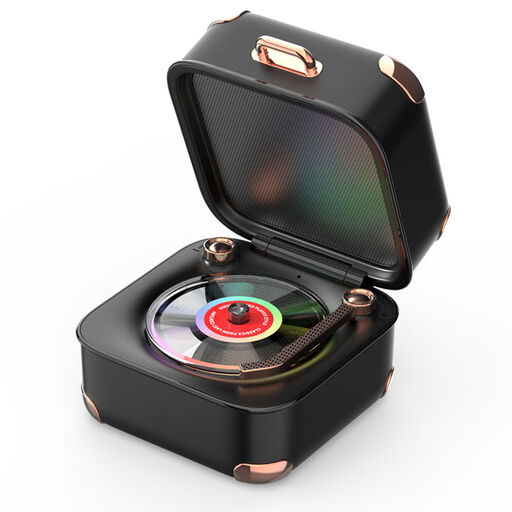 No image available
For anyone who wants to play music from a Bluetooth device and move their speaker around.
The product description lists a built-in battery, Bluetooth, TF/SD card playback and a Type-C connection.
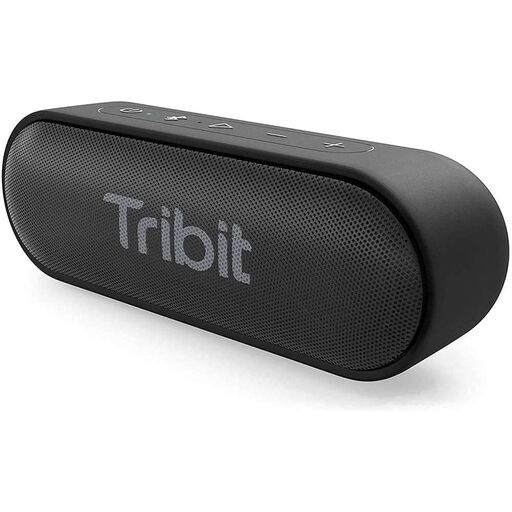 No image available
For anyone who wants a portable speaker for playing music from a Bluetooth device.
The product information lists Bluetooth 5.0 and a built-in lithium battery.
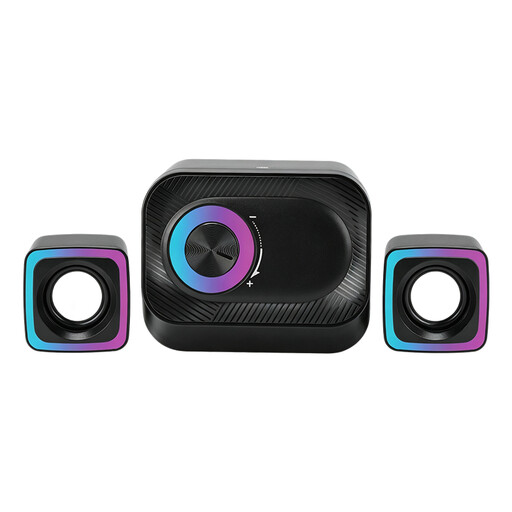 No image available
For a wired PC set-up where you want to control the volume on the system itself.
The description lists two satellite speakers and a volume control on the main unit. The title identifies it as a wired PC system.
 No image available
For anyone who wants to position two separate speakers by a PC or desk.
The product description lists two cube-shaped speakers, music playback and RGB lighting.
 No image available
For anyone looking for stereo speakers to play music on a desk, shelf or TV stand.
The product description lists stereo playback and coloured LED lighting.
Yes, if one listening spot and the playback options suit the way you listen. If you want to position the left and right channels of a recording separately, compare a suitable pair and check the space and how the speakers connect to each other. The KEF LSX II LT has a cable between the speakers.
It varies by model. Sonos specifies Wi-Fi and the Sonos app for the initial set-up of the Era 100 SL; KEF specifies a home network and the KEF Connect app for the LSX II LT. Also check that your music source supports your chosen playback method.
Possibly. Sonos specifies a separate line-in adapter to connect a wired source to the Era 100 SL. For your chosen combination, check your source’s output, the cable you need and what’s included with the exact version.
Read the privacy policy and check the connected device’s data security, provider and settings. The Dutch Data Protection Authority advises you to pay attention to these points; also consider whether you want built-in voice control. According to Sonos, the Era 100 SL does not have it.
In the Netherlands, when you buy as a consumer, you’re entitled to a product that is fit for purpose. The Dutch government does not specify a fixed statutory warranty period of two years. If a product is faulty, contact the seller to arrange an appropriate solution. Many distance purchases also come with a 14-day cooling-off period; check the terms that apply to your specific purchase.