
Vandaag of morgen in huis

Kwaliteit gegarandeerd

Welkomstaanbiedingen ontgrendelen: GRATIS bezorging | Tot 80% korting | Gratis 30 dagen JoyPlus-proefperiode
Download de app
Choosing a new monitor for the office or working from home seems simple—until you get tangled in a web of technical specifications and marketing jargon. Many people overpay for features they don't use or, worse, end up with a screen that causes neck pain and frustration after just a few months. As a Product Recommendation Officer at Joybuy, I see where things go wrong every day. Let's cut through the noise and focus on what truly matters for a productive and comfortable workspace.
Before we look at products, let's discuss the three most common pitfalls:
To avoid a bad purchase, it's important to understand a few key technical specifications. We'll keep it practical.
IPS stands for In-Plane Switching. Without getting too technical, this means two things:
For an office monitor or a screen for working from home, an IPS panel is the most reliable choice for image quality.
The refresh rate, measured in Hertz (Hz), indicates how many times the image is updated per second. The old standard was 60Hz. A 100Hz monitor offers a noticeably smoother experience. Scrolling through web pages and documents feels more fluid, which can help reduce eye strain after a long workday. While 144Hz and higher are mainly for gamers, 100Hz is a meaningful upgrade for modern office setups.
A good monitor adapts to you, not the other way around.
Based on the criteria above, we've selected a few models that suit different user profiles.
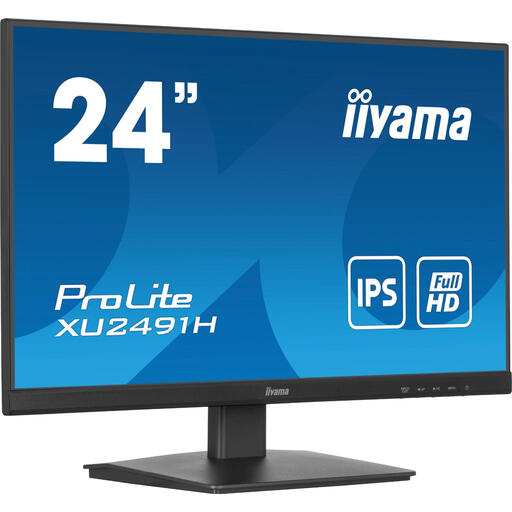
Why This Fits Their Persona: Ideal for those looking for a reliable Full HD display for standard office tasks. You get the benefits of an IPS panel and 100Hz without the extra cost of a fully adjustable stand, making it a great choice if you already have a monitor arm or if the base height is sufficient.
This model provides the key upgrades (IPS and 100Hz) without making you pay for unnecessary gaming features. You get noticeably better image quality and smoothness where it counts.
A 24-inch monitor with an IPS panel and 100Hz refresh rate offers an excellent balance of price and performance for daily use.
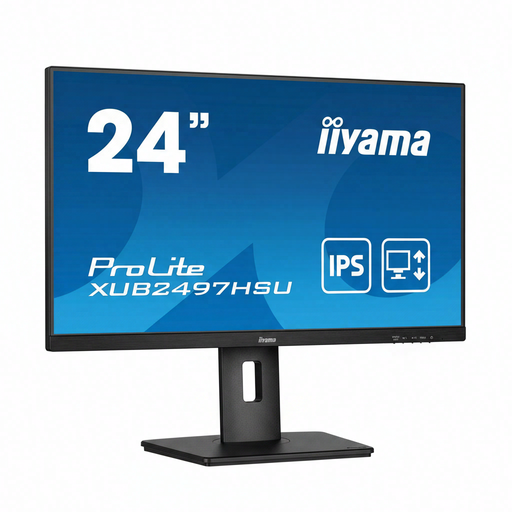
Why This Fits Their Persona: For professionals who work long hours and prioritise physical comfort. This iiyama monitor combines all the essential features for a healthy and productive workspace.
This model directly addresses the ergonomics pitfall. The fully adjustable stand (height, tilt, swivel) ensures you can align the screen perfectly with your posture.
The combination of a height-adjustable monitor, an IPS panel, 100Hz, and a built-in monitor with a USB hub makes this a complete solution for the demanding user.
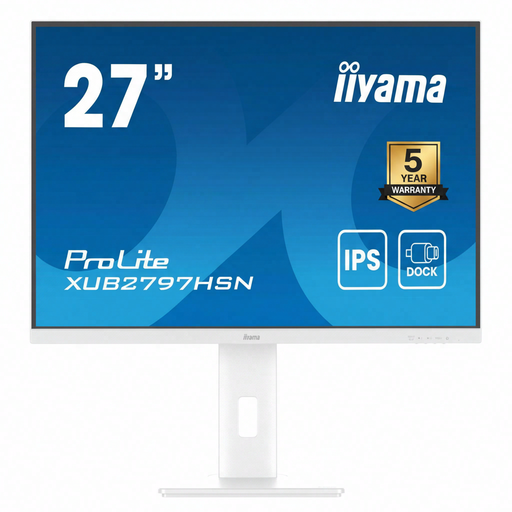
Why This Fits Their Persona: Perfect for the modern laptop user who wants a minimalist desk. A single USB-C cable connects your laptop to the screen, charges it, connects it to the internet, and gives you access to extra USB ports.
This model prevents cable clutter and the need for separate adapters and docking stations. It integrates all connectivity into the monitor itself, ensuring a clean and efficient workspace.
The built-in USB-C dock with 65W Power Delivery and a stable RJ45 LAN port is its key advantage. Additionally, the screen offers full ergonomic adjustability.
We have compiled a complete, up-to-date list of products that fully meet these strict selection criteria and local regulations.
Yes, for most users, the difference between 60Hz and 100Hz is noticeable. Scrolling through websites, long documents, or spreadsheets feels smoother and easier on the eyes. It's a quality-of-life improvement that contributes to overall work comfort, especially during long workdays.
A proper ergonomic setup is crucial. Position the monitor so that the top edge of the screen is at or just below eye level. The distance to the screen should be about an arm's length. A height-adjustable monitor makes it easy to achieve and maintain this position.
A monitor with a USB hub reduces the number of cables on your desk. You can connect your keyboard, mouse, webcam, or external hard drive directly to the monitor. This is especially useful for laptop users, who often have a limited number of ports and frequently take their laptop with them. It creates a tidy and efficient workspace.
