
Vandaag of morgen in huis

Kwaliteit gegarandeerd
Download de app
Categorieën

Choosing a stylus for your iPad can be a daunting task. The market is flooded with options, and specifications aren't always clear. Making the wrong choice could mean ending up with a product that doesn't work correctly with your iPad or lacks essential features for your specific needs, like drawing or note-taking. This guide will help you ask the right questions and provides an overview of the most important features, enabling you to make an informed decision.
Before you choose a model, it's helpful to understand a few technical aspects. These criteria determine how the stylus performs and whether it's suitable for your purposes.
This is the most critical factor. Not every digital pen for iPad works with every iPad model. Always check the product information to confirm that your specific iPad (e.g., iPad Air 5th generation, iPad Pro 11-inch M4) and its installed iPadOS version are supported. A mismatch here will result in a non-functional product.
Most advanced pens are an active stylus. This means they contain electronic components that communicate with the iPad's screen. This enables features like palm rejection and tilt sensitivity. Passive styluses are simpler, acting merely as a substitute for your finger without these advanced features. The recommendations in this article are all active styluses.
Based on the criteria above, we've curated a selection of products that cater to different needs and budgets. These recommendations are based on the specifications provided by the manufacturer.
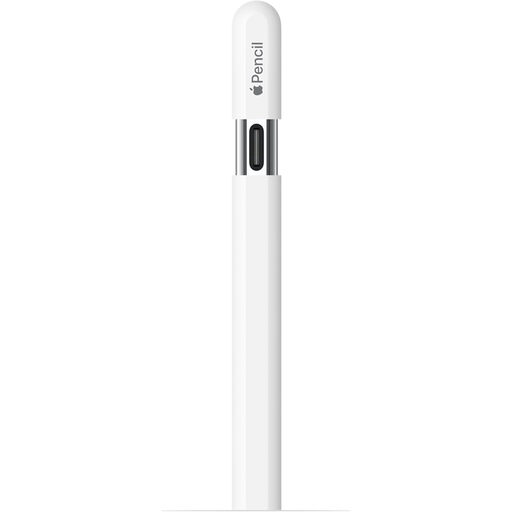
Why We Chose It The Apple Pencil (USB-C) is designed for seamless integration with the Apple ecosystem. Its ultra-low latency means there's virtually no lag between your movement and the line on the screen. The pen attaches magnetically to the side of compatible iPads and charges via a USB-C port.
Key Features
Who It's For For iPad users seeking a reliable and fully integrated experience for creative and productive tasks. Suitable for students, designers, and anyone who prefers official Apple accessories.
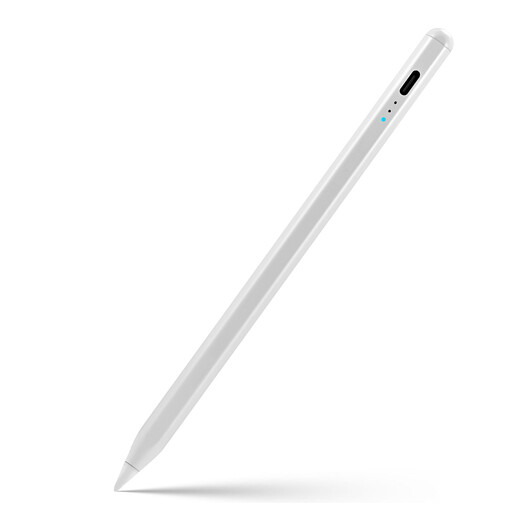
Why We Chose It This Apple Pencil alternative offers many of the core features users need, such as tilt sensitivity and palm rejection. The pen is compatible with iPad models from 2018 onwards. A practical addition is the LED indicator that displays the battery status.
Key Features
Who It's For For iPad users (models 2018 and later) looking for a functional stylus for drawing and writing that offers excellent value. The battery indicator is a handy bonus for those who don't want to be caught off guard.
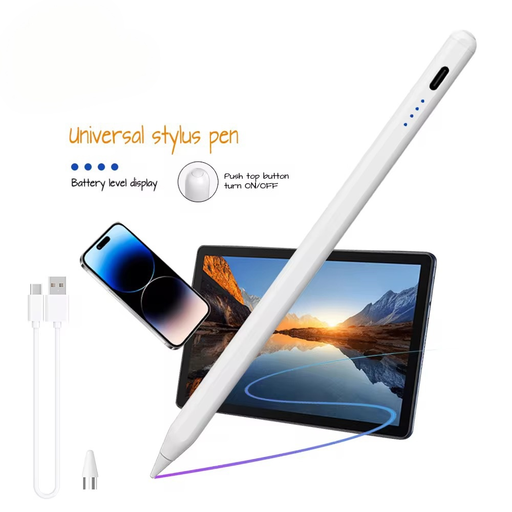
Why We Chose It The VoxorAI HL-U05 stands out for its broad compatibility. According to the manufacturer, this stylus works not only with iOS (iPad) but also with Android and Microsoft devices that have a capacitive screen. This makes it a flexible option for users with multiple devices.
Key Features
Who It's For For users who want a single stylus for multiple devices, such as an iPad, an Android tablet, and a smartphone. It's a practical choice for those who value flexibility and versatility.
Are you exploring your options and perhaps considering a new tablet setup? While a stylus is a powerful accessory, the experience starts with the device itself. For an overview of available devices, you can browse our White tablet category.
1. Does every stylus work on every iPad? No, compatibility is crucial. Always check the stylus's specifications to verify that your specific iPad model and iPadOS version are supported. Manufacturers typically list this clearly in the product description.
2. What is the main difference between an Apple Pencil and an alternative? Apple Pencils offer the deepest integration with iPadOS, including features like the hover preview and, on Pro models, double-tap to switch tools. Alternatives often provide the main core features, like palm rejection and tilt sensitivity, at a different price point. Sometimes they add extras, such as a built-in battery indicator.
3. Do I need a stylus with pressure sensitivity? This depends on your use case. For professional digital artists who want to vary line weight by pressing harder or softer, pressure sensitivity is an important feature. For note-taking, general navigation, and simpler drawing, palm rejection and tilt sensitivity are often sufficient for a great experience.
Written by the Joybuy Product Recommendation Officer