First, decide how you’ll protect your invoices and restore them later. For sensitive files or a greater risk of loss, an encrypted stick is a sensible choice; for a simple local copy, a standard stick may be sufficient if you protect the files appropriately yourself. Then check the connector and storage capacity you need, and test that you can restore your files. The Digital Trust Center advises against relying on a single storage location and recommends testing backups. The applicable Dutch invoice retention periods still apply.
Who is this choice relevant to?
Self-employed professional with customer invoices
Wants to keep business invoices locally and balance access during an audit against the protection of personal data. The Dutch Tax and Customs Administration generally gives a retention period of 7 years for invoices and 10 years for invoices relating to immovable property. The Dutch Data Protection Authority stresses that security measures should be appropriate to the processing and the privacy risks.
Invoice administrator who wants a recovery copy
Wants to make a backup without the cloud and check later that files can be restored. The Digital Trust Center advises against relying on a single storage location; the National Cyber Security Centre warns that USB sticks and backups can also be affected by ransomware.
User with USB-C only
Needs a USB-C connector to make or restore a local copy, and must also decide what level of protection the files need. Check that the stick and any unlocking method work with the devices you use.
What should you look for when choosing?
First decide how much protection you need, then check that the stick works with your devices, and finally make sure you can restore the copy.
| What to consider |
What should you check? |
Who is this important to? |
| Protection if lost |
Check whether encryption protects the stored files and how access works if you forget the code or enter it incorrectly repeatedly. |
I want to stop anyone reading my invoices if the stick goes missing; around 36% of consumers put confidentiality first when choosing. |
| Recoverable copy |
Keep a separate copy and test whether you can open or restore an invoice from it. |
I want to be able to restore an invoice if the original is missing; around 29% of consumers put recoverability first. |
| Connector |
Check that the stick works with both the device you use to make the copy and the device you use to restore files. |
I need to be able to save and open files on my devices; around 21% of consumers name device compatibility as their top priority. |
| Storage capacity |
Check the size of your invoice folder and allow for future files and any additional copies. |
I want enough space for my archive, even as it grows; around 14% of consumers put archive capacity first. |
Common pitfalls
-
Assuming one USB stick is a complete backup strategy
A copy is only useful if you can access it when the original is missing. The Digital Trust Center advises keeping copies in multiple locations and testing recovery; according to the National Cyber Security Centre, USB sticks and backups can also be affected by ransomware.
Keep a separate copy and check that you can restore an invoice from it.
Keeping a second copy separately takes extra storage space and management, and recovery tests take time.
-
Assuming that a password mention means all your invoices are encrypted
With a standard USB stick, check which files are actually protected by the security method you choose. The Dutch Data Protection Authority cites the loss of a USB stick containing unencrypted personal data as a possible data breach.
Test the security with a file before storing invoices on the stick.
-
Overlooking the recovery and update requirements of a secure stick
Kingston describes lockout or erasure under certain administrator password conditions. Verbatim states that the stick needs to be reformatted after 20 failed attempts, and that a security update is available for the Keypad Secure USB-C Drive.
Read the code and recovery procedure, install any applicable updates, and keep a separate copy as well.
Brands to consider
Kingston
The IronKey Vault Privacy 50 series is available with a USB-A or USB-C connector for anyone looking for hardware encryption.
- Kingston lists XTS-AES 256-bit hardware encryption and support for multiple passwords.
- Certain administrator password conditions can result in lockout or erasure. Check the recovery procedure and keep a separate copy.
Verbatim
The Keypad Secure USB-C Drive 64GB #49431 is designed for anyone who wants to unlock their stick with a keypad code.
- Verbatim lists hardware encryption and a code of up to 12 digits.
- According to Verbatim, the stick needs to be reformatted after 20 failed attempts. The included Nero backup software works with Windows only, according to the manufacturer. Verbatim also reports that a security update is available.
SanDisk
The Ultra Flair USB 3.0 128GB is a standard USB stick for making a local copy via USB-A.
- The Dutch Joybuy product page lists read speeds of up to approximately 150 MB/s.
- This is not a stated write speed and does not mean that invoices are encrypted by default. Check the security settings separately.
Transcend
The JetFlash 790 has USB-A; the JetFlash 790C has USB-C.
- These two models give you a choice between the connectors listed.
- Transcend lists optional management software with encryption and cloud features for the 790C. This does not mean the stick has hardware encryption by default. For a local copy without the cloud, don’t use the optional cloud synchronisation.
USB sticks for local invoice copies
These USB sticks are designed for local invoice copies without the cloud. Choose based on the stated capacity, and check that the connector works with both the device you use to make the backup and the one you use to restore files.
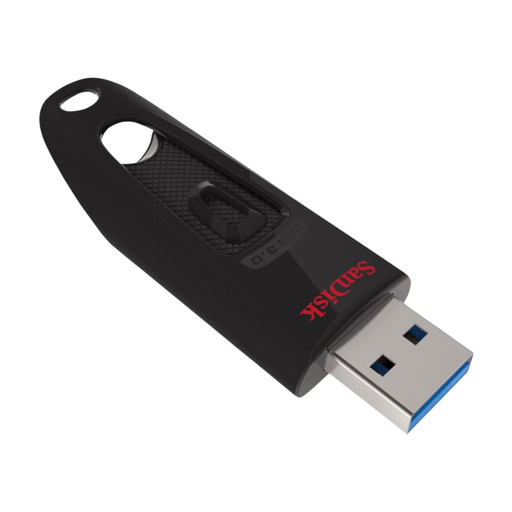 Image unavailable
SanDisk Ultra USB Flash Drive 128GB USB 3.0
An option for local invoice copies using a USB-A connector; enable password protection separately.
128 GB; USB 3.0; USB-A.
View at Joybuy
 Image unavailable
SanDisk Ultra Flair USB 3.0 256GB
An option for anyone looking for local storage who wants to check file protection separately.
256 GB; USB 3.0; the product description lists SanDisk SecureAccess software for file protection.
View at Joybuy
 Image unavailable
Kingston DataTraveler Exodia USB 3.2 Flash Drive
An option for storing documents locally on a USB stick; check the connectors on your devices.
128 GB; USB 3.2 Gen 1.
View at Joybuy
 Image unavailable
Kingston DataTraveler 512GB 220MB/s Metal USB 3.2 Gen 1 SE9 G3
An option for an invoice archive if you need the stated capacity; consider security and recoverability separately.
512 GB; USB 3.2 Gen 1; read speeds of up to 220 MB/s.
View at Joybuy
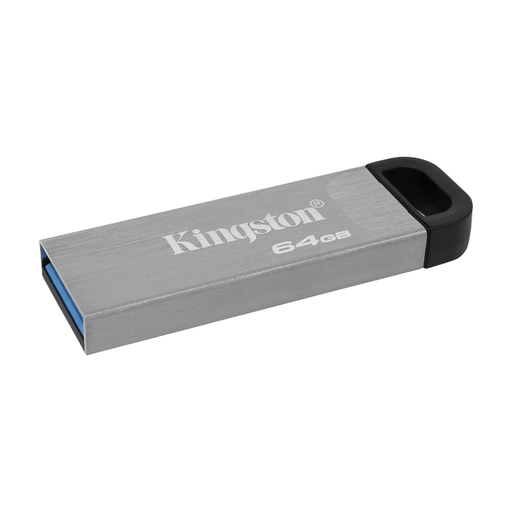 Image unavailable
Kingston DataTraveler 64GB Kyson USB Flash Drive
An option for a local document copy using a USB-A connector; check that 64 GB is enough for your archive.
64 GB; USB 3.2 Gen 1; USB Type-A.
View at Joybuy
Frequently asked questions
Can I keep business invoices in digital form only as printouts?
No. The Dutch Tax and Customs Administration says that digital invoices must be kept digitally in their original form. It gives a retention period of 7 years, or 10 years for invoices relating to immovable property. A 10-year period may also apply to supplies and services under the specified one-stop-shop schemes. A USB backup does not change these rules.
Is hardware encryption required for every USB stick containing invoices?
The Dutch Data Protection Authority does not specify one type of stick for all invoices. If you process personal data, you must choose security measures that are appropriate to the processing and the privacy risks. The Authority cites the loss of a USB stick containing unencrypted personal data as a possible data breach.
How can I check that my invoice backup works?
Test whether you can restore and open your files. The Digital Trust Center advises against keeping copies in just one location and recommends testing recovery regularly. Choose a testing schedule that suits how often you add new invoices. This is security advice, not a specific legal requirement for how often USB sticks must be tested.
Does the backup software included with the Verbatim Keypad Secure USB-C Drive work on a Mac?
No. According to Verbatim, the included Nero Backup software works with Windows only. Verbatim says the stick itself is compatible with PC and Mac. Also check the security update that the manufacturer has announced for this product.


