
Portfolio photographer
Wants to show the whole invitation, its composition and finish, and first check whether an extra lens is needed. Canon describes a standard kit lens as a possible starting point for flat-lay photography.


For a photo of the whole invitation, your current lens may be enough if it can focus from the distance you need. A macro lens is most useful when you want small lettering, raised details or paper texture to fill the frame. Choose a lens with the right camera mount and leave enough room for lighting: a high maximum magnification alone won’t guarantee a sharp image of the whole invitation or a good result with glossy print.
Wants to show the whole invitation, its composition and finish, and first check whether an extra lens is needed. Canon describes a standard kit lens as a possible starting point for flat-lay photography.
Wants to capture small lettering, raised details or paper texture separately and at a large size. Canon notes that close-ups require precise focusing.
Wants to choose a lens with the right camera mount and leave enough room to light flat or glossy print.
Choose this if: you mainly want to show the whole invitation and your current lens can focus from the distance you need.
Bear in mind: this doesn’t prove that the lens offers enough magnification for the smallest details or the sharpness you want right into the corners.
Choose this if: you want to photograph larger details as well as the overall invitation, but don’t need 1:1 magnification.
Bear in mind: Canon specifies a maximum of 0.5× for the RF 35mm F1.8 MACRO IS STM. Take a test shot to check whether small lettering appears large enough.
Choose this if: individual letters, foil details or paper fibres are your main subject and you can choose the right mount.
Bear in mind: close-ups have a shallow depth of field, and magnification above 1:1 isn’t automatically more useful for photographing the whole invitation.
| What to consider | What should you check? | Who is this important for? |
|---|---|---|
| The whole invitation | Take a test shot and check the text and corners at the display size you want for your portfolio. | If I want to show the whole card, I don’t necessarily need a new lens; around 31% of consumers prioritise the overall image. |
| Small print details | Compare the exact model’s maximum magnification with the crop you want; also assess sharpness across the whole detail. | If I want to show lettering, raised details or paper texture separately, the achievable magnification is crucial; around 25% of consumers prioritise these details. |
| Mount and working distance | Check the mounts on your camera and lens, and measure whether there’s enough room for your chosen framing and lighting. | If I’m using a particular camera body or have limited space, the combination needs to suit my setup; around 25% of consumers prioritise compatibility and working space. |
| Lighting and focus | Test the actual paper with your planned lighting and assess reflections and sharpness; use a tripod or other support if needed. | If I want to show the paper finish consistently in a repeatable setup, I also need to check the lighting and focus; around 19% of consumers start with these checks. |
Maximum magnification varies by model. Canon specifies a maximum of 0.5× for the RF 35mm F1.8 MACRO IS STM and 1.4× for the RF 100mm F2.8L Macro IS USM.
Compare the stated maximum magnification for the exact model with the detail you want to fill the frame.
For the Nikon Z MC 50mm f/2.8, Nikon lists both a minimum focusing distance of 0.16 m and around 5 cm between the front of the lens and the subject at that distance.
Check how much room your intended setup leaves for lighting and paper.
A ranking may compare lenses for different camera systems. Tamron’s 90mm F/2.8 Di III MACRO VXD, model F072, comes in separate Sony E and Nikon Z versions.
Start by checking your camera body’s mount, then see which models suit your photography.
The RF lenses mentioned are options for a compatible Canon RF camera.
The Z MC 50mm f/2.8 and Z MC 105mm f/2.8 VR S are macro options for a compatible Nikon Z camera.
The FE 90mm F2.8 Macro G OSS is an option for Sony E cameras.
The 90mm F/2.8 Di III MACRO VXD, model F072, is available in separate versions for Sony E and Nikon Z.
The FUJINON XF80mmF2.8 R LM OIS WR Macro is an option for a compatible Fujifilm X camera.
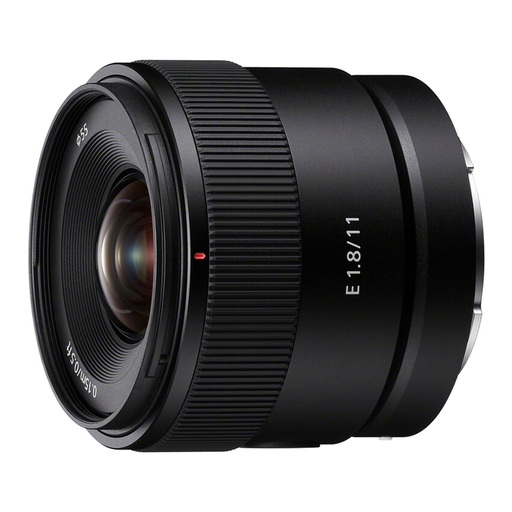
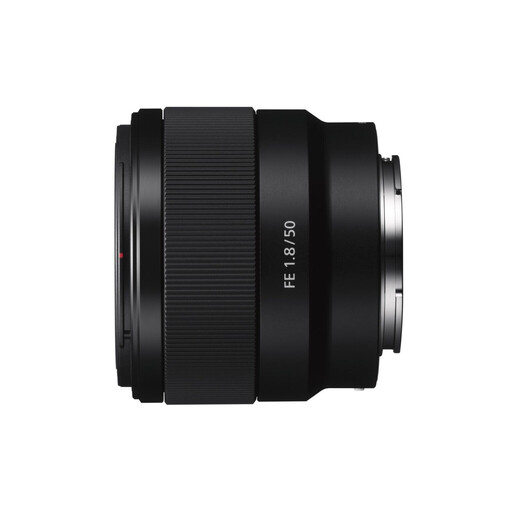
These product picks are Sony E lenses for close-up and product photography; their stated magnification is limited for capturing very small print details.
 No image available
Worth considering if you use a Sony E camera, although its stated magnification is limited for capturing very small print details at a large size.
The product description lists a minimum focusing distance of 0.15 m and magnification of 0.13× with AF and 0.20× with MF.
 No image available
This version may suit product or close-up photography with a Sony E camera, but its stated magnification limits how large very small details can appear in the frame.
The product description lists 0.16× magnification and OSS.
No. First, see whether your current lens can capture the whole invitation sharply from the distance you want. Canon suggests a standard kit lens as a possible starting point for flat-lay photography; check separately whether its magnification is enough for small details.
Take test shots at different aperture settings and assess the whole detail you want to show. Canon points out that close-ups have a shallow depth of field and recommends using a tripod or other support for still-life photography.
Check the exact lens version and mount with the seller. According to the Dutch government, when you buy from a business at a distance, you generally have a 14-day cooling-off period in many cases; this doesn’t automatically apply when you buy online from a private individual.
Not necessarily. According to the Dutch government, you generally need the creator’s permission to use other people’s copyright-protected text or images publicly. A private copy for personal use therefore can’t automatically be made public; check which parts of the invitation were created by someone else.
According to the Dutch Data Protection Authority, the name or address of an identifiable living person is personal data. What’s permitted depends on what you publish and why; if necessary, remove visible personal data before using a photo in a public portfolio.