First, choose the computer and tracker application that will store your inventory locally; a monitor on its own doesn’t save that data. A compact touchscreen is a good choice for entering information directly beside your stock cupboard, provided the host, connections and software support touch. A larger monitor is better suited to viewing lists and using a mouse and keyboard. Then check the video connection, any separate touch connection and the power supply.
Who is this choice relevant to?
Builder who wants local storage
Wants to keep inventory on their own computer and find a suitable screen, without confusing the display with the storage device. Raspberry Pi documentation describes the microSD card as storage for the operating system and user data; the Dutch Data Protection Authority advises checking in advance what happens to your data.
User who enters information beside the cupboard
Wants to update quantities directly on a compact control panel, so the screen and touch connections need to match the computer. Raspberry Pi and Waveshare describe different connections for their displays.
User who wants to view lists at a glance
Wants more room for product names and quantities, and can control the tracker with existing input devices. Dell Netherlands and Raspberry Pi describe larger monitors with HDMI.
What should you consider when choosing?
Start with what you need the screen to do, but consider storage separately: that depends on the computer and tracker application.
Compact DSI touchscreen
Choose this when: you’re using a Raspberry Pi with a compatible DSI connection as the host.
Bear in mind: the Raspberry Pi Touch Display 2 isn’t compatible with the Raspberry Pi Zero range and won’t work with a standard HDMI computer without additional considerations.
Compact HDMI touchscreen
Choose this when: you want a small touchscreen and your host has HDMI for video and a suitable USB connection for touch.
Bear in mind: on the Waveshare 7inch HDMI LCD (C), video and touch use separate connections. Also check the host, operating system and power supply.
Larger monitor
Choose this when: you want more screen space for viewing lists and use the tracker with an existing computer and input devices.
Bear in mind: a larger screen needs more space; the Raspberry Pi Monitor needs a separate USB-C power supply as well as HDMI.
| What to consider |
What should you check? |
Which consumers does this matter to most? |
| Local storage |
Check where the tracker application stores its database and backups; a monitor doesn’t store your inventory itself. |
If I want to keep inventory data locally, I also check where the tracker application stores its data. Around 36% of consumers make local storage their top priority. |
| Entering information directly |
Check that the host and software support touch, and that video and touch use the right connections. |
I want to update quantities by the stock cupboard using touch, as long as my host and software support it. Around 29% of consumers prioritise direct touch input. |
| Viewing lists at a glance |
Compare the screen size with the space available, and check that the tracker layout works with your chosen resolution. |
With long product names, I want to see more rows at once and have room for a larger screen. Around 21% of consumers prioritise a clear overview on a larger screen. |
| Connections |
Check video, any USB touch connection and power separately; the connections you need vary by model. |
I want to keep installation simple and check all the connections my computer needs in advance. Easy connectivity is the top priority for around 14% of consumers. |
Common buying pitfalls
-
Assuming a touchscreen is a complete inventory tracker
A screen displays the interface, but it doesn’t confirm where data is stored or whether the tracker application works. On Raspberry Pi models, the microSD card can hold the operating system and user data; you’ll still need to set up storage appropriately for the application you choose.
First decide what the software will run on and where it will store data. Then choose a screen that connects to that host.
Your setup may also need a host computer, storage device and suitable software.
-
Assuming every Raspberry Pi screen fits every Raspberry Pi
The Raspberry Pi Touch Display 2 uses DSI and GPIO and isn’t compatible with the Raspberry Pi Zero range.
Before buying, check the full host and screen model and compare the connections required.
If the devices aren’t compatible, you may need a different host or a screen with different connections.
-
Treating a similar model as the same product
The Dell P2425 and Dell P2425H are different models. Joybuy Netherlands lists the P2425 as 24.1 inches with a resolution of 1920 × 1200 pixels; Dell Netherlands specifies that the P2425H is 23.8 inches with a resolution of 1920 × 1080 pixels.
Check the full model code and the specifications for that exact version before comparing screens.
Relevant brands to compare
Raspberry Pi
Offers both DSI touchscreens for compatible Raspberry Pi computers and a separate HDMI monitor.
- Raspberry Pi specifies DSI for the screen and GPIO for power on the Touch Display 2.
- The Touch Display 2 isn’t compatible with the Raspberry Pi Zero range. The 15.6-inch Raspberry Pi Monitor needs a separate USB-C power supply; neither device determines where tracker data is stored.
Waveshare
Offers compact HDMI touchscreens for devices including Raspberry Pi, when DSI isn’t the connection you’re using.
- Waveshare specifies a 7-inch IPS panel with 1024 × 600 pixels, HDMI video and USB touch for the 7inch HDMI LCD (C).
- Check the host, operating system and power supply for the exact model.
Elecrow
Offers small HDMI touchscreens for DIY projects, including a version for Raspberry Pi and other mini computers.
- According to Elecrow, the 7-inch Touch Screen-D reviewed has a native resolution of 1024 × 600 pixels and uses USB for touch.
- These connection details apply to the version listed; don’t assume every Elecrow version has the same connections.
Dell
The P2425H is a larger monitor for viewing an inventory list on an existing computer.
- Dell Netherlands specifies a 23.8-inch Full HD IPS screen with HDMI for the P2425H.
- The P2425 without the H is a different model, with a different screen size and resolution; check the full model code.
ASUS
The ZenScreen Touch MB16AMT is a portable touchscreen monitor for anyone comparing a larger touchscreen with compact project displays.
- ASUS Netherlands specifies a 15.6-inch screen with 1920 × 1080 pixels and capacitive touch for this version.
- Before buying, check that the connections and power supply suit your host; these screen specifications don’t tell you anything about local data storage.
Joybuy products for inventory trackers
This selection focuses on larger monitors for viewing lists and a portable touchscreen for control; local storage depends on the computer and tracker application.
 No image available
Acer SA242YH1 24-inch Full HD monitor
A larger screen for the tracker interface; storage is handled by the computer and software.
Full HD with HDMI and VGA. The charger isn’t included as standard.
View at Joybuy
 No image available
Philips 1000 Series 24E2N1100LB/00 24-inch Full HD VA monitor
A good fit if you want to view your inventory list on a larger screen; local storage still depends on the host and application.
24 inches, Full HD, VA panel and 100 Hz, according to the product information.
View at Joybuy
 No image available
LG UltraGear 24G414B-B 24-inch Full HD monitor
A larger monitor for the tracker interface if you use the computer with your own input devices.
IPS panel and Full HD; HDMI and DisplayPort are listed among the connections.
View at Joybuy
 No image available
UPERFECT 15.6-inch portable touchscreen monitor
A good fit if you’re looking for a portable touchscreen for the tracker interface; check that your host supports the connections required.
Full HD with mini-HDMI for video. Storage depends on the computer and application.
View at Joybuy
 No image available
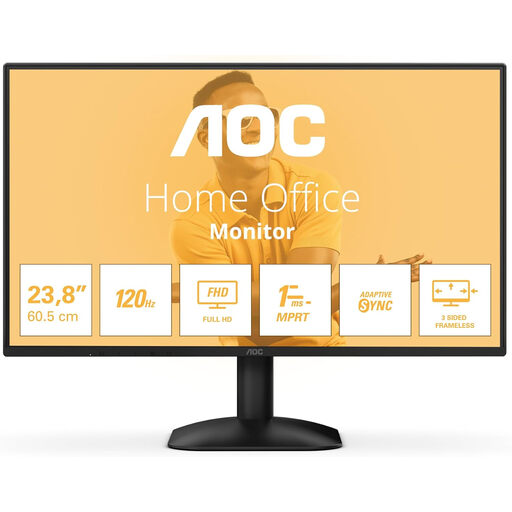
AOC 24B31H 24-inch Full HD monitor
For viewing your tracker on a larger screen while using the host with your own input devices.
1920 × 1080 pixels, HDMI and DisplayPort, according to the product title.
View at Joybuy
Frequently asked questions
Does a touchscreen automatically store my inventory locally?
No. A touchscreen is for control and display; check the storage location in the computer and tracker application you choose. Many Raspberry Pi models use a microSD card to store the operating system and user data, but that doesn’t automatically determine where a specific application stores its data.
Why doesn’t touch work when I only connect HDMI?
On the Waveshare 7inch HDMI LCD (C), HDMI carries the video and touch works via USB. Connect the appropriate USB cable as well, and check that your host and operating system support the screen.
How can I prevent losing an inventory list stored locally?
Make a separate backup of your tracker data and check that you can restore it. Raspberry Pi warns that installing a new operating system overwrites existing files on the SD card.
What guarantee am I entitled to in the Netherlands if the monitor develops a fault?
When you buy as a consumer, you’re entitled to a product that works properly. The Dutch government says the seller must provide a solution if there’s a problem; there isn’t one fixed statutory guarantee period for every product. A manufacturer’s or extended guarantee is in addition to your statutory rights.
Does local storage mean a connected device poses no privacy risk?
No. Local storage doesn’t automatically prevent a connected device from sharing data. The Dutch Data Protection Authority advises checking what happens to your data, so review the software you choose and any network services separately from the monitor.


