Choose based on what interrupts your indexing work most: keys that are hard to read, controlling audio or compatibility with your screen magnification. Large-print keys won’t enlarge the text on your screen, so check your magnification settings, layout, connection and any software-specific shortcuts separately.
Which keyboard is right for you?
Indexer who finds keys difficult to read
If you find it hard to distinguish the markings on keys when entering names, times or keywords, compare large-print legends and contrast under your own lighting. Koninklijke Visio notes that comfortable lighting varies from person to person.
Indexer who often rewinds audio
If you frequently switch between a recording and your document while indexing, check that your audio software’s keyboard shortcuts work in the application you’re typing in. NCH Software describes using keyboard shortcuts to control playback in transcription software.
Screen magnification user
If you read interview text using magnification software, assess screen magnification separately from the visibility of the physical keys. Microsoft describes Magnifier as a separate way to enlarge items on screen; dedicated ZoomText keys are designed to work with the associated software.
What should you look for when choosing?
Start with the interruption you experience most often while indexing: searching for keys, controlling audio or using your magnification software.
| What to consider |
What to look for |
Who is this most important for? |
| Key readability |
Compare the size and contrast of the legends; assess the lighting in your own working conditions. |
If I regularly have to search for keys when entering names and timecodes, I want to be able to distinguish the markings clearly. Around 36% of consumers give physical key readability top priority. |
| Audio control |
Check the keyboard shortcuts for your own audio software, along with the navigation and function keys you need. |
If I often rewind or pause, I want to control the recording without interrupting my indexing workflow. Around 29% of consumers give audio control top priority. |
| Screen magnification and software |
Check your computer, magnification software, connection and any software-specific keys. |
If I use screen magnification, I want to know whether dedicated keys work with my programme. Around 21% of consumers give compatibility with screen magnification top priority. |
| Familiar layout |
Check the exact country layout, function keys, number pad and connection. |
If I can already read the keys clearly, I want a familiar layout for entering my index terms and figures. Around 14% of consumers give simple, familiar operation top priority. |
Avoid common buying mistakes
-
Confusing large-print keys with larger text on screen
A large-print keyboard won’t automatically change the size of your indexing document. Screen magnification and the legends on keys are separate things.
Work out whether you need help with the keys, the on-screen text or both. Set up screen magnification separately before choosing a keyboard based on the term ‘large print’.
-
Assuming media keys control every audio player
Whether you can control audio using keys depends on the shortcuts supported by the software you’re using and which application is active.
Check the commands in your own transcription programme and try them while your indexing document is active.
-
Choosing backlighting or an unusual layout without checking it first
According to Perixx, the PERIBOARD-317 is available in several country layouts. Koninklijke Visio notes that bright light can be uncomfortable for some people.
Check the layout variant you’ve chosen and make sure the backlighting is comfortable where you work.
Brands to consider
ClearKeys
A large-print option to compare if your main priority is making the markings on physical keys easier to distinguish.
- Sensotec Nederland describes large black letters on yellow keys, with navigation and number keys.
- The specified connection is USB and the layout is US-International. Check separately whether your transcription software’s shortcuts suit your workflow.
Perixx
The PERIBOARD-317 may be worth considering if you’re looking for large-print keys and adjustable backlighting.
- Perixx lists large-print legends, switchable white backlighting and USB-A.
- Several country layouts are available. Koninklijke Visio notes that bright light affects people differently, so check both the variant and the backlighting.
Optelec / ZoomText
Worth considering if you use ZoomText or Fusion and want to control that software using your keyboard.
- Optelec lists programmable shortcuts for ZoomText and Fusion.
- The software support listed applies to Windows 8, 8.1, 10 and 11. Koninklijke Visio describes the large-print version as a Windows option, so don’t assume the same software controls will work on a Mac.
Logitech
The K120 is a standard option if you can already read the key markings clearly and want a full-size layout.
- Logitech lists USB, a number pad and full-size function keys.
- The K120 isn’t a large-print model. Check that the shortcuts you need work with your own audio software.
Keyboards at Joybuy
These product picks are standard full-size keyboards for anyone who doesn’t need physical key enlargement as their first priority. You can adjust the size of on-screen text separately.
 No image available
Wired QWERTY keyboard with number pad
The full-size layout may suit you if you also enter figures while indexing.
Wired; QWERTY layout; full-size; number pad; plug and play.
Joybuy
 No image available
Ticktype DP104 wireless mechanical keyboard, 108 keys, US layout
The full-size US layout may suit you if it matches the characters and key positions you’re used to.
108 keys; tri-mode wireless; mechanical; quiet tactile switches.
Joybuy
 No image available
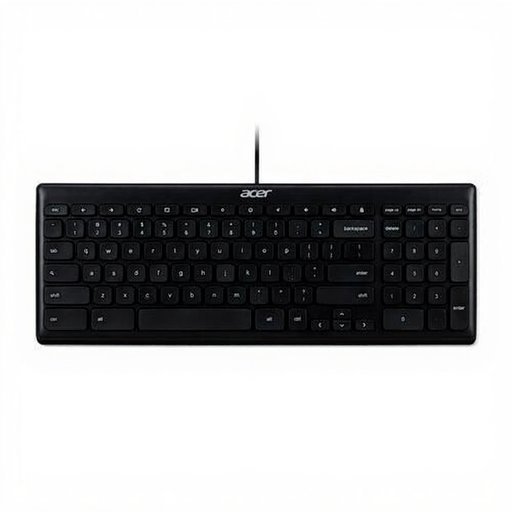
Acer GP.KBD11.00S USB keyboard, US International QWERTY
A number pad can be useful if you enter lots of times or other figures while indexing.
USB; US International QWERTY layout; number pad.
Joybuy
 No image available
Trust Vaiya wireless keyboard, full-size, US QWERTY
The full-size layout may suit you if you want to keep a number pad for entering indexing data.
Number pad; scissor keys; connects via USB receiver or Bluetooth.
Joybuy
 No image available
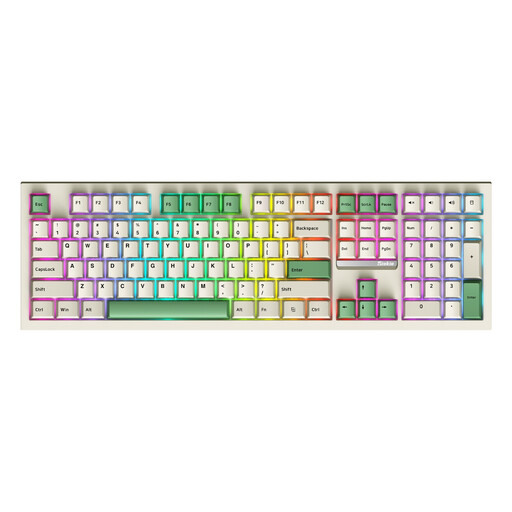
Siukie PL108W mechanical keyboard, 108 keys, beige
The full-size layout may suit you if you’re looking for a 108-key keyboard for indexing work.
Mechanical; detachable switches; three connection modes; RGB backlighting.
Joybuy
Frequently asked questions
Does a large-print keyboard also enlarge interview text on your screen?
No. Large print refers to the legends on physical keys, not the text on your screen. Microsoft describes Magnifier for Windows 10 and 11 as a separate way to enlarge items on screen; also check the settings in your indexing programme.
How can you check whether you can control the recording with keys while typing?
Try the playback shortcuts in your own audio software while your indexing document is active. NCH Software lists hands-free playback using keyboard shortcuts in Express Scribe, but that doesn’t mean you need dedicated keys on every keyboard.
What should you check about the layout and connection?
Check the port and the exact country layout of the variant you’ve chosen. Sensotec Nederland lists USB and US-International for ClearKeys; Perixx lists USB-A and offers several layouts. Also assess the contrast and any backlighting in the lighting conditions where you work.
What return and warranty rights apply to a keyboard bought online in the Netherlands?
For a standard online consumer purchase, you generally have up to 14 days from delivery to change your mind; ACM ConsuWijzer explains this period and the applicable conditions and exceptions. If a product doesn’t meet the standards you’re entitled to expect, contact the seller. The Dutch government states that the Netherlands has no fixed statutory warranty period for this.


