
Vandaag of morgen in huis

Kwaliteit gegarandeerd

Welkomstaanbiedingen ontgrendelen: GRATIS bezorging | Tot 80% korting | Gratis 30 dagen JoyPlus-proefperiode
Download de app
Long loading times, stuttering software, or a slow PC startup. These are common frustrations for gamers, content creators, and anyone who demands a lot from their computer. Upgrading to a fast internal SSD is often the most effective solution to breathe new life into your system. But with the myriad of specifications like M.2, NVMe, and PCIe 5.0, it's easy to lose track.
As a Joybuy Product Recommendation Officer, I'm here to help you make the right choice. In this article, we'll cut through the marketing jargon and focus on what truly matters: the specifications and performance that match your needs. We'll review several popular choices for different budgets and purposes, from a gaming SSD to an upgrade for your PS5.
Before you buy an SSD, it's wise to consider three key points. This ensures you choose a model that is compatible and meets your expectations.
Most modern internal SSDs use the M.2 form factor. This is a compact stick that you click directly onto the motherboard. Within this form factor, the most important choice is the interface:
The required storage capacity depends entirely on your usage. Modern games and 4K video files are taking up more and more space.
Always check if your motherboard has a free M.2 slot that supports the type of SSD you want to buy (e.g., PCIe 4.0 or 5.0). For a PS5 SSD, specific requirements apply: the console requires a PCIe 4.0 (or newer) NVMe SSD with a minimum read speed of 5,500 MB/s. Additionally, a heatsink is mandatory to prevent overheating. Many SSDs come with a pre-installed heatsink that meets the PS5's dimensional requirements.
Below is a selection of internal SSDs that stand out for their specifications and are suitable for various users.
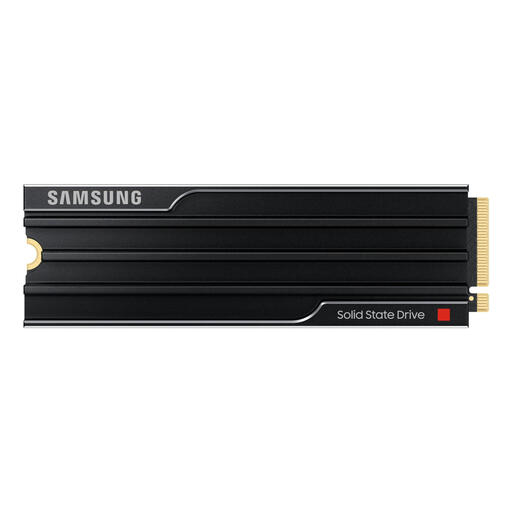
Why It Stands Out This Samsung SSD represents the latest generation of storage technology. With its PCIe 5.0 interface, it achieves sequential read speeds of up to 14,800 MB/s, according to Samsung's specifications. This is nearly twice as fast as the previous generation of top-tier PCIe 4.0 drives. The integrated heatsink ensures these performance levels remain stable, even under heavy load.
Pros
Who Is It For? For the tech enthusiast, professional content creator, or gamer who wants to get the absolute maximum out of their system and is ready for the future of data storage.
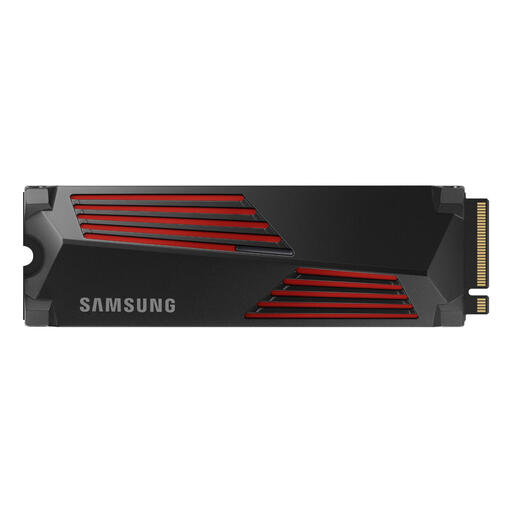
Why It Stands Out The Samsung 990 PRO is an established name in the high-end PCIe 4.0 segment. This model combines very high speeds (read up to 7,450 MB/s) with a generous 2TB capacity. The included heatsink with RGB lighting makes it not only functional but also a stylish addition to a PC with a glass side panel. It is directly compatible with the PlayStation 5.
Pros
Who Is It For? For the serious PC gamer or PS5 user looking for a reliable, fast, and spacious storage upgrade that works hassle-free right out of the box.
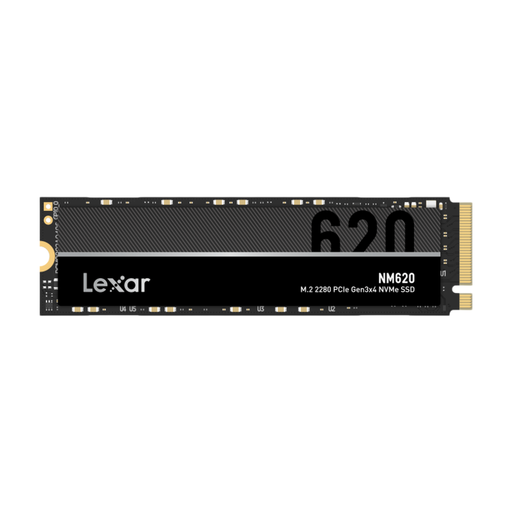
Why It Stands Out The Lexar NM620 offers an excellent price-to-performance ratio. As a PCIe 3.0 NVMe SSD, it delivers speeds up to 3,500 MB/s, which is a huge leap forward from any SATA SSD or hard drive. With a 1TB capacity, this is a very accessible upgrade for anyone wanting to experience the benefits of NVMe speed without paying a premium.
Pros
Who Is It For? For the budget-conscious user looking to upgrade their PC or laptop from a hard drive or SATA SSD. It's a perfect entry into the world of M.2 SSD speed.
The right internal SSD depends heavily on your system and specific needs. The models above are popular choices, but many more options are available. If you're looking for different capacities, speeds, or brands, there's sure to be an option that fits your needs.
Check out our full range of NVMe storage for more options that suit your requirements and budget.
The main difference is speed, which is determined by the interface used. A SATA SSD communicates via the older SATA interface, with a maximum speed of around 550 MB/s. An NVMe SSD uses the much faster PCIe bus, which communicates directly with the processor. This allows for speeds reaching thousands of MB/s.
For high-speed NVMe SSDs (especially PCIe 4.0 and 5.0), a heatsink is strongly recommended. During intensive use, these SSDs can get hot, which can lead to 'thermal throttling': the SSD temporarily slows down to cool off. A heatsink effectively dissipates heat and ensures stable, high performance. For use in a PS5, a heatsink is mandatory.
A PS5 SSD must meet several requirements. It must be an M.2 NVMe SSD with a PCIe 4.0 interface or newer. The minimum recommended sequential read speed is 5,500 MB/s. Finally, the SSD (including its heatsink) must fit within the dimensions of the PlayStation 5's expansion slot. Always check the manufacturer's specifications to ensure compatibility.
