What should you consider when choosing?
Nintendo Switch Lite
A good fit for: mostly handheld play with limited desk space, provided your chosen games support handheld mode.
Trade-off: Nintendo states that the Switch Lite cannot be connected to a TV.
Nintendo Switch 2
A good fit for: anyone who wants to choose between handheld, tabletop and TV modes, and is looking for Switch 2 or supported Switch games.
Trade-off: Nintendo specifies a 7.9-inch built-in screen; that measurement doesn’t tell you how large the text will appear in each game.
Steam Deck OLED
A good fit for: anyone choosing from Steam games who wants to explore trackpads or an external display as options for playing and reading.
Trade-off: Valve specifies a 7.4-inch screen and support for external displays; check compatibility for each game.
ASUS ROG Xbox Ally RC73YA
A good fit for: anyone looking for a Windows handheld for PC games and happy to check controls and compatibility for each title.
Trade-off: ASUS specifies Windows 11 Home and a 7-inch screen, and states that this version does not include a charger.
Xbox Series S 512 GB
A good fit for: anyone who already has a suitable monitor with an HDMI connection and wants to read on it.
Trade-off: this all-digital console has no built-in screen or disc drive; you’ll also need space for the monitor and cables.
Start by choosing based on the games you want to play and where you want to read the text. Then compare the controls, connections and components you’ll need.
| What to consider |
What should you check? |
Who is this most important for? |
| Space and screen setup |
Measure the space available and decide whether you want to play handheld, in tabletop mode or on a separate display. |
If space is limited, you may not want to set up a monitor; around 33% of consumers therefore prioritise space and screen setup. |
| Access to the games you want |
Search for the exact title in the platform’s store and check the edition, system requirements and handheld compatibility. |
If you want to play a particular story-driven game or use an existing PC library, start by checking availability; around 25% of consumers put their game library first. |
| Readability and language |
Check the interface and subtitle languages for each game and, if possible, view the dialogue text on the screen you plan to use. |
If you read a lot of dialogue, you’ll want text that’s easy to follow on your chosen screen and a game language you understand; around 25% of consumers make readability and language their top priority. |
| Components you’ll need |
Check what’s included with the exact version and which components you already own, such as a suitable screen or charger. |
If you want to avoid unexpected purchases, work out in advance what equipment and games you’ll need; around 17% of consumers prioritise the total cost and components. |
Joybuy products
This selection includes handhelds and Nintendo Switch consoles for playing on a built-in screen. Check whether each game you want is available on your chosen system and whether the controls suit you.
 No image available
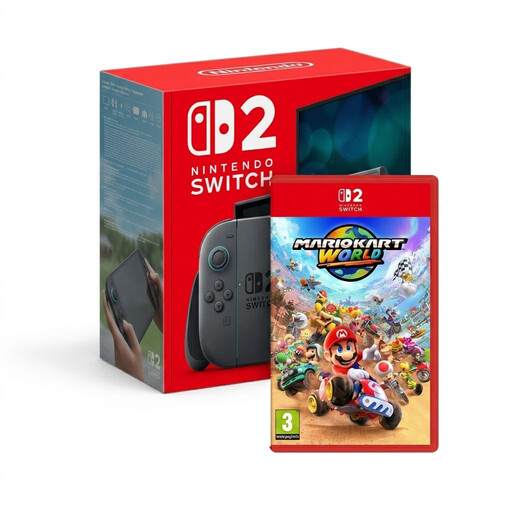
Nintendo Switch 2 + Mario Kart World
The Nintendo Switch 2 in this bundle could suit anyone who wants to play story-driven games on a built-in screen; check that the title you want is available for the system.
View at Joybuy
 No image available
Lenovo Legion Go 8ASP2
The product title identifies this as a handheld gaming console, for anyone who wants to play without a separate screen on their desk.
View at Joybuy
 No image available
Lenovo Legion Go S 8APU1 (83N6001TMH)
The product title describes a handheld gaming console, a format that could suit playing without a separate screen on your desk.
View at Joybuy
 No image available
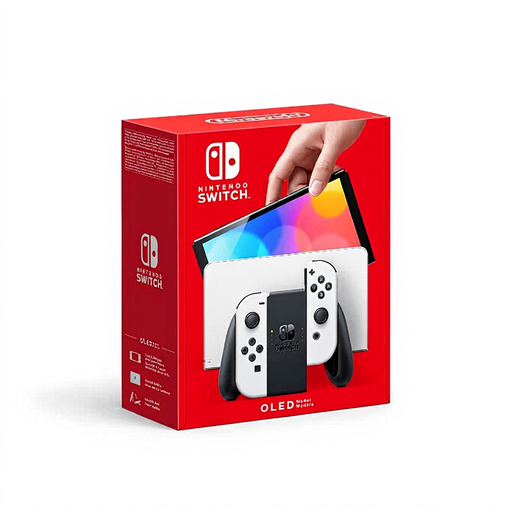
Nintendo Switch OLED White
The product description mentions a built-in screen and handheld and tabletop modes, so you can play without a separate monitor.
View at Joybuy
 No image available
Nintendo Switch 2 Console (EU)
The Nintendo Switch 2 has a built-in screen and supports handheld and tabletop modes; check that the game you want is available for this system.
Nintendo specifies a 7.9-inch screen.
View at Joybuy
Frequently asked questions
Can I connect a Switch Lite to my monitor later?
No. Nintendo states that the Switch Lite cannot be connected to a TV. For play on an external screen, choose a system whose display output supports that setup.
Will a game from a Dutch store automatically be playable in Dutch?
No, check the languages supported by the game itself. The Steam listing for 80 Days includes English among its supported languages.
How can I avoid unexpected purchases for my console setup?
Check what’s included with the exact version and what you already own. ASUS states that the ROG Xbox Ally RC73YA doesn’t include a charger; an Xbox Series S also needs a separate display.
What are my rights if a console I bought online turns out to be faulty?
According to the Dutch Government, a product must meet the terms of the agreement, and you can contact the seller if there’s a fault. The Dutch Government also states that there is no fixed two-year statutory guarantee period for all products. For online purchases, ACM ConsuWijzer says you’ll usually have a 14-day cooling-off period from delivery; conditions and exceptions may apply.
Does a PEGI age rating tell me how difficult a game is?
No. According to PEGI, the age rating indicates whether the content is suitable for a particular age, not how difficult the game is. Check the content descriptor for the specific title too.


