
Vandaag of morgen in huis

Kwaliteit gegarandeerd

Welkomstaanbiedingen ontgrendelen: GRATIS bezorging | Tot 80% korting | Gratis 30 dagen JoyPlus-proefperiode
Download de app
An Insta360 Link 2 4K webcam appeals to students, home workers, online teachers and streamers who want sharper video than a built‑in laptop camera can deliver. Even so, “4K” alone doesn’t tell the whole story. A webcam can boast high resolution yet still disappoint because of mediocre autofocus, an awkward field of view, or a microphone that doesn’t sufficiently suppress background noise.
So watch out for three common pitfalls:
The sensor has a big impact on image quality. According to the product descriptions, the Insta360 Link 2 models use a 1/2-inch sensor and support Ultra HD 4K. That can deliver extra detail for recordings, lessons and streams, but the real‑world quality also depends on lighting, software and the video service you use.
HDR can help balance highlights and shadows. That’s handy if you sit in front of a window or your workspace isn’t evenly lit. The Link 2 supports HDR according to the product description, but HDR isn’t a guarantee that every scene will look its best in every room.
Check the video codecs too. The Link 2 supports H.264 and MJPEG, but the product specification notes that 4K and 1080p at 60 frames per second in portrait mode aren’t supported with H.264. That may matter for software that expects a specific codec.
A webcam with AI tracking can follow a moving subject. Auto framing automatically adjusts framing and zoom so you stay properly in shot during a presentation or online lesson. That’s useful if you’re not sitting perfectly still in front of the camera.
Do note the difference between:
According to the product description, the Insta360 Link 2 offers AI tracking and auto framing. The Link 2C mentions auto framing, DeskView, Whiteboard Mode and 4K Portrait Mode. Check in advance whether your operating system and video platform support these features. According to the product specification, the Link 2C isn’t compatible with ARM‑based Windows systems or Windows Hello facial recognition.
A webcam with a microphone saves you having to buy a separate mic, but quality varies widely between models. Don’t just look for the presence of an integrated microphone. Also check for AI noise reduction, where you place the webcam, and how far it is from your mouth.
The Insta360 Link 2 and Link 2C are, according to their product descriptions, supplied with a microphone featuring AI noise reduction. Present this as a product feature, not a guaranteed outcome: background noise can still be audible depending on the room, ventilation and distance.
For a webcam for Zoom, video calls or online teaching, the following tips are also practical:
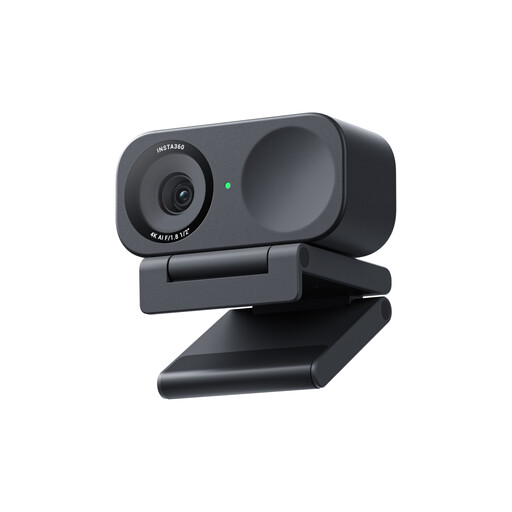
Why it fits this profile: This 4K webcam is geared towards everyday video calls, working from home and simple streaming without a separate camera setup.
The specifications list a 1/2‑inch sensor, HDR, PDAF autofocus and a physical privacy feature. That means you’re looking beyond the 4K badge alone.
4K video, auto framing, AI noise reduction and, according to the product description, compatibility with Zoom, Microsoft Teams and Twitch.
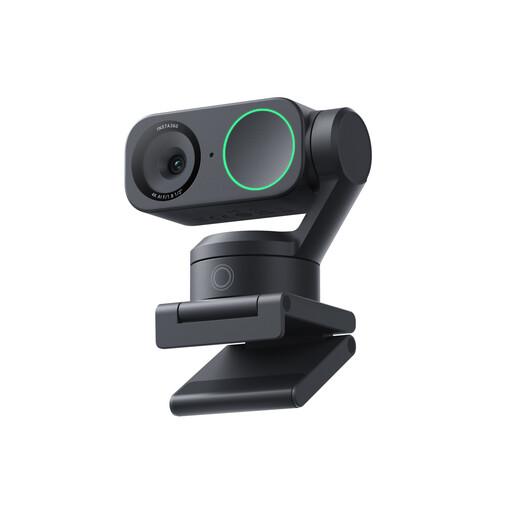
Why it fits this profile: Ideal for professionals, online teachers and streamers who want to combine tracking, framing and gesture control.
The combination of AI tracking, auto framing, PDAF autofocus and a fixed 79.5° DFOV makes the choice more concrete than a vague marketing claim.
1/2‑inch sensor, 4K resolution, HDR, AI noise reduction, gesture control, and support for H.264 and MJPEG according to the product specifications.
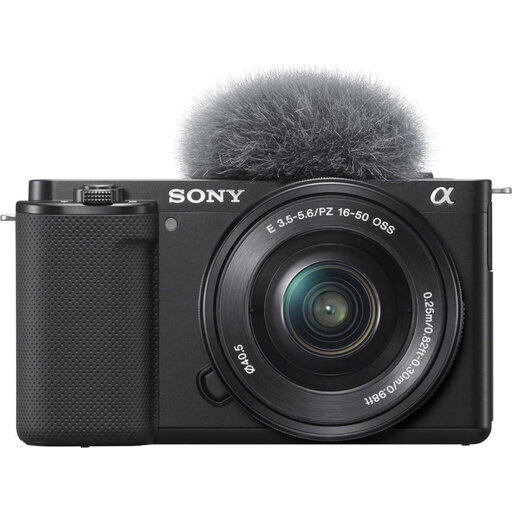
Why it fits this profile: An option for content creators and vloggers who want, alongside video calls, to shoot standalone 4K footage, choose lenses and create product videos.
Here you’re not choosing on webcam features alone, but a camera with an APS‑C sensor, interchangeable E‑mount and 4K video at 30 frames per second.
24.2 MP APS‑C sensor, 16–50mm power zoom lens, Product Showcase mode and built‑in Wi‑Fi according to the product information.
We’ve compiled a complete, up‑to‑date list of products that fully meet these rigorous selection criteria and current European safety regulations.
According to the product information, the Insta360 Link 2 is intended for PC and Mac and is compatible with Zoom. Before buying, do check the required software, connections and operating system version. For the Link 2C, ARM‑based Windows systems are not supported.
Not always. For standard Zoom meetings, 1080p can be sufficient, especially if your internet connection is limited. 4K is most useful for recordings, live streams, detailed presentations and situations where you want to crop the image digitally. The video service may automatically limit the resolution during a call.
That depends on how you use it. For everyday calls, the built‑in microphone with AI noise reduction can be practical. Streamers, online teachers and creators who really care about vocal quality may still prefer a separate microphone. Performance will always depend on distance, room acoustics and the level of background noise.
